
Join us on the Community Forums!
-
Community Guidelines
The Fitbit Community is a gathering place for real people who wish to exchange ideas, solutions, tips, techniques, and insight about the Fitbit products and services they love. By joining our Community, you agree to uphold these guidelines, so please take a moment to look them over. -
Learn the Basics
Check out our Frequently Asked Questions page for information on Community features, and tips to make the most of your time here. -
Join the Community!
Join an existing conversation, or start a new thread to ask your question. Creating your account is completely free, and takes about a minute.
Not finding your answer on the Community Forums?
- Community
- Product Help Forums
- Blaze
- Re: Blaze Firmware Release - 17.8.301.7 [Now Avail...
- Mark Topic as New
- Mark Topic as Read
- Float this Topic for Current User
- Bookmark
- Subscribe
- Mute
- Printer Friendly Page
- Community
- Product Help Forums
- Blaze
- Re: Blaze Firmware Release - 17.8.301.7 [Now Avail...
Blaze Firmware Release - 17.8.301.8
- Mark Topic as New
- Mark Topic as Read
- Float this Topic for Current User
- Bookmark
- Subscribe
- Mute
- Printer Friendly Page
09-23-2016 13:01 - edited 03-04-2017 10:04
- Mark as New
- Bookmark
- Subscribe
- Permalink
- Report this post


 Community Moderator Alumni are previous members of the Moderation Team, which ensures conversations are friendly, factual, and on-topic. Moderators are here to answer questions, escalate bugs, and make sure your voice is heard by the larger Fitbit team. Learn more
09-23-2016 13:01 - edited 03-04-2017 10:04
- Mark as New
- Bookmark
- Subscribe
- Permalink
- Report this post
Firmware version 17.8.301.8 - Resolves a syncing issue with Apple iOS version 10.2
Workout mode missing? Not a problem! Just follow the steps for adding it back.
Hey everyone! 
We're rolling out a new update for Blaze, release notes below:
- In addition to call, text, and calendar event notifications,
you can receive notifications from email and other third-party apps on your tracker.Common emojis also appear. Keep in mind all notifications currently on your tracker will be deleted after the update.
- You can receive reminders to move throughout the day.
- Five new clock faces are available. Navigate to your device settings and check them out!
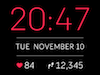
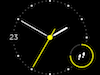
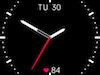
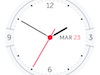
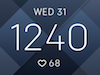
This release also resolves the following issue:
- Some users reported that auto-brightness was too dim or delayed.
Important to note: A sync is required after a manual shutdown or a battery drain in order to show the correct time on Blaze. This is especially important for your activity tracked by Blaze because you'll want to make sure it's associated with the current date and time.
09-28-2016 11:58
- Mark as New
- Bookmark
- Subscribe
- Permalink
- Report this post

09-28-2016 11:58
- Mark as New
- Bookmark
- Subscribe
- Permalink
- Report this post
09-28-2016 12:17
- Mark as New
- Bookmark
- Subscribe
- Permalink
- Report this post

09-28-2016 12:17
- Mark as New
- Bookmark
- Subscribe
- Permalink
- Report this post
 Best Answer
09-28-2016 12:33 - edited 09-28-2016 12:41
- Mark as New
- Bookmark
- Subscribe
- Permalink
- Report this post

09-28-2016 12:33 - edited 09-28-2016 12:41
- Mark as New
- Bookmark
- Subscribe
- Permalink
- Report this post
I didn't know about the new firmware until yesterday when my fitbit app said a Blaze firmware update was available. It took my update about an hour to complete, but it was worth it. I love the new "moment" clock face. It's perfect for me... has everything I need to look at.
Now if Fitbit would include weekday and weekend challenges in the Dashboard of the desktop/laptop app... all would be right in the world. 
09-28-2016 13:32
- Mark as New
- Bookmark
- Subscribe
- Permalink
- Report this post

09-28-2016 13:32
- Mark as New
- Bookmark
- Subscribe
- Permalink
- Report this post
The update appeared in my Android app after my walk yesterday. It took two hours to update. The slowdown may have been due to the opperating system which was updated to Android 7 recently on my Nexus 5x. Android 7 has had times where the system and apps get realy slow, to the point of finger print reader not responding and needing to enter a password instead, which in itself is slow to accept key presses.
I'm not sure if this is related, but today accessing exorcise details in the Android app causes the app to stop. It could be another issue with Android 7. I may need to restart the phone.
I like the clock face with time, date, heart rate, and steps. The notification additions aren't as useful to me as I dislike the Fitbit vibration which feals like burning to me.
Best Answer09-28-2016 13:35
- Mark as New
- Bookmark
- Subscribe
- Permalink
- Report this post

SunsetRunner
09-28-2016 13:35
- Mark as New
- Bookmark
- Subscribe
- Permalink
- Report this post
Best Answer09-28-2016 13:50
- Mark as New
- Bookmark
- Subscribe
- Permalink
- Report this post

09-28-2016 13:50
- Mark as New
- Bookmark
- Subscribe
- Permalink
- Report this post
Best Answer09-28-2016 13:58
- Mark as New
- Bookmark
- Subscribe
- Permalink
- Report this post

09-28-2016 13:58
- Mark as New
- Bookmark
- Subscribe
- Permalink
- Report this post
Best Answer09-28-2016 13:59
- Mark as New
- Bookmark
- Subscribe
- Permalink
- Report this post
09-28-2016 13:59
- Mark as New
- Bookmark
- Subscribe
- Permalink
- Report this post
Best Answer09-28-2016 13:59
- Mark as New
- Bookmark
- Subscribe
- Permalink
- Report this post
09-28-2016 13:59
- Mark as New
- Bookmark
- Subscribe
- Permalink
- Report this post
Best Answer09-28-2016 14:00
- Mark as New
- Bookmark
- Subscribe
- Permalink
- Report this post
09-28-2016 14:00
- Mark as New
- Bookmark
- Subscribe
- Permalink
- Report this post
I got it back but going into the app, removing workout and one other from my exercises list, syncing up, then adding both back in again.
Workout then appeared on watch again.
Best Answer09-28-2016 14:03
- Mark as New
- Bookmark
- Subscribe
- Permalink
- Report this post
09-28-2016 14:03
- Mark as New
- Bookmark
- Subscribe
- Permalink
- Report this post
all now and is replaced by aerobic workout....
Best Answer09-28-2016 14:10
- Mark as New
- Bookmark
- Subscribe
- Permalink
- Report this post
SunsetRunner
09-28-2016 14:10
- Mark as New
- Bookmark
- Subscribe
- Permalink
- Report this post
Best Answer09-28-2016 14:10
- Mark as New
- Bookmark
- Subscribe
- Permalink
- Report this post

09-28-2016 14:10
- Mark as New
- Bookmark
- Subscribe
- Permalink
- Report this post
Best Answer09-28-2016 14:12
- Mark as New
- Bookmark
- Subscribe
- Permalink
- Report this post
09-28-2016 14:12
- Mark as New
- Bookmark
- Subscribe
- Permalink
- Report this post
Best Answer09-28-2016 15:12
- Mark as New
- Bookmark
- Subscribe
- Permalink
- Report this post
09-28-2016 15:12
- Mark as New
- Bookmark
- Subscribe
- Permalink
- Report this post
I thought I went through all options last night to ensure that notifications, alarms, etc. were turned off.
I slept in today with my phone set to 'silent'. After missing the first 5 periods, I got up and put in 250 steps. I was sure that I had the steps in at the 55 minute mark, but the app had me as short with no notification. On the hour with only a few more steps having been taken, the app finally marked that I had the steps. (Maybe the app was just slow at getting the data.) I was just getting ready for a walk at the end of the next period when it signaled me that I was short. The vibration is a lot better then other notifications, I might leave it on. I made the rest of the periods before 50 minutes.
Strangly, it is on now, but for no days. If there are no days, I think it should not function. It looks like that might be the same as selecting all days. My guess is that the function either doesn' work when 0 steps are recorded and/or only after one period of 250 steps. It might also have started after it somehow was turned on by mistake today.
Best Answer09-28-2016 16:03
- Mark as New
- Bookmark
- Subscribe
- Permalink
- Report this post

09-28-2016 16:03
- Mark as New
- Bookmark
- Subscribe
- Permalink
- Report this post
My Blaze repeatedly fails to update. I tried repeeatedly no indicated progress. Each time it would fail and

give me the error screen. After failing, my phone would not turn bluetooth on. Something seemed to be turning it off immediately. I restarted my phone and tried again, but the results were the same. I restarted my blaze and my phone and tried again, but no dice. This time I seemed to get some progress, with one tick showing on the watch update screen progress bar. Retrying, it started back at zero.
I charged my blaze, and my phone, restarted by blaze, and on that try it progressed to two ticks of progress. I tried two more times, and the progress advanced to three ticks. Finally, it succeeded.
Observations: when I began this adventure, I was commuting on a train with a lot of background bluetooth noise. Keeping the devices within an inch of each other made no difference. When I finally began to see progress, I was at home (adjacent to other bluetooth devices: Apple wireless keyboard and magic trackpad), with both devices plugged in and charging, inches away from each other. I suspect the update relies on a fragile bluetooth protocol. For best results, only attempt this in an RF friendly environment with full batteries and a fresh reboot.
Best Answer09-28-2016 16:30
- Mark as New
- Bookmark
- Subscribe
- Permalink
- Report this post

09-28-2016 16:30
- Mark as New
- Bookmark
- Subscribe
- Permalink
- Report this post
After the update I feel like my blaze count a lot less steps. Anyone else having the same?
Best Answer09-28-2016 16:40
- Mark as New
- Bookmark
- Subscribe
- Permalink
- Report this post

09-28-2016 16:40
- Mark as New
- Bookmark
- Subscribe
- Permalink
- Report this post
Best Answer09-28-2016 17:00
- Mark as New
- Bookmark
- Subscribe
- Permalink
- Report this post

09-28-2016 17:00
- Mark as New
- Bookmark
- Subscribe
- Permalink
- Report this post
Best Answer09-28-2016 17:31
- Mark as New
- Bookmark
- Subscribe
- Permalink
- Report this post

09-28-2016 17:31
- Mark as New
- Bookmark
- Subscribe
- Permalink
- Report this post
Best Answer