
Join us on the Community Forums!
-
Community Guidelines
The Fitbit Community is a gathering place for real people who wish to exchange ideas, solutions, tips, techniques, and insight about the Fitbit products and services they love. By joining our Community, you agree to uphold these guidelines, so please take a moment to look them over. -
Learn the Basics
Check out our Frequently Asked Questions page for information on Community features, and tips to make the most of your time here. -
Join the Community!
Join an existing conversation, or start a new thread to ask your question. Creating your account is completely free, and takes about a minute.
Not finding your answer on the Community Forums?
- Community
- Product Help Forums
- Blaze
- Sleep Log: 0 Time Asleep
- Mark Topic as New
- Mark Topic as Read
- Float this Topic for Current User
- Bookmark
- Subscribe
- Mute
- Printer Friendly Page
- Community
- Product Help Forums
- Blaze
- Sleep Log: 0 Time Asleep
Sleep Log: 0 Time Asleep
ANSWERED- Mark Topic as New
- Mark Topic as Read
- Float this Topic for Current User
- Bookmark
- Subscribe
- Mute
- Printer Friendly Page

 Community Moderator Alumni are previous members of the Moderation Team, which ensures conversations are friendly, factual, and on-topic. Moderators are here to answer questions, escalate bugs, and make sure your voice is heard by the larger Fitbit team. Learn more
Fitbit Update 04/17/2018: We're aware of an issue where users who logged sleep may see their time asleep as 0 minutes.
We're working on getting this resolved as quickly as possible. In the meantime, we have a workaround:
Workaround:
- Manually edit your sleep log (hit the "edit" button at the top right of the app and change your start OR end time by 1 minute.
- Save the change
- This will recalculate your sleep and should resolve the issue.
I will have more information for you once this has been fully resolved. Thanks for your reports and continued patience as we work on a fix.
Answered! Go to the Best Answer.
Accepted Solutions
07-12-2018
19:22
- last edited on
10-03-2019
14:54
by
KateFitbit


07-12-2018
19:22
- last edited on
10-03-2019
14:54
by
KateFitbit
This issue has been resolved
Fitbit Update 04/17/2018: We're aware of an issue where users who logged sleep may see their time asleep as 0 minutes.
We're working on getting this resolved as quickly as possible. In the meantime, we have a workaround:
Workaround:
- Manually edit your sleep log (hit the "edit" button at the top right of the app and change your start OR end time by 1 minute.
- Save the change
- This will recalculate your sleep and should resolve the issue.
I will have more information for you once this has been fully resolved. Thanks for your reports and continued patience as we work on a fix.
04-11-2018
14:30
- last edited on
04-12-2018
05:23
by
FerdinandFitbit

04-11-2018
14:30
- last edited on
04-12-2018
05:23
by
FerdinandFitbit
My fitbit didnt calculate my sleep last night - I can tell it tracked my sleep, but it's showing up as 0 hours. I can see a start time and end time, but even after refreshing the screen, nothing is updating. Any idea why?
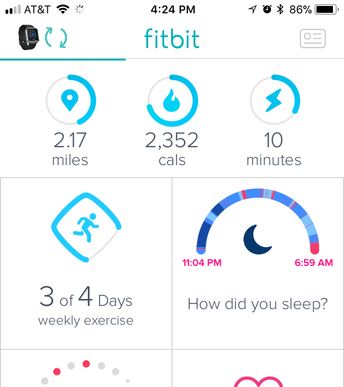
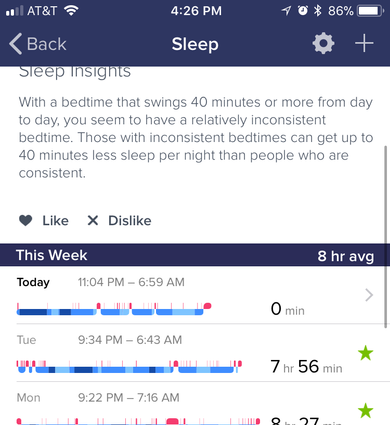
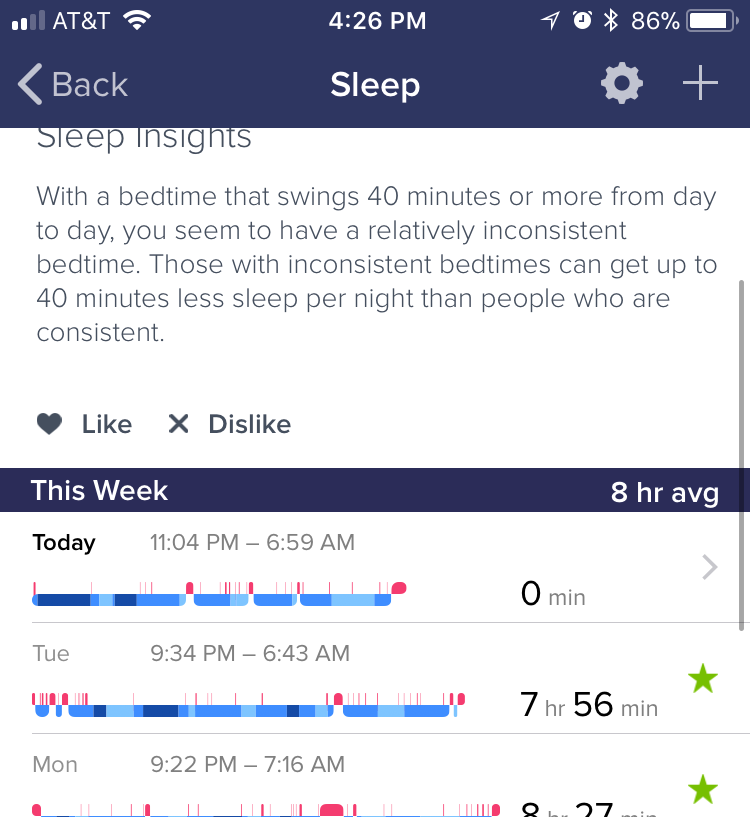
Moderator edit: Clarified subject

 Community Moderator Alumni are previous members of the Moderation Team, which ensures conversations are friendly, factual, and on-topic. Moderators are here to answer questions, escalate bugs, and make sure your voice is heard by the larger Fitbit team. Learn more
Welcome to the Forums @Kcandsunshine! 🙂
I'm sorry to hear that your tracker didn't record Sleep Stages for you last night.
There are a few scenarios where you might see your sleep pattern (which shows your time asleep, restless, and awake) instead of sleep stages:
- If you slept in a position that prevented your device from getting a consistent heart-rate reading or wore it too loosely. For best results, wear your device higher on your wrist (about 2-3 finger widths above your wrist bone). The band should feel secure but not too tight.
- If you used the Begin Sleep Now option in the Fitbit app (instead of simply wearing your device to bed).
- If you slept for less than 3 hours.
- If your device’s battery is critically low.
For more information about why you see your sleep pattern, tap or click the sleep record that shows your sleep pattern.
Help others by giving votes and marking helpful solutions as Accepted
 Best Answer
My sleep graph for last night clearly showed over 5 hours of various sleep stages captured. But according to the app, the total was 0 minutes for each stage with a total of 0.

Hi - I’ve the exact same problem just this morning
Best Answer

I just sent a tweet with screen shots
https://mobile.twitter.com/LorenBruner/status/986059723739881472
Loren Bruner
Best Answer

Same for me. I have done a reset and restarted the phone and Bluetooth. I see Charge2 owners are having the same problem (their issue has already got a google search link operating which then bought me here) so looks like a generic issue.
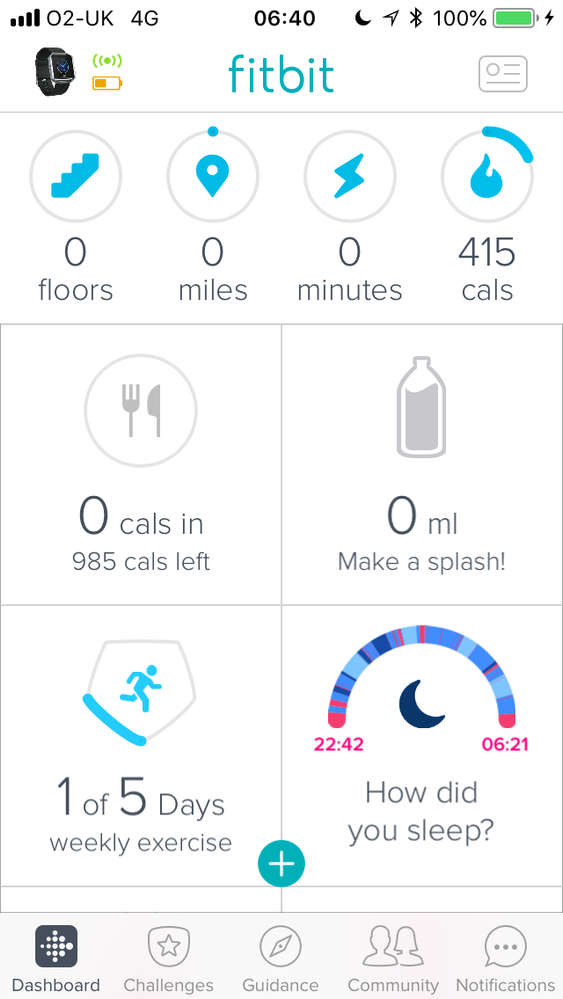
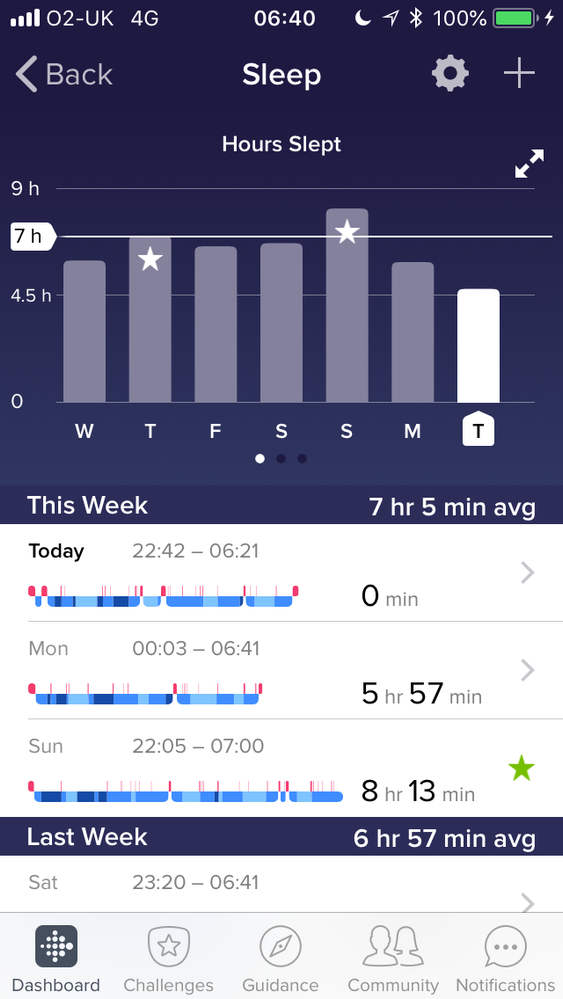
I’ve now sent an email to tge support team.
Best Answer
Response to my tweet;
Thanks for the report, Loren! This is a known issue and our site team is working to correct it. We apologize for the inconvenience and hope to have things back to normal very soon.
Ok so here’s a workaround: go to the day in the sleep log that has the error. Tap on the three dots at the top right of the screen (that’s how it works for iOS, anyway) and select Edit Log. You don’t actually have to change anything, just save and it will recalculate your sleep.
Worked for me too, thank you
Best Answer

So glad I checked this as I was ready to buy a new fitbit from frustration at trying everything else first haha
Best Answer
Mine just did the same thing last night. I have a charge 2 though. I have the sleep colors/types and if you go to the detailed view it says the time for each section. What it didn't do was add up the totals and show the sleep insights.
Best Answer