
Join us on the Community Forums!
-
Community Guidelines
The Fitbit Community is a gathering place for real people who wish to exchange ideas, solutions, tips, techniques, and insight about the Fitbit products and services they love. By joining our Community, you agree to uphold these guidelines, so please take a moment to look them over. -
Learn the Basics
Check out our Frequently Asked Questions page for information on Community features, and tips to make the most of your time here. -
Join the Community!
Join an existing conversation, or start a new thread to ask your question. Creating your account is completely free, and takes about a minute.
Not finding your answer on the Community Forums?
- Community
- Features
- Fitbit App Gallery
- Foto clockface is well done
- Mark Topic as New
- Mark Topic as Read
- Float this Topic for Current User
- Bookmark
- Subscribe
- Mute
- Printer Friendly Page
- Community
- Features
- Fitbit App Gallery
- Foto clockface is well done
Foto clockface is well done
- Mark Topic as New
- Mark Topic as Read
- Float this Topic for Current User
- Bookmark
- Subscribe
- Mute
- Printer Friendly Page
03-06-2018
08:30
- last edited on
08-21-2018
09:15
by
MarreFitbit


03-06-2018
08:30
- last edited on
08-21-2018
09:15
by
MarreFitbit
Really. The developer made it super easy to add a photograph from your phone gallery or camera or even the web. I found it under the 'digital" clock faces.
Moderator edit: added label
 Best Answer
- Labels:
-
App Gallery - Clock

 Fitbit Product Experts Alumni are retired members of the Fitbit Product Expert Program. Learn more
I will give it a try! Thanks!

Wendy | CA | Moto G6 Android
Want to discuss ways to increase your activity? Visit the Lifestyle Forum


clockface on the phone, and clicked on the photo field. I selected a photo
from my gallery.
@Moyaiwrote:It WAS indeed a great clockface. Now you have to pay for every photograph you want to upload.
It was simply too good to be true 😞
Do you mean every single photo?
Steve
Best Answer
Not sure about it, but you have to pay for it anyway, at least once... I don't support such Fitbit measures. Why do you have to pay for a clockface of a 350 dollar watch? In my opinion, Fitbit should find a better way to pay developers


 Community Moderator Alumni are previous members of the Moderation Team, which ensures conversations are friendly, factual, and on-topic. Moderators are here to answer questions, escalate bugs, and make sure your voice is heard by the larger Fitbit team. Learn more
@dermbrian @WendyB @Giampi71 @octupuslau @Makgill22 @Moyai I hope you're all doing well! Thanks for sharing the positive comments about this awesome clock face. I'm glad to hear that you are enjoying it.
I see there are some questions about how to add pictures or customize the stats and how much does this clock face costs. I went ahead and took the clock face description from the Fitbit App Gallery to post them here. It provides helpful and specific information about this:
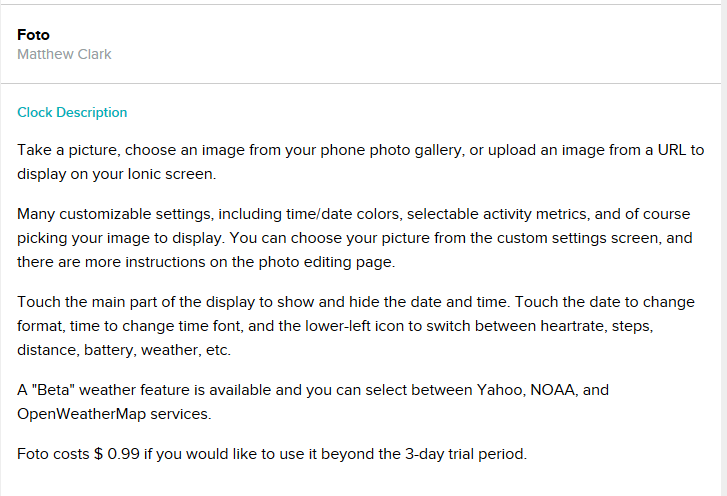
If you have any other specific questions there is an option under "Clock Details" to contact the developer. This is an easy and direct way to get in touch to resolve specific inquiries.
Hope this helps. Keep me posted! 
