
Join us on the Community Forums!
-
Community Guidelines
The Fitbit Community is a gathering place for real people who wish to exchange ideas, solutions, tips, techniques, and insight about the Fitbit products and services they love. By joining our Community, you agree to uphold these guidelines, so please take a moment to look them over. -
Learn the Basics
Check out our Frequently Asked Questions page for information on Community features, and tips to make the most of your time here. -
Join the Community!
Join an existing conversation, or start a new thread to ask your question. Creating your account is completely free, and takes about a minute.
Not finding your answer on the Community Forums?
- Community
- Features
- Third-Party Integrations
- Re: Best drinking water app
- Mark Topic as New
- Mark Topic as Read
- Float this Topic for Current User
- Bookmark
- Subscribe
- Mute
- Printer Friendly Page
- Community
- Features
- Third-Party Integrations
- Re: Best drinking water app
Best drinking water app
- Mark Topic as New
- Mark Topic as Read
- Float this Topic for Current User
- Bookmark
- Subscribe
- Mute
- Printer Friendly Page
- « Previous
-
- 1
- 2
- Next »

SunsetRunner
Hello
Looking for recommendations on an accurate and good looking app (compatible with Fitbit) for recording my liquid intake... I've been using Water My Body on my smart phone but it's not compatible. I'd like an app which allows me to specify quite accurately what kind of drink I've had, it's more fun - and the native water monitoring thing on the Fitbit app seems very basic.
Thank you...
 Best Answer
SunsetRunner
Sent from my Verizon, Samsung Galaxy smartphone
Best Answer


 Community Moderator Alumni are previous members of the Moderation Team, which ensures conversations are friendly, factual, and on-topic. Moderators are here to answer questions, escalate bugs, and make sure your voice is heard by the larger Fitbit team. Learn more
Hello there @karthic, thank you for bringing this question to this topic and great input you have shared @SunsetRunner. In this case I just have left to give you a warm welcome to the Fitbit Community to both of you!
Welcome aboard to you as well @SunsetRunner. I'm wondering which app has you downloaded. Some members of the Community has enable silent alarms in their trackers to set reminders to drink water. If this is something in which you're interested, I would like to share with you the following feature suggestion, feel free to contribute with your vote and comments, it would be nice to have your support for this ideas.
See you around and keep participating.
"Great things are done by a series of small things brought together.” What's Cooking?

Tried to look for the notification on my Fitbit app but nothing is showing. Downloaded the Drink!Water app yesterday and loving it so I’m hopeful my to have the two apps synced together.
Best Answer
Hi heather I wonder if you can help - I’ve installed drink!water today and had a couple of notifications but can’t find where to link it to Fitbit?
Thanks
Best Answer
SunsetRunner
Hi! Go into the FitBit app on your phone and go to notifications section. Make sure whatever app you want to send notifications to your FitBit is selected. Also, make sure in the app that you want notifications on has the notifications preference selected.

By chance is it still called Drink!Water? I cannot find the app anywhere on Google Play or just searching on Google. Not a fan of Hydro Coach and so far nothing else syncs between my S8+ and fitbit app.
Best Answer

Try to look up for My Water in Apple store. It does integrate Fitbit and you can directly log your water intake via the apps and it will sync to your fitbit dashboard.
Best Answer
 Community Moderators ensure that conversations are friendly, factual, and on-topic. We're here to answer questions, escalate bugs, and make sure your voice is heard by the larger Fitbit team. Learn more
Hello everyone!
Glad to see everyone making suggestions.
If you want to suggest any particular app to be integrated with Fitbit, maybe you could post about it in our Feature Suggestions board. Other users could then comment and vote on your idea to show their support.
Be sure to read the FAQ if there are any questions in the way that board works.
Let me know if there is anything I can help with.
Best Answer
SunsetRunner
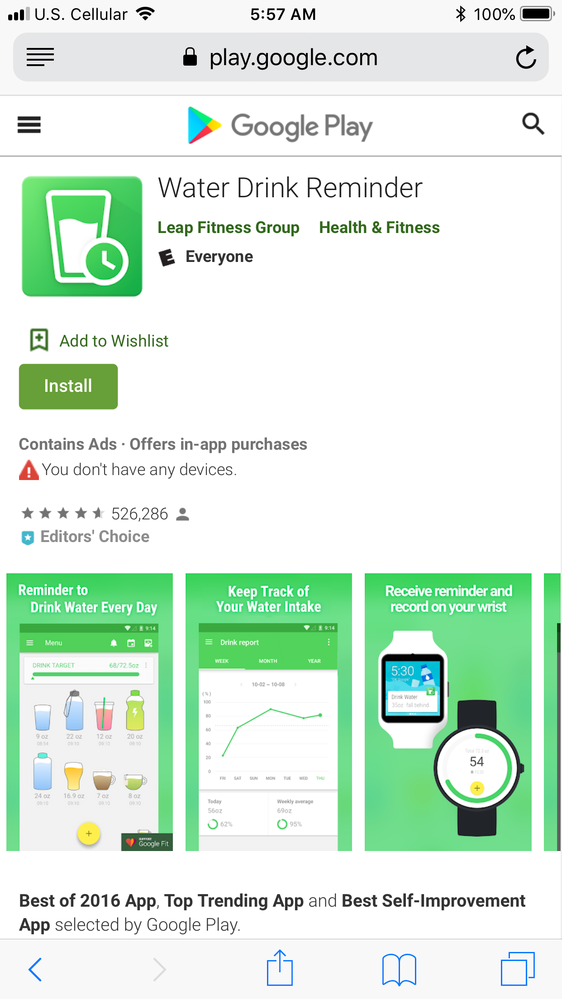
Hi! Below is the app I found that would be similar to the Drink!Water one for Android. Let me know how you like this one. If not I will go on the hunt again 😊
SunsetRunner
Hi! If you go to the today on the bottom of the screen and tap the 12oz cup, you can add as much water as you just drank. Three different size cups will show or else in settings you can change the default cup size. For example, I have mine set to 24oz so every time I finish my water bottle I tap the cup that shows 24oz.
Best Answer
Community Moderators ensure that conversations are friendly, factual, and on-topic. We're here to answer questions, escalate bugs, and make sure your voice is heard by the larger Fitbit team. Learn more
Hello @SunsetRunner.
Thanks for sharing that app and your experience on the situation. I'm sure that other users will definitely find it useful.
If you have the time, be sure to visit one of our Discussion boards. Lots of different topics to talk about.
Let me know if you have any further questions.
Best Answer Community Moderators ensure that conversations are friendly, factual, and on-topic. We're here to answer questions, escalate bugs, and make sure your voice is heard by the larger Fitbit team. Learn more
Hey @jmoran92.
Thanks for sharing that. Are you referring to an app that can track how much water a kid drinks? I'm afraid I don't fully understand what is going on.
Let me know if there are any further questions.
Best Answer
Are you using Android? Did you get this message when trying to connect to Fitbit? "Please refresh your permission to synchronize your date with Hydro Coach" If so, how did you overcome it. I might be being a bit dump but I can't find anywhere to add permissions in Fitbit only revoke them. Any help would be appreciated.
Best Answer
- « Previous
-
- 1
- 2
- Next »