
Join us on the Community Forums!
-
Community Guidelines
The Fitbit Community is a gathering place for real people who wish to exchange ideas, solutions, tips, techniques, and insight about the Fitbit products and services they love. By joining our Community, you agree to uphold these guidelines, so please take a moment to look them over. -
Learn the Basics
Check out our Frequently Asked Questions page for information on Community features, and tips to make the most of your time here. -
Join the Community!
Join an existing conversation, or start a new thread to ask your question. Creating your account is completely free, and takes about a minute.
Not finding your answer on the Community Forums?
- Mark Topic as New
- Mark Topic as Read
- Float this Topic for Current User
- Bookmark
- Subscribe
- Mute
- Printer Friendly Page
FBBluetoothErrorDomain error 24 - FBBluetoothErrorDomain error 8
ANSWERED- Mark Topic as New
- Mark Topic as Read
- Float this Topic for Current User
- Bookmark
- Subscribe
- Mute
- Printer Friendly Page


 Community Moderator Alumni are previous members of the Moderation Team, which ensures conversations are friendly, factual, and on-topic. Moderators are here to answer questions, escalate bugs, and make sure your voice is heard by the larger Fitbit team. Learn more
Update: 1/11/2018: Hi everyone, I receive confirmation that the Error 24/Error 8 issue is now resolved. Thanks very much for your reports and of course your patience. If you are still seeing this error message, please let me know.

Hi Everyone - I've merged a few posts. We are currently investing reports of Surge users unable to set up their tracker on iOS, seeing: Error 24, followed by Error Domain Error 8.
At this time, the best workaround we see is having users set up on the Windows 10 app or an Android. They are then able to sync normally to an iOS device. I know that's not ideal and will continue to update this thread as I hear more. Thanks for your reports and patience.
Actively managing your weight? Find accountability buddies on the Manage Weight board
Answered! Go to the Best Answer.

@KateFitbit wrote:
Hi Everyone - I've merged a few posts. We are currently investing reports of Surge users unable to set up their tracker on iOS, seeing: Error 24, followed by Error Domain Error 8.
At this time, the best workaround we see is having users set up on the Windows 10 app or an Android. They are then able to sync normally to an iOS device. I know that's not ideal and will continue to update this thread as I hear more. Thanks for your reports and patience.
This has been a colossal disappointment! Received Fitbit Surge for Christmas and on New Years Eve it still won’t work. No access to windows 10. IOS team needs to get it together!
 Best Answer
Clearly FitBit are not doing a thing to resolve this massive issue for the Apple users out there.
Not resolved in over a week tells me that they either don't care or their staff are enjoying their holiday period. Either way, this is totally unacceptable.
I am sick of waiting and the lack of communication is appalling!!!!
Can someone from FitBit advise how we can get our money back?
Best Answer

Still not working NYD 2pm AEDT.
I bought a new surge as my old one has just about split apart. I removed it from my dashboard and merrily went about syncing the new one. Alas I found myself in the same position as every one else.
I wonder if the delay in solving this issue is partly because the surge is no longer available for purchase from the fitbit website, therefore being discontinued, and therefore way down their list of priorities? If so - shame on you fitbit. All issue for all models should be dealt with promptly whether or not they are the latest model.
Luckily for me, when I went to reconnect my old surge it worked, which lead me to investigate exactly when the syncing error occurs. For me, I enter the 4 digit code, then it tells me I need to update the software on the new surge before I can continue, and then this is when the error appears.
Have your error-fixers explored this possibility yet? (Also noted that someone else on this thread mentioned that version was 26.xx when ?release notes say latest version is 16.xx?)


26.xx version number of the new Fitbit Surge itself and the version number
of the firmware (begins with 16).
Still no e-mails from the purported "fitbit support team" since mid-morning
on December 26th. I am waiting until late morning of January 2nd to
receive the promised e-mail from Fitbit that will tell me what my options
are for replacement or refund. And I if I don't receive an e-mail, I am
sending my Surge back to the merchant for a refund (I ordered it on
December 15th).
Best Answer
This is shocking still nothing from fit bit I have had my surge from the 16th of december and now it’s january the first This is An outrage. I have been sending and receiving emails from the customer support team and they have all been useless it’s like a robot is replying to me not even reading my emails it’s mad.
FIT BIT YOU NEED TO TELL US ALL WHAT YOU ARE DOING TO FIX THIS AND WHEN IT WILL BE FIXED I WANT DATES NOT SOME RUBISH LIKE OUR ENGINERS ARE LOOKING INTO THE PROBLEM BLA BLA BLA THATS RUBISH I WANT TO KNOW WHEN ITS GONNA BE FIXED
I WANT ANSWERS


I recently updated my OS for my IMac. The process includes a part where there is a test to confirm that the new version is compatible with my unit… it said it was… now my iMac runs like mud. With the recent revelation that Apple has been deliberately slowing older iPhones… I have to wonder if that poster was right, that Fitbit is fighting a giant and we the consumers are the pawns.
Best Answer
 Fitbit Product Experts Alumni are retired members of the Fitbit Product Expert Program. Learn more
Hello @All
Sorry to hear your problem has not been solved.
If you want to contact customer support, please click on the link in my signature and choose "Let's Talk"

ALAN | VAN,B.C. Canada Community Council Member
Versa, Charge, Charge HR, Ionic, Ace, Aria 2 scale, Flyer headphones - iOS
Click here Fitbit help for more solutions
>Contact
Best Answer Fitbit Product Experts Alumni are retired members of the Fitbit Product Expert Program. Learn more
Click on "Fitbit help" in my signature and then click on the "search the help forums". Then you can go directly to the Surge forum and use the "search content" for your specific problem.
ALAN | VAN,B.C. Canada Community Council Member
Versa, Charge, Charge HR, Ionic, Ace, Aria 2 scale, Flyer headphones - iOS
Click here Fitbit help for more solutions
>Contact
Best Answer
I have the same problem. Exactly the same! Error 24 then error 8. I have tried everything and nothing works.
Best Answer
Fitbit Product Experts Alumni are retired members of the Fitbit Product Expert Program. Learn more
Click on "Fitbit help" in my signature and then click on the "Let's Talk". Then you can go directly to customer support
ALAN | VAN,B.C. Canada Community Council Member
Versa, Charge, Charge HR, Ionic, Ace, Aria 2 scale, Flyer headphones - iOS
Click here Fitbit help for more solutions
>Contact
Best Answer
I keep getting this message and the update has literally ruined my Charge HR. I really want to use it but it will get halfway through updating and then stop and stay stuck on it. I’ve been messing with it for two days and I’m so frustrated because I’m getting nowhere.
Best Answer
Fitbit Product Experts Alumni are retired members of the Fitbit Product Expert Program. Learn more
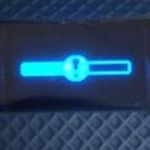
If yours looks like this, forget your device should get you to complete the update.
Try
https://help.fitbit.com/articles/en_US/Help_article/2047
Forget your device video
https://www.imore.com/how-to-fix-bluetooth-iphone-ipad
ALAN | VAN,B.C. Canada Community Council Member
Versa, Charge, Charge HR, Ionic, Ace, Aria 2 scale, Flyer headphones - iOS
Click here Fitbit help for more solutions
>Contact
Best Answer