
Join us on the Community Forums!
-
Community Guidelines
The Fitbit Community is a gathering place for real people who wish to exchange ideas, solutions, tips, techniques, and insight about the Fitbit products and services they love. By joining our Community, you agree to uphold these guidelines, so please take a moment to look them over. -
Learn the Basics
Check out our Frequently Asked Questions page for information on Community features, and tips to make the most of your time here. -
Join the Community!
Join an existing conversation, or start a new thread to ask your question. Creating your account is completely free, and takes about a minute.
Not finding your answer on the Community Forums?
- Community
- Product Help Forums
- Blaze
- Re: Fit Bit Blinking
- Mark Topic as New
- Mark Topic as Read
- Float this Topic for Current User
- Bookmark
- Subscribe
- Mute
- Printer Friendly Page
- Community
- Product Help Forums
- Blaze
- Re: Fit Bit Blinking
Fit Bit Blinking
- Mark Topic as New
- Mark Topic as Read
- Float this Topic for Current User
- Bookmark
- Subscribe
- Mute
- Printer Friendly Page

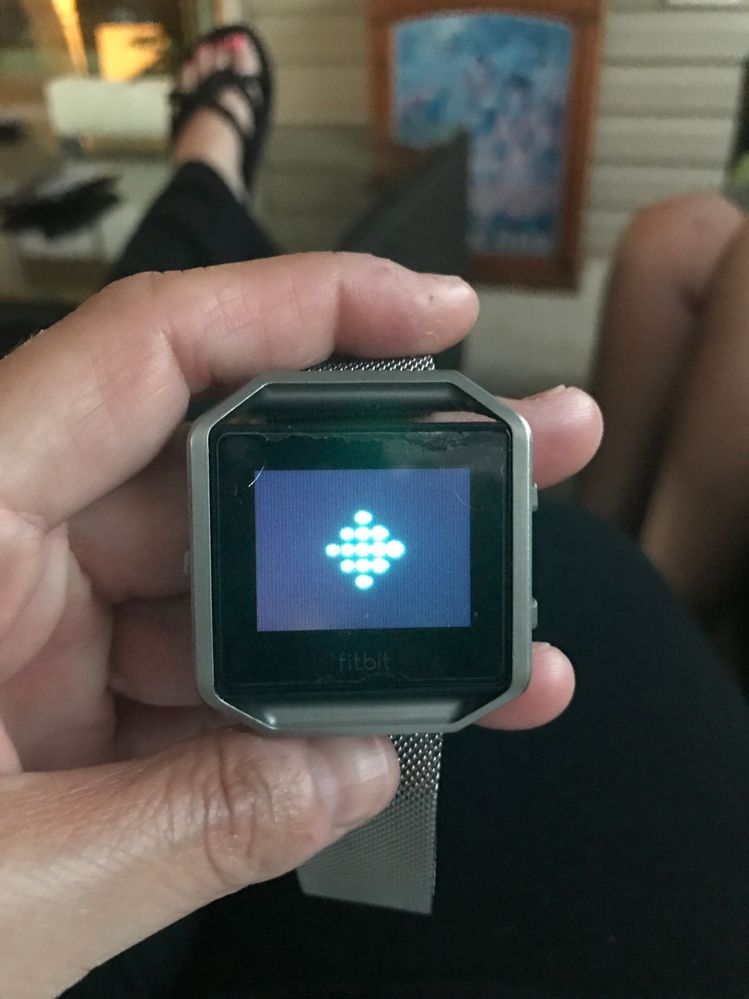

Hi, @Highfloorcount, that's the updating screen. Is it all sorted out now?
Let us know if you have any more questions.
Sense, Charge 5, Inspire 2; iOS and Android
 Best Answer
My Blaze has been on that screen since last night and when I got into my app on my phone, it still says searching.
What can I do to cancel this out and use my tracker again?
Best Answer


Was there a resolution? My Fitbit Blaze is stuck in the same way. It began as if it wasn't charged. When I placed on the charger, it didn't change. I tried the reset to no avail. Has there been a resolution ever? I've not seen anything in my search.
Best Answer


 Community Moderator Alumni are previous members of the Moderation Team, which ensures conversations are friendly, factual, and on-topic. Moderators are here to answer questions, escalate bugs, and make sure your voice is heard by the larger Fitbit team. Learn more
Hello all, I hope you are doing fine!
Thanks for the attachment and for troubleshoot this by yourselves. I experienced this same issue a couple of days ago and a restart fixed this, have you tried this procedure? If you haven't, please do the following:
- Press and hold the back (left) and bottom buttons until you see the Fitbit logo on the screen. This should take less than 10 seconds.
- Let go of the buttons.
Now if you have, confirm that these were the steps you followed.
Hope to hear from you soon. 
Best Answer
Community Moderator Alumni are previous members of the Moderation Team, which ensures conversations are friendly, factual, and on-topic. Moderators are here to answer questions, escalate bugs, and make sure your voice is heard by the larger Fitbit team. Learn more
 Best Answer
What's the solution to this problem? I'm having the same issue.
Best Answer
I'm having the same issue. My blaze has been frozen on the diamond icon screen for hours I've tried the reset on it three times and nothing changes. How do I get this back to working again?
Best Answer
My Fitbit is doing the same thing! The reset does not work?! How do I fix this?
Best Answer