Join us on the Community Forums!
-
Community Guidelines
The Fitbit Community is a gathering place for real people who wish to exchange ideas, solutions, tips, techniques, and insight about the Fitbit products and services they love. By joining our Community, you agree to uphold these guidelines, so please take a moment to look them over. -
Learn the Basics
Check out our Frequently Asked Questions page for information on Community features, and tips to make the most of your time here. -
Join the Community!
Join an existing conversation, or start a new thread to ask your question. Creating your account is completely free, and takes about a minute.
Not finding your answer on the Community Forums?
- Community
- Health & Wellness
- Get Moving
- Re: How Do I Change the Daily Step Goal?
- Mark Topic as New
- Mark Topic as Read
- Float this Topic for Current User
- Bookmark
- Subscribe
- Mute
- Printer Friendly Page
- Community
- Health & Wellness
- Get Moving
- Re: How Do I Change the Daily Step Goal?
How Do I Change the Daily Step Goal?
ANSWERED- Mark Topic as New
- Mark Topic as Read
- Float this Topic for Current User
- Bookmark
- Subscribe
- Mute
- Printer Friendly Page

Hello all!
Recently I injured myself foot running and developed something known as capsulitis on the second toe of my right foot. My podiatrist recommended I limit my activity for a bit and I'm trying to do that, but I'm a very active person. I love to exercise.
I would like to lower my daily step goal from 10k to 7.5k, but I'm not sure how. Within the forums, I found this:
- Log in to your Fitbit.com Dashboard.
- Click the gear icon in the top-right corner of the page.
- Click Settings.
- Click Devices.
- Under Daily Goal Progress, choose the goal you want to work toward.
- Sync your Flex to transfer the new goal to your tracker.
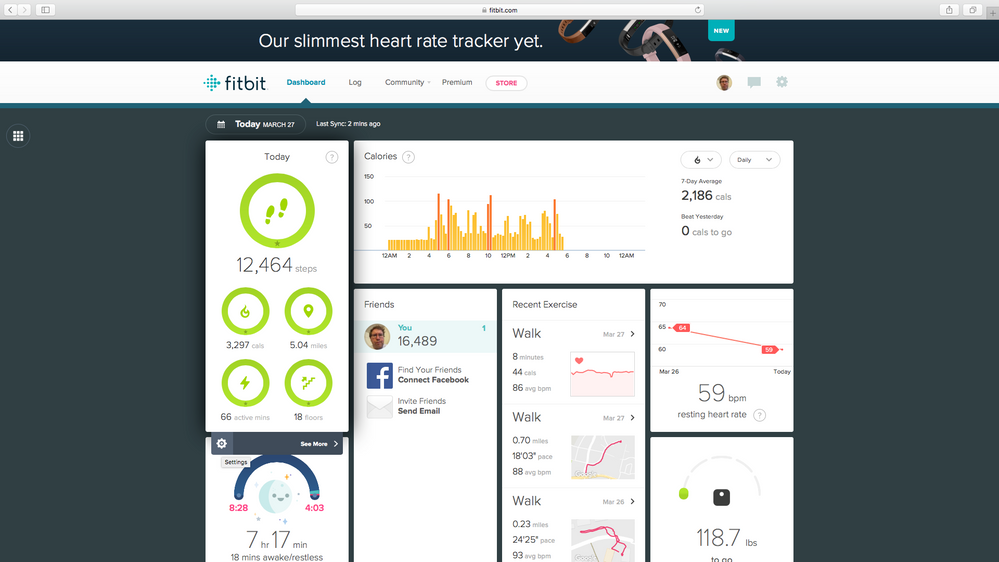
Unfortunately, once I click on settings and devices under my Fitbit dashboard on my desktop, I only see links for my Surge and Aria. I can't seem to find the "Daily Goal Progress" link. I'd appreciate any help I can get with this.
Thanks so much 🙂
(P.S. Has anyone ever had capsulitis? It seems that the only way to treat it is through rest, custom orthotics and better fitting shoes--both of which I already have--and surgery which I want to avoid at all costs. Again, anything on this subject would be greatly appreciated. I've gotten several cortisone shots in my toe and the issue just keeps coming back.)
Answered! Go to the Best Answer.
Accepted Solutions

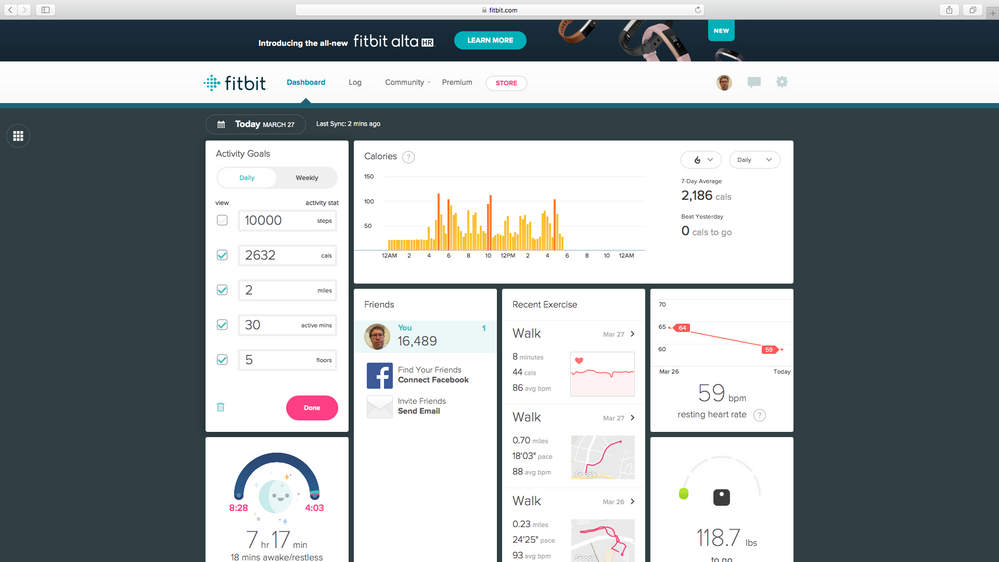
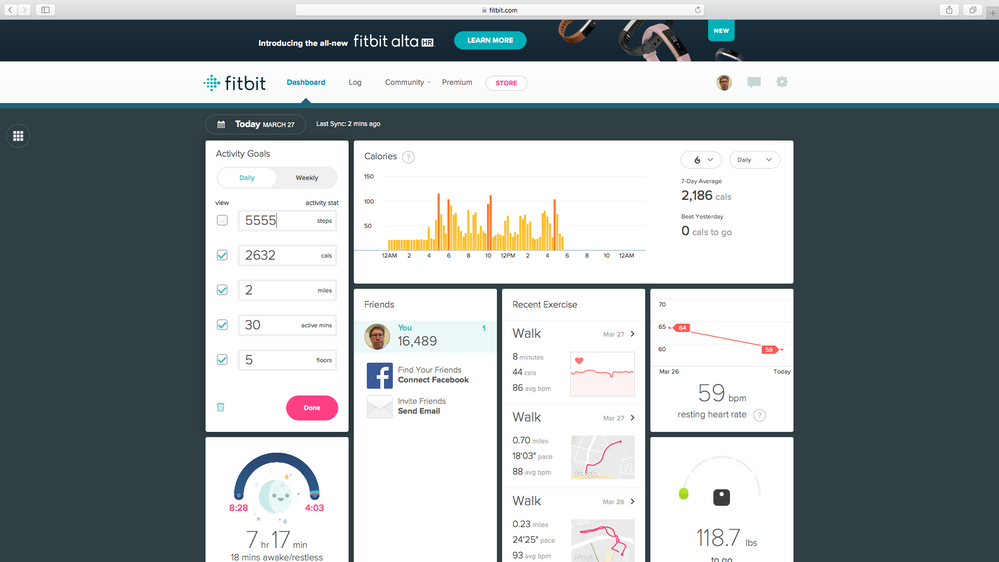

You have to do it in the app. There's a little icon in the upper right (for me at least) that looks like an ID card. Tap that. Scroll down to Goals and press Activity. Within that you can change your step goals.
Best wishes for a speedy recovery.

Please make it easy so far nothing I tried has worked. Brand new user, brand new fit bit. All connected to my iphone 6splus
 Best Answer
DanielleinDC's answer worked for me on the fitbit app on my Android phone. I could change the 10,000 step goal to 15,000, for example. I wish that the web page dashboard would provide the option to make that type of a change, too.

Thank you
Best Answer
The dashboard section does not show up for me. It's just a rectangle with a circle going round and round. The ID card I can access in the app, change the data (calories burned) and when I go back into the screen, the numbers have defaulted back to what they were before I changed them. Is there a third way to do this? Or is there something else that needs to be done? I'm sooooo frustrated! Thank you.
NOTE: I have found the fixes for the dashboard section and the calories burned activity goal.
The "Today" tile will not display properly if you have any activity goals set to zero - I had floors climbed and distance set to zero because I'm not tracking those. I changed the goals to non zero values and the "Today" tile now displays properly. See "Tile shows a spinning icon and doesn't load" topic in the "Fitbit.com Dashboard" help forum. https://community.fitbit.com/t5/Fitbit-com-Dashboard/Tile-shows-a-spinning-icon-and-doesn-t-load/m-p...
Changing the calories burned goal is another issue. You cannot update it via the app or the dashboard - it seems to change but will default to the value it was originally set to. In order to update it, see:
https://community.fitbit.com/t5/Fitbit-com-Dashboard/Unable-to-change-calorie-goal/m-p/947042
Many thanks to @ErickFitbit and @Earth


Your words "You have to do it in the app" were the magic words for me. I finally was able to follow your directions and change my fitness goals. THANK YOU!
Best Answer

I can’t find the icon. Would you mind inserting a photo of what the icon looks like ?