
Join us on the Community Forums!
-
Community Guidelines
The Fitbit Community is a gathering place for real people who wish to exchange ideas, solutions, tips, techniques, and insight about the Fitbit products and services they love. By joining our Community, you agree to uphold these guidelines, so please take a moment to look them over. -
Learn the Basics
Check out our Frequently Asked Questions page for information on Community features, and tips to make the most of your time here. -
Join the Community!
Join an existing conversation, or start a new thread to ask your question. Creating your account is completely free, and takes about a minute.
Not finding your answer on the Community Forums?
- Community
- Product Help Forums
- Ionic
- Re: Auto run/walk detection
- Mark Topic as New
- Mark Topic as Read
- Float this Topic for Current User
- Bookmark
- Subscribe
- Mute
- Printer Friendly Page
- Community
- Product Help Forums
- Ionic
- Re: Auto run/walk detection
Auto run/walk detection
ANSWERED- Mark Topic as New
- Mark Topic as Read
- Float this Topic for Current User
- Bookmark
- Subscribe
- Mute
- Printer Friendly Page

Earlier I went on a 40 min walk. I didn't activate the run feature as I wanted to try the auto-detect run feature . After my walk, my steps/calories were counted but my walk was not tracked . My understating was that the walk will be auto tracked after a period of 15 mins but that didn't happen- any reason why?
Answered! Go to the Best Answer.
 Best Answer
Accepted Solutions

SunsetRunner
The feature is "Auto Run" not "Auto Walk". Do not get the "Auto Run" feature confused with the "Auto Exercise Recognition" feature:
Auto Run - Your Fitbit tracker will automatically begin tracking an exercise run after a couple of minutes of running. GPS will be used.
Auto Exercise Recognition - Your Ionic will auto-recognize exercises and add them to your Exercise History list
Best Answer
SunsetRunner
The feature is "Auto Run" not "Auto Walk". Do not get the "Auto Run" feature confused with the "Auto Exercise Recognition" feature:
Auto Run - Your Fitbit tracker will automatically begin tracking an exercise run after a couple of minutes of running. GPS will be used.
Auto Exercise Recognition - Your Ionic will auto-recognize exercises and add them to your Exercise History list
Best Answer
SunsetRunner
Earlier I went on a 40 min walk. I didn't activate the run feature...
FYI, no reason to choose the "Run" activity when going for a walk. If you don't have the "Walk" activity, edit the Exercise Shortcuts setting on the Fitbit web portal to add it to your watch.
Sent from my iPhone
Best Answer
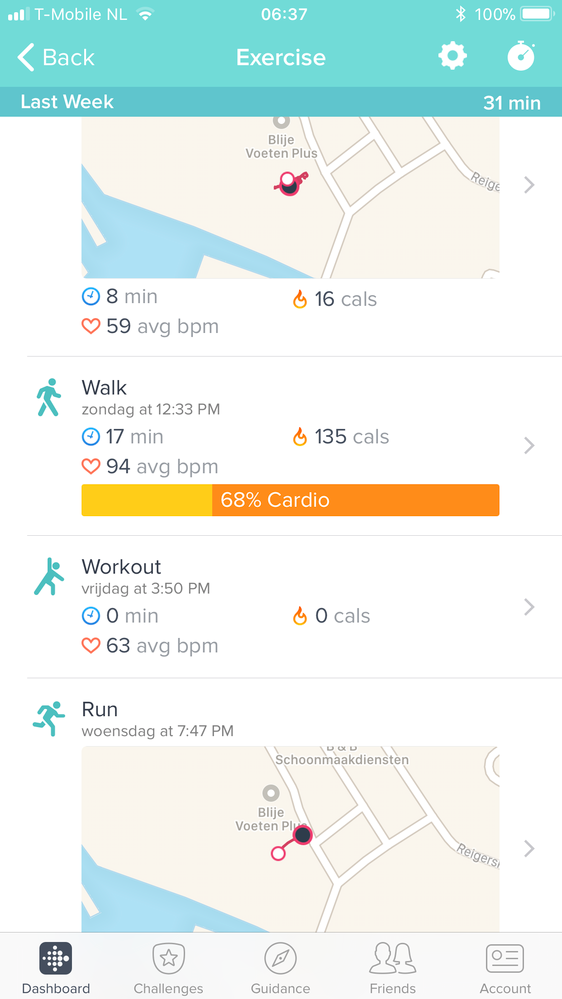
I just activate auto and it recognize a walk after 15 minutes
Best Answer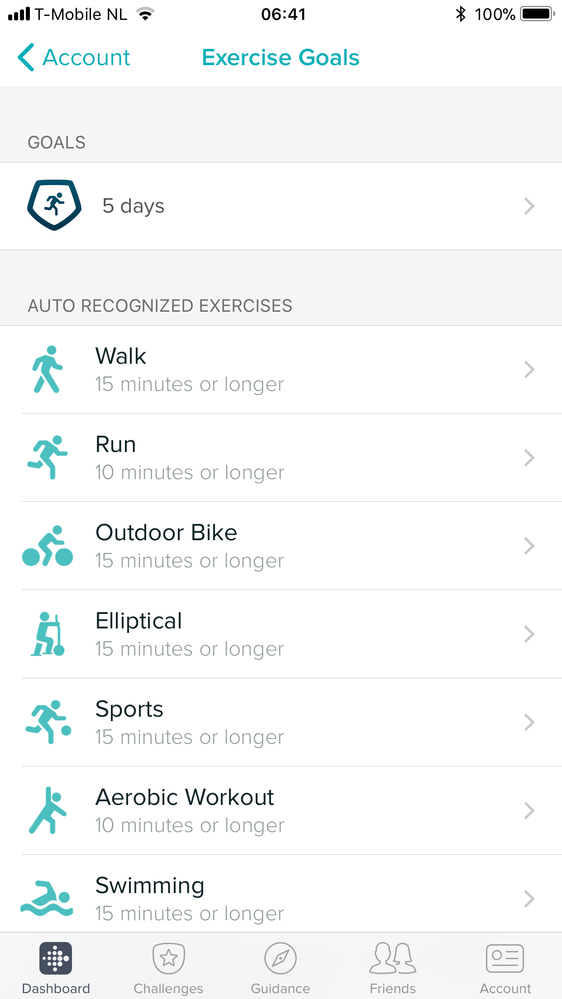

Or: you select auto select in Fitbit App,
and select walk as an excersize, Maybe you have to delete another one.
the Ionic autoselect my walk, run and bike automaticly
Best Answer
Hi Sue
in the Fitbit app you tap Account > Ionic > Exercise short cuts.
the ionic can only store 7 exercise types so you may have to remove one before adding walk. You can do that by tapping Edit in the top right. Once added you can re order them as well by dragging the exercises up and down the list.
on my Ionic I have walk as the first exercise and then on my watch I can press the bottom right button which takes me straight to the walk exercise.

Thanks so much!! I was trying for days to figure that out.
Best Answer
To the right of the exercise there are 3 little lines. Drag those lines up or down and it’ll move the exercise.


Did you get a response to how to make the Auto Detect shut off? I have mine set to ignore and it is still auto detecting.
Best Answer