
Join us on the Community Forums!
-
Community Guidelines
The Fitbit Community is a gathering place for real people who wish to exchange ideas, solutions, tips, techniques, and insight about the Fitbit products and services they love. By joining our Community, you agree to uphold these guidelines, so please take a moment to look them over. -
Learn the Basics
Check out our Frequently Asked Questions page for information on Community features, and tips to make the most of your time here. -
Join the Community!
Join an existing conversation, or start a new thread to ask your question. Creating your account is completely free, and takes about a minute.
Not finding your answer on the Community Forums?
- Community
- Product Help Forums
- Ionic
- Re: Fitbit Ionic Clock Error
- Mark Topic as New
- Mark Topic as Read
- Float this Topic for Current User
- Bookmark
- Subscribe
- Mute
- Printer Friendly Page
- Community
- Product Help Forums
- Ionic
- Re: Fitbit Ionic Clock Error
Fitbit Ionic Clock Error
ANSWERED- Mark Topic as New
- Mark Topic as Read
- Float this Topic for Current User
- Bookmark
- Subscribe
- Mute
- Printer Friendly Page

SunsetRunner
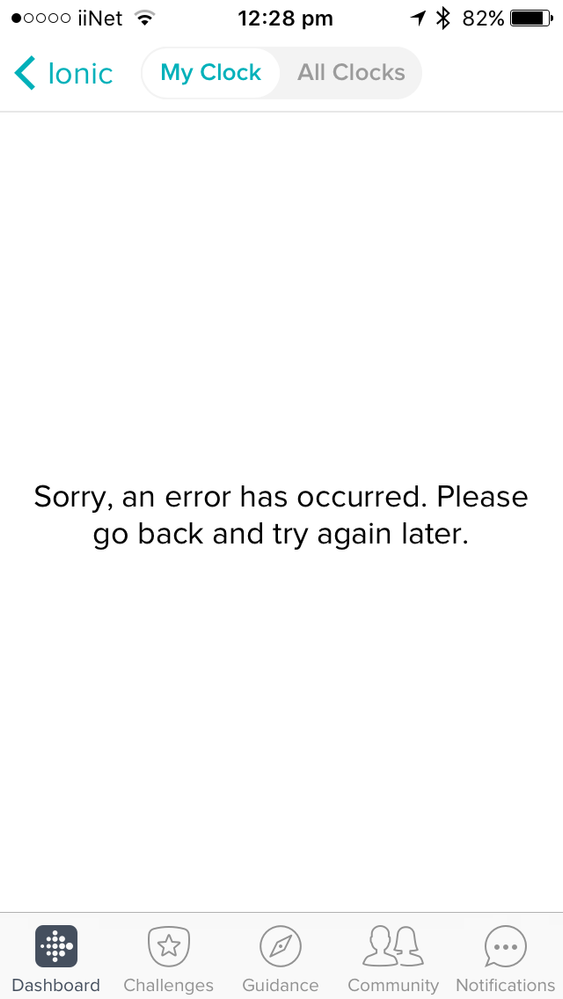
So I haven't used my Fitbit in a while and it's saying Clock Error right now. But when I try to go into the Clock Faces in the app, this is the error I run into: "Sorry, an error has occurred. Please go back and try again later."
I tried restarting both my phone and my Fitbit, and I tried uninstalling the app but nothing so far.
Anyone has any idea? Thanks!
Answered! Go to the Best Answer.
 Best Answer
Accepted Solutions

I think the clock and app galleries were down for a few hours because I had the same problem. Appears to be back now, but after having trouble with the 3.0 OS update I had to factory reset my watch and since then the weather app doesn’t work anymore....

SunsetRunner
Same here.
The one thing I have noticed is that inside my Fitbit's settings it says that Wifi is off, yo then I reconnect it through the app, then it says no internet connection . Shortly after that it shows that the wifi is off again in my watch .
Best Answer
 Fitbit Product Experts Alumni are retired members of the Fitbit Product Expert Program. Learn more
Do you get the same error when you tap on the All Clocks tab in the Clock App?
Best Answer
SunsetRunner
All's good. It changed my clock face to a different one though, and I can't find the one I had. But I'm back up and running.
Best Answer
Fitbit Product Experts Alumni are retired members of the Fitbit Product Expert Program. Learn more
Great to hear, @SunsetRunner! Often changing the clock face will correct such errors. Apparently you got the original error because that clock face was no longer supported/available.
Best Answer
I think the clock and app galleries were down for a few hours because I had the same problem. Appears to be back now, but after having trouble with the 3.0 OS update I had to factory reset my watch and since then the weather app doesn’t work anymore....
SunsetRunner
Alright all of a sudden instead of the error, it loaded the Clock Faces menu saying that something didn't finish installing.
I didn't do anything, but hey it's working now!
Thanks y'all!
Best Answer
I have a useless ionic. Every time an update comes out there are more problems than the fixes. I wonder how long it will take to update this problem with the clock Error message.
I just changed my Christmas watch face to something else but now I get the Clock Error Message (Go to the fitbit mobile app and try another clock). It does not matter what clock face I try as I still get the Clock Error Message. I can't even get the Fitbit clock faces to work.
Best Answer
SunsetRunner
Sorry you’re having these problems. That **ahem** face error issue was the only problem I’ve had. I really like my ionic. Perhaps you should log a support request and get the tech guys to help out.
Al the best!
Best Answer