
Join us on the Community Forums!
-
Community Guidelines
The Fitbit Community is a gathering place for real people who wish to exchange ideas, solutions, tips, techniques, and insight about the Fitbit products and services they love. By joining our Community, you agree to uphold these guidelines, so please take a moment to look them over. -
Learn the Basics
Check out our Frequently Asked Questions page for information on Community features, and tips to make the most of your time here. -
Join the Community!
Join an existing conversation, or start a new thread to ask your question. Creating your account is completely free, and takes about a minute.
Not finding your answer on the Community Forums?
- Community
- Product Help Forums
- Other Charge Trackers
- Re: How to get the Fitbit Charge 2 Game
- Mark Topic as New
- Mark Topic as Read
- Float this Topic for Current User
- Bookmark
- Subscribe
- Mute
- Printer Friendly Page
- Community
- Product Help Forums
- Other Charge Trackers
- Re: How to get the Fitbit Charge 2 Game
How to get the Fitbit Charge 2 Game
- Mark Topic as New
- Mark Topic as Read
- Float this Topic for Current User
- Bookmark
- Subscribe
- Mute
- Printer Friendly Page
05-17-2017
15:45
- last edited on
09-09-2020
09:49
by
MatthewFitbit


 Community Moderator Alumni are previous members of the Moderation Team, which ensures conversations are friendly, factual, and on-topic. Moderators are here to answer questions, escalate bugs, and make sure your voice is heard by the larger Fitbit team. Learn more
05-17-2017
15:45
- last edited on
09-09-2020
09:49
by
MatthewFitbit
Hey Charge 2 fam,
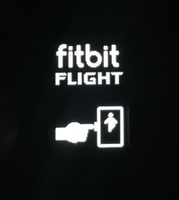
Have you been hitting all your daily goals? If you are racking up more than your share of daily steps and striding through each reminder to move, you might have earned your chance to play Fitbit Flight.
We want to hear how you're rocketing past each level, and any tips you have for getting consistent game play time by conquering your daily goals every day!
Reaching your daily goals is always a win, so go all out and win with Fitbit Flight! Here's how:
- To get the Fitbit Flight app you must achieve all your daily goals including: steps, distance, calories, active minutes, floors, and your daily Reminders to Move goal.
- If Reminders to Move is not currently activated, you will need to achieve 3x your main goal.
- The Fitbit Flight app disappears at midnight and can be achieved again the next day.
- Make sure your Charge 2 is updated to the latest firmware version (22.53.4).
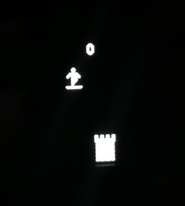
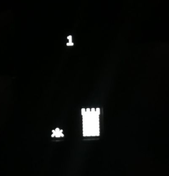
Once you achieve all your daily goals, you can find the game on the final screen of your Charge 2 -- just use the side button to navigate through each screen until you land on Fitbit Flight.
Good luck catching flight! 
Want to get more steps? Visit Get Moving in the Health & Wellness Discussion Forum.

My Fitbit doesn't track flights of stairs 75% of the time but the other functions work. I have charge hr2

My hourly step reminders quit me two months ago so I am on my own for those goals. When I am really trying I set my phone alarm to gather my little circle of dots. I may also have to lower my calorie goal but I am up for the game. Anything to keep me moving 🙂

 Fitbit Product Experts Alumni are retired members of the Fitbit Product Expert Program. Learn more
@Jza70twntrboThe first posts tells you all the goals you need to make

Wendy | CA | Moto G6 Android
Want to discuss ways to increase your activity? Visit the Lifestyle Forum


You can edit your daily floors, I did this , changed mine to 5 floors
 Best Answer
05-18-2017
12:20
- last edited on
05-19-2017
05:44
by
AndreaFitbit

05-18-2017
12:20
- last edited on
05-19-2017
05:44
by
AndreaFitbit
Underneath the circle with your steps on the app, look for circle to far left with a picture of stairs in it-these are your floors. Also show up on your Fibit when you tap through the screens (starting with your steps).
Moderator edit: removed personal information.
Best Answer

You can also modify your goals and change it from 10 until you're able to hit that goal. I changed my to 6 when I first got it but now I do 15 a day.
Best Answer
Just lower your stair goal
Fitbit Product Experts Alumni are retired members of the Fitbit Product Expert Program. Learn more
@IbebrendaDon't you have any hills? All you need is 10 ft in elevation for a floor to be counted.
Wendy | CA | Moto G6 Android
Want to discuss ways to increase your activity? Visit the Lifestyle Forum



I don't think you can download load it if you hit all of your goals you can play the game on your charge 2
Best Answer
If you have stairs in the basement or to your second floor walk up and down them continuously. I have 10 steps to my side door and I think 20/25 to my basement/second floor. 🙂 or go to the mall and walk up the escalators!
Best Answer


Me too! I don't understand. What side button?
Best Answer
Sent from my iPhone
Best Answer