
Join us on the Community Forums!
-
Community Guidelines
The Fitbit Community is a gathering place for real people who wish to exchange ideas, solutions, tips, techniques, and insight about the Fitbit products and services they love. By joining our Community, you agree to uphold these guidelines, so please take a moment to look them over. -
Learn the Basics
Check out our Frequently Asked Questions page for information on Community features, and tips to make the most of your time here. -
Join the Community!
Join an existing conversation, or start a new thread to ask your question. Creating your account is completely free, and takes about a minute.
Not finding your answer on the Community Forums?
- Community
- Developers
- SDK Development
- Re: Fitbit Studio resource problem
- Mark Topic as New
- Mark Topic as Read
- Float this Topic for Current User
- Bookmark
- Subscribe
- Mute
- Printer Friendly Page
- Community
- Developers
- SDK Development
- Re: Fitbit Studio resource problem
Fitbit Studio resource problem
ANSWERED- Mark Topic as New
- Mark Topic as Read
- Float this Topic for Current User
- Bookmark
- Subscribe
- Mute
- Printer Friendly Page

I'm adding some playing card images to my resources folder, and they all work except one (this image: https://drive.google.com/open?id=1BbIK-axOFx3k790WKwLG8lJy6SQShPVl).
I have tried resaving it from GIMP, and it still doesn't let me drag the file into my resources folder.
It also shows a bug in Fitbit Studio, it pops up a box saying "UGH AD.png failed to save.", with a "Try Again" button. Clicking the button (the only option) then repeats the process. I need to refresh the page to get rid of the popup dialog.
Answered! Go to the Best Answer.
 Best Answer
Accepted Solutions

SunsetRunner
I had no issue with your original image. I tested with Windows 10 Pro (I don't have access to older version) and Chrome 64.0.3282.140. Did you try on another browser? One with no extensions installed maybe.
Best Answer
I've added your image to an near empty project and it worked.
Could you test it with a newly created empyt project?
Also did you test with an other filename?
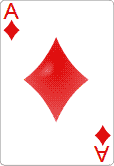
I've resaved this file with Photoshop and with reduced colors, maybe this works?
Here is the smaller png:
 Best Answer
I did try renaming it, that didn't work either.
I just tried adding just that image to a new empty project, gave the same error.
I tried the normal and the reduced colour version, same result.
Best Answer

 Fitbit Developers oversee the SDK and API forums. We're here to answer questions about Fitbit developer tools, assist with projects, and make sure your voice is heard by the development team.
Weird, it's working for me in OSX/Chrome.
Best Answer
Very odd!
I've tried a few things (naming/resaving), it still doesn't like it. I have added other images with no problems but that one will always fail.
Best Answer
I tried it on Linux with Chrome and had the same results.
Best Answer
SunsetRunner
I had no issue with your original image. I tested with Windows 10 Pro (I don't have access to older version) and Chrome 64.0.3282.140. Did you try on another browser? One with no extensions installed maybe.
Best Answer
I tried it in a virtual machine running a different Linux (Lubuntu) and a basic Firefox and it worked!
I have a couple of plug ins in my Chrome, but I have no idea why that particular image was singled out, every other one has been ok.
Thanks for your help, it's in my project now.
Best Answer