
Join us on the Community Forums!
-
Community Guidelines
The Fitbit Community is a gathering place for real people who wish to exchange ideas, solutions, tips, techniques, and insight about the Fitbit products and services they love. By joining our Community, you agree to uphold these guidelines, so please take a moment to look them over. -
Learn the Basics
Check out our Frequently Asked Questions page for information on Community features, and tips to make the most of your time here. -
Join the Community!
Join an existing conversation, or start a new thread to ask your question. Creating your account is completely free, and takes about a minute.
Not finding your answer on the Community Forums?
- Community
- Health & Wellness
- Sleep Well
- Re: Score Sleep
- Mark Topic as New
- Mark Topic as Read
- Float this Topic for Current User
- Bookmark
- Subscribe
- Mute
- Printer Friendly Page
- Community
- Health & Wellness
- Sleep Well
- Re: Score Sleep
Score Sleep
ANSWERED- Mark Topic as New
- Mark Topic as Read
- Float this Topic for Current User
- Bookmark
- Subscribe
- Mute
- Printer Friendly Page

SunsetRunner
Customer service mentioned there is no way to eliminate it at this time. Will check on other smartwatches if this is not discontinued soon. Health, more/less need for sleep, work time, etc. Should have an opt out option, even a toggle switch like they have for other items on the dashboard. Poor that this was added with no notice or feedback. Will check on other smartwatches if this is not discontinued soon. Night.
Answered! Go to the Best Answer.

Accepted Solutions

I see time slept for the night but no weekly averages with your link.

Agreed! I am horrified about being graded and ranked on something that is already a stressful source of angst (and ironically makes it harder to sleep worrying!). Make sleep score optional, it's not a competition.

 Fitbit Product Experts Alumni are retired members of the Fitbit Product Expert Program. Learn more
@kb000 wrote:Agreed! I am horrified about being graded and ranked on something that is already a stressful source of angst (and ironically makes it harder to sleep worrying!). Make sleep score optional, it's not a competition.
The previous implementation already benchmarked you against women/men your age (when looking at sleep stages). Here is my suggestion: remove the sleep tile altogether in the app. This way you no longer see any angst generating grading/ranking/benchmarking info related to sleep.
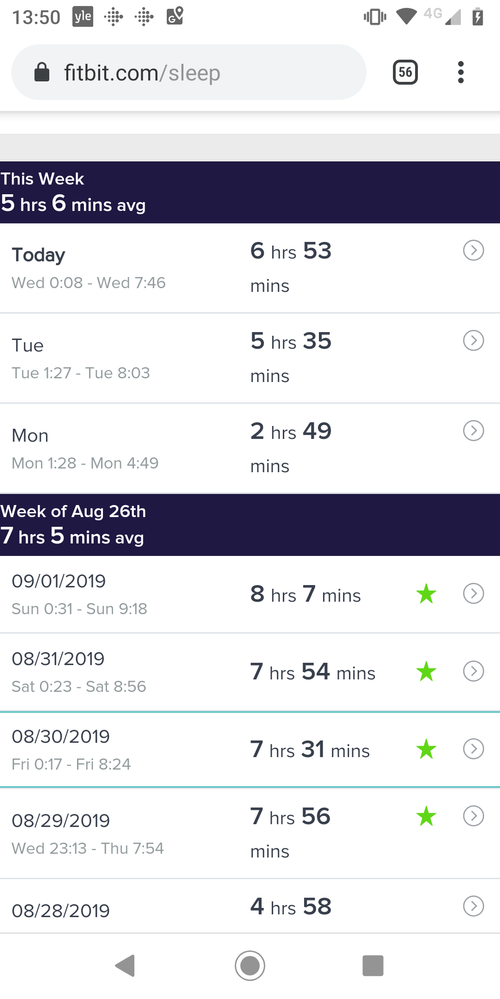
Then, add a shortcut to https://www.fitbit.com/sleep. This way you will see time slept, including weekly averages, just like in the good old way system:
Dominique | Finland
Ionic, Aria, Flyer, TrendWeight | Windows 7, OS X 10.13.5 | Motorola Moto G6 (Android 9), iPad Air (iOS 12.4.4)
Take a look at the Fitbit help site for further assistance and information.

Previous implementation made this unnecessary benchmark buried at the very end of your sleep stats and it was easy to ignore it. I don't even remember when I saw it last time.
Not with this sleep score though, which is very much in-your-face. Now, if you don't want to be judged and graded, you have to remove the sleep tile altogether, making the device mush less useful. And you know what usually happens with useless devices? They usually end up in the trash can and never upgraded. And the manufacturers of useless devices usually go out of business.
Hi Dominique, thanks for replying.
I could delete the sleep tab but it's a real pity as I enjoyed looking at my sleep stats on an hours and stages basis. I never looked at the benchmark tab and I rarely log onto a larger device/browser - I'm very much an app based human!
Thanks for your suggestion though. I'm afraid I will probably just switch to another device once this one is due for renewal. Shame.
I also don't understand why they went to a score rather than the previous method. The app should provide an enable/disable option so we can resort to the previous measure of hours slept vs. the goal.
Fitbit Product Experts Alumni are retired members of the Fitbit Product Expert Program. Learn more
@pastimz wrote:I see time slept for the night but no weekly averages with your link.
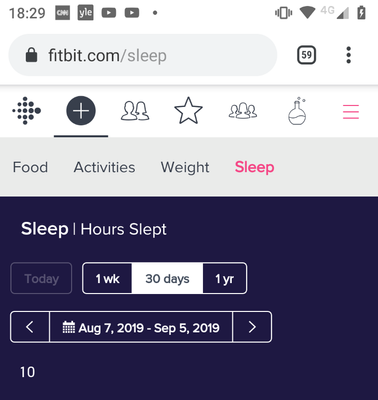
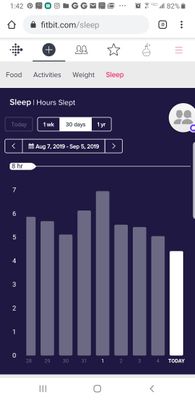
You need to swipe up, from the part that looks like this:
Dominique | Finland
Ionic, Aria, Flyer, TrendWeight | Windows 7, OS X 10.13.5 | Motorola Moto G6 (Android 9), iPad Air (iOS 12.4.4)
Take a look at the Fitbit help site for further assistance and information.
 Fitbit Product Experts Alumni are retired members of the Fitbit Product Expert Program. Learn more
You can in fact get the weekly average of time asleep also from the app: select "Sleep", swipe on the graph ("sleep score") to the left until you reach the last (4th) graph ("Hours in Sleep Stages"). Then tap on that graph to maximize it. You will see average time asleep for the ongoing week. Swipe to the right to browse through previous weeks.
Dominique | Finland
Ionic, Aria, Flyer, TrendWeight | Windows 7, OS X 10.13.5 | Motorola Moto G6 (Android 9), iPad Air (iOS 12.4.4)
Take a look at the Fitbit help site for further assistance and information.
Thanks for this. I REALLY don’t like the score/grade (years of teaching perhaps?) ... seems ridiculous to make meaningful data so difficult to find now. Not a helpful change!!
Fitbit Product Experts Alumni are retired members of the Fitbit Product Expert Program. Learn more
@mmarks wrote:Where did you find it?
@mmarks : you need to swipe left to the last (4th) graph, labeled "Hours in Sleep Stages":
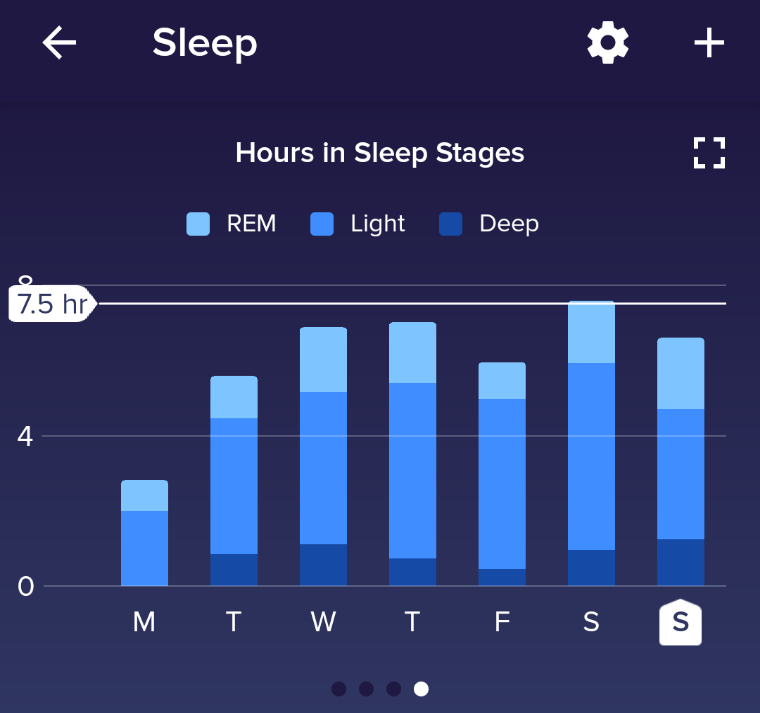
Then, tap on that graph to maximise it. This will allow you to see the weekly average:
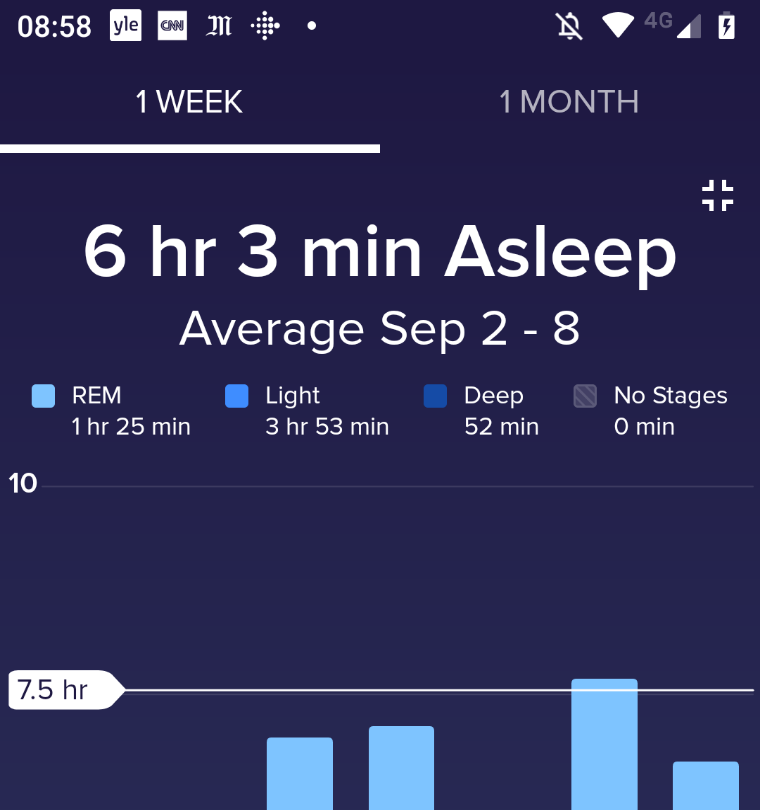
Swipe to the right and you can browse through weekly averages for previous weeks.
Dominique | Finland
Ionic, Aria, Flyer, TrendWeight | Windows 7, OS X 10.13.5 | Motorola Moto G6 (Android 9), iPad Air (iOS 12.4.4)
Take a look at the Fitbit help site for further assistance and information.