
Join us on the Community Forums!
-
Community Guidelines
The Fitbit Community is a gathering place for real people who wish to exchange ideas, solutions, tips, techniques, and insight about the Fitbit products and services they love. By joining our Community, you agree to uphold these guidelines, so please take a moment to look them over. -
Learn the Basics
Check out our Frequently Asked Questions page for information on Community features, and tips to make the most of your time here. -
Join the Community!
Join an existing conversation, or start a new thread to ask your question. Creating your account is completely free, and takes about a minute.
Not finding your answer on the Community Forums?
- Community
- Developers
- Web API Development
- Re: Getting an error when server support TLS 1.2
- Mark Topic as New
- Mark Topic as Read
- Float this Topic for Current User
- Bookmark
- Subscribe
- Mute
- Printer Friendly Page
- Community
- Developers
- Web API Development
- Re: Getting an error when server support TLS 1.2
Getting an error when server support TLS 1.2
- Mark Topic as New
- Mark Topic as Read
- Float this Topic for Current User
- Bookmark
- Subscribe
- Mute
- Printer Friendly Page

I am getting the following error when the server does not support TLS 1.0 and 1.1
The client and Server cannot communicate,because they do not possess a common algorithm
If I re enable the support for TLS 1.0, I dont see the error anymore but we fail the PCI scan?
Any help?
Thanks,


 Fitbit Developers oversee the SDK and API forums. We're here to answer questions about Fitbit developer tools, assist with projects, and make sure your voice is heard by the development team.
Hi Godon,
I am accessing the web API to get the authorization token for the user.
https://api.fitbit.com/oauth2/token
TLS 1.2 is not working as well.
 Best Answer
Fitbit Developers oversee the SDK and API forums. We're here to answer questions about Fitbit developer tools, assist with projects, and make sure your voice is heard by the development team.
Best Answer
Fitbit Developers oversee the SDK and API forums. We're here to answer questions about Fitbit developer tools, assist with projects, and make sure your voice is heard by the development team.
Hi @hsalbi. What programming language is your application written with?
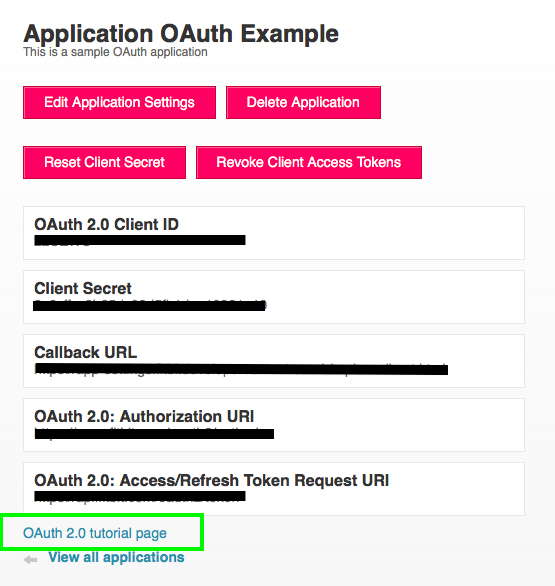
Have you tried the OAuth 2.0 Tutorial to determine if you can successfully connect? This will remove your application from the environment and confirm if the problem is with the Fitbit service or your application communicating with Fitbit.
The OAuth 2.0 Tutorial can be found here. Or you can access it from dev.fitbit.com within your application's configuration. We will fill in parameters automatically based on the information in your application's settings.
Senior Technical Solutions Consultant
Fitbit Partner Engineering & Web API Support | Google
Best Answer
Hi Gordon,
We are using MVC with C# .net 4.5. everything works fine if window server support TLS 1.0 but it breaks when the server stop supporting TLS 1.0 force the use of TLS 1.2
Does Fitbit support TLS 1.2?
I will try the tutorial but I don't think I can enforce the use of TLS 1.2.
Thanks,
Best Answer