
Join us on the Community Forums!
-
Community Guidelines
The Fitbit Community is a gathering place for real people who wish to exchange ideas, solutions, tips, techniques, and insight about the Fitbit products and services they love. By joining our Community, you agree to uphold these guidelines, so please take a moment to look them over. -
Learn the Basics
Check out our Frequently Asked Questions page for information on Community features, and tips to make the most of your time here. -
Join the Community!
Join an existing conversation, or start a new thread to ask your question. Creating your account is completely free, and takes about a minute.
Not finding your answer on the Community Forums?
- Mark Topic as New
- Mark Topic as Read
- Float this Topic for Current User
- Bookmark
- Subscribe
- Mute
- Printer Friendly Page
No Text Notifications on Alta HR after 11.1 update
ANSWERED- Mark Topic as New
- Mark Topic as Read
- Float this Topic for Current User
- Bookmark
- Subscribe
- Mute
- Printer Friendly Page
11-02-2017
19:05
- last edited on
11-03-2017
05:57
by
MarcoGFitbit


11-02-2017
19:05
- last edited on
11-03-2017
05:57
by
MarcoGFitbit
I no longer get text notifications on my Fitbit Alta HR since iOS update 11.0. I get calls, but not text. I’ve tried all troubleshooting recommendations and reported issue to fitbit via chat. All notification settings in the app, in iPhone settings, and Bluetooth are set to on. Ive removed the app, removed device, reset the Fitbit, and added it all back on like new. Still have the issue. Please help.
Moderator Edit: Clarified Subject.
Answered! Go to the Best Answer.
Accepted Solutions


 Community Moderator Alumni are previous members of the Moderation Team, which ensures conversations are friendly, factual, and on-topic. Moderators are here to answer questions, escalate bugs, and make sure your voice is heard by the larger Fitbit team. Learn more
Hello @MiHD, have a warm welcome to the Fitbit Community, it's great to have you on board. 
Thanks for letting me know the steps you've tried in order to resolve this issue. At this moment I would like to suggest you to reset Notifications from the app and enable All-day Sync by going to the Fitbit app > Account > Alta HR to improve the connection between your tracker and your phone.
To reset Notifications:
- Go to the Bluetooth settings on your phone, then check if your tracker is on the list of paired devices. If it is, tap on it and select Forget this Device.
- Restart your phone (once again if you have already)
- Open the Fitbit app and tap on Account > Alta HR > Notifications.
- Enable Notifications and when you receive a pop up asking you to pair your tracker and your phone tap on OK.
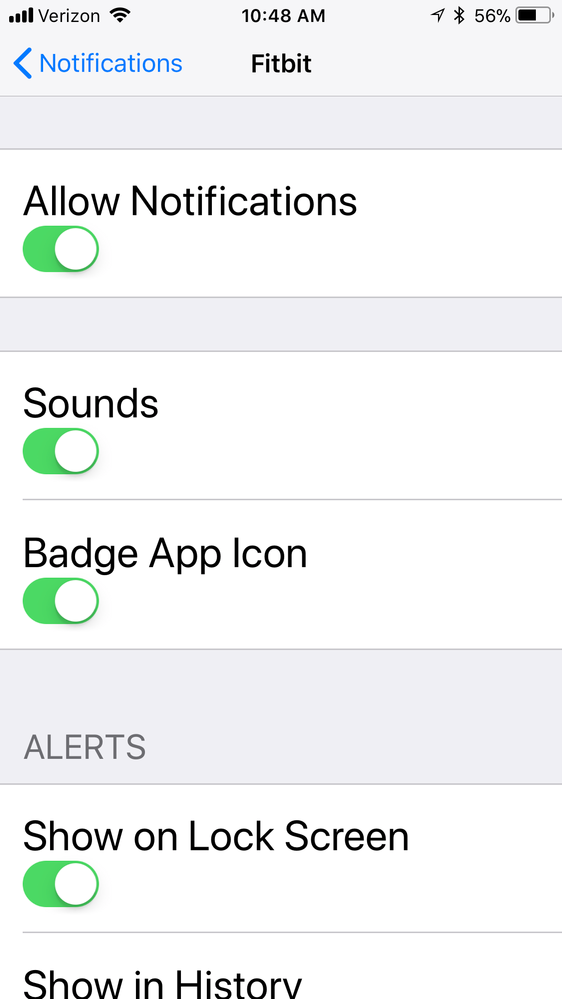
I hope this can be helpful, if you're still having trouble receiving Notifications, please go to your phone Settings > Notifications > Fitbit and take a screenshot of your current settings, then reply to me with it so I can check this situation further.
Thanks for your patience and understanding, if there's anything else I can do for you, please feel free to reply as well.
 Community Moderator Alumni are previous members of the Moderation Team, which ensures conversations are friendly, factual, and on-topic. Moderators are here to answer questions, escalate bugs, and make sure your voice is heard by the larger Fitbit team. Learn more
Hello @MiHD, have a warm welcome to the Fitbit Community, it's great to have you on board.
Thanks for letting me know the steps you've tried in order to resolve this issue. At this moment I would like to suggest you to reset Notifications from the app and enable All-day Sync by going to the Fitbit app > Account > Alta HR to improve the connection between your tracker and your phone.
To reset Notifications:
- Go to the Bluetooth settings on your phone, then check if your tracker is on the list of paired devices. If it is, tap on it and select Forget this Device.
- Restart your phone (once again if you have already)
- Open the Fitbit app and tap on Account > Alta HR > Notifications.
- Enable Notifications and when you receive a pop up asking you to pair your tracker and your phone tap on OK.
I hope this can be helpful, if you're still having trouble receiving Notifications, please go to your phone Settings > Notifications > Fitbit and take a screenshot of your current settings, then reply to me with it so I can check this situation further.
Thanks for your patience and understanding, if there's anything else I can do for you, please feel free to reply as well.
Unfortunately your suggested troubleshooting did not fix the issue.
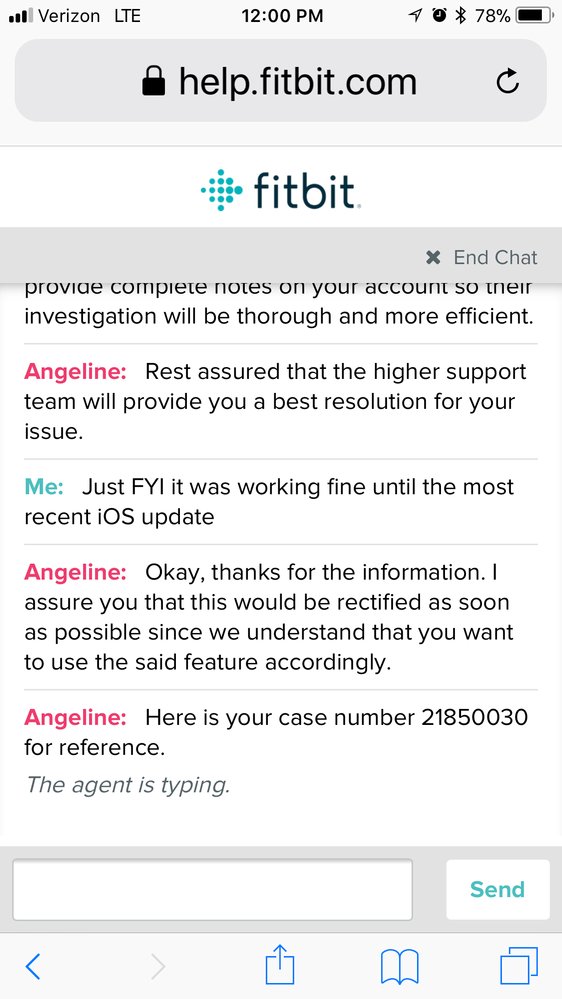
Heres a screenshot of my chat with Fitbit which has a case # for your review:
Here’s the screenshot you asked for:
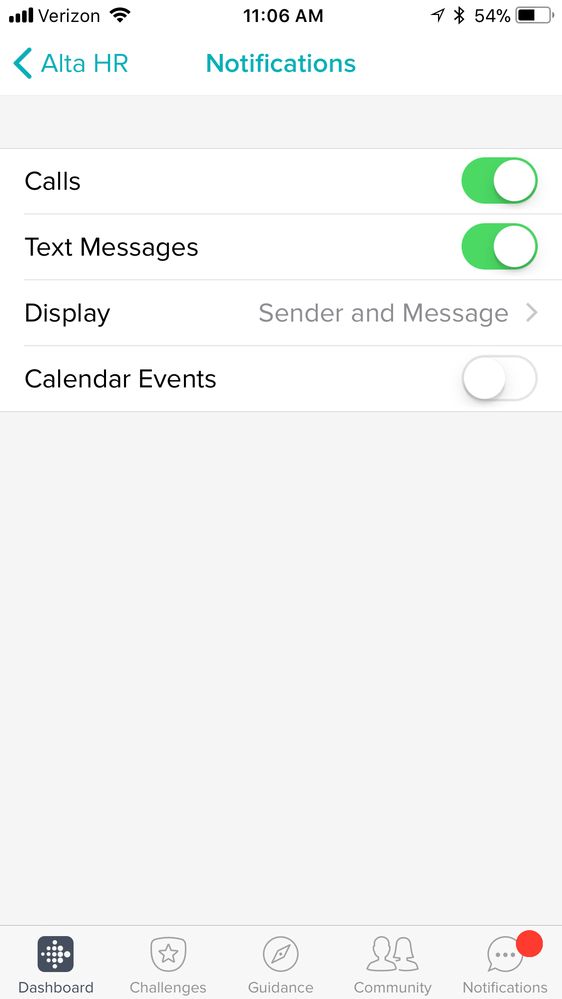
I included the settings for notification screenshot:
Thank you
 Best Answer
 Community Moderator Alumni are previous members of the Moderation Team, which ensures conversations are friendly, factual, and on-topic. Moderators are here to answer questions, escalate bugs, and make sure your voice is heard by the larger Fitbit team. Learn more
Hello @Blanicjo and @MiHD, I hope you're doing well.
I appreciate you have tried the troubleshooting steps I provided earlier. At this moment I will forward your information to our team so they can take a better look at this situation. Once I have more information to share with you about this issue I'll make sure to update the thread accordingly.
Thanks for your patience and understanding, if there's anything else I can do for you, please don't hesitate to reply.
Best Answer
Please refer to the screenshot I provided in my previous post showing you a case number from a chat conversation with another Fitbit rep who said they’d escalate my issue. I have yet to hear a word back from that and it’s been weeks. I am beyond frustrated at this point and will be considering other activity tracker options outside of Fitbit unless the problem is resolved soon. Thank you.
Community Moderator Alumni are previous members of the Moderation Team, which ensures conversations are friendly, factual, and on-topic. Moderators are here to answer questions, escalate bugs, and make sure your voice is heard by the larger Fitbit team. Learn more
Hello @MiHD, I appreciate you have taken the time to reply.
Thanks for the information you've shared with me, our engineering team is aware of the problem and are working to resolve it as quickly as possible. I have already checked the support case you mentioned and the information you provided there was also forwarded to our team. Please remember that we have received many reports of this issue happening so it's possible that our team will not address each person individually.
As stated above, one I have more information to share with you about this issue, I'll make sure to update the thread. Additionally, please keep an eye on the pinned threads in the iOS board as new updates are also posted there.
I'm very sorry for any inconvenience this situation has caused. We appreciate your patience and look forward to getting you back on track.

I’m also having these same issues since getting IPhone 8+. Not receiving any text, email or calendar events. I’ve reset my Fitbit twice and have also powered off my IPhone.

I know in my case it’s because neither iPhone 8, 8+, or iPhone X are supported devices yet.
Fitbit isn’t being very forthcoming with that information and just keeps redirecting frustrated customers to their endless pairing and syncing troubleshoots which do nothing.
Apparently a “fix” is coming that will add those phones to the list, like they didn’t see the new ones coming back in June or something after the Apple WWDC. Let’s hope they get their ducks in a row soon enough. It’s embarassing.
Community Moderator Alumni are previous members of the Moderation Team, which ensures conversations are friendly, factual, and on-topic. Moderators are here to answer questions, escalate bugs, and make sure your voice is heard by the larger Fitbit team. Learn more
Hello @MiHD, thanks for taking the time to reply. It's nice to have you on board @psngt81 and @Meme-4, welcome!
Please keep in mind that with the latest update the iPhone 8 and 8+ have now been added to the list of compatible devices. The iPhone X will be soon.
At this moment I would like to suggest following these steps in order to reset Notifications on your phone and tracker:
- Go to the Bluetooth settings on your phone and tap on tracker. Then tap on Forget this Device.
- Force-close the Fitbit app by double tapping the home button on your phone and swiping up the app.
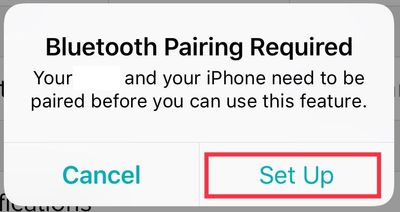
- Open the app again and tap on Account > Your Tracker > Notifications. You will receive the following Pop-up:
-
Then, once you tap on Set Up, the app will begin setting up your tracker with the Bluetooth on your phone, which will prompt the next pop-up:
-
Tap Pair
Once the process is finished you can go back and tap on Account > Your Tracker > Notifications and select the ones you'd like to receive.
I hope this can be helpful, give it a try and keep me posted in case you need anything else.
Sent from my iPhone
Community Moderator Alumni are previous members of the Moderation Team, which ensures conversations are friendly, factual, and on-topic. Moderators are here to answer questions, escalate bugs, and make sure your voice is heard by the larger Fitbit team. Learn more
Hello @MiHD and @Blanicjo, I hope you're having a great day.
I have checked your situation and at this moment I would like to ask you to check your inbox as I have sent you further instructions about the issue you're experiencing with Notifications with your trackers.
Thanks for your patience, if there's anything else I can do for you, please let me know. Happy stepping.
Best Answer
I am also still unable to receive texts and calls on my IPhone 8+. After I
reinstalled the app and set up device I did receive one text message but
have not received any since then. That was also right after I recharged my
Fitbit so that may have had something to do with it??
Meme-4
--
Elaine
Community Moderator Alumni are previous members of the Moderation Team, which ensures conversations are friendly, factual, and on-topic. Moderators are here to answer questions, escalate bugs, and make sure your voice is heard by the larger Fitbit team. Learn more
Hello @Meme-4, I hope you're doing well, thanks for taking the time to reply.
Thanks again for your patience and working through these troubleshooting steps. I’ve reached the limits of what I can do for you here on the public community forums, so I've contacted our Support team on your behalf to look into this issue further as they have already worked with you about this issue in the past. Please keep an eye on your email inbox for further instructions.
Once again, thank you for your patience and understanding, if there's anything else I can do for you, please don't hesitate to reply.
Best Answer
I can’t believe this problem hasn’t been resolved. I want my money back and will use it toward an Apple Watch or Garmen. Fitbit is false advertising saying it will receive your text messages. It’s a lie!

I have been having this issue since the beginning of October. I have been sending Fitbit e-mails constantly, with no resolution. I even replaced my Alta HR, but that didn’t solve things either. I have also tried setting up on an iPhone 5,6 and 7 with no luck either. I think Fitbit is ignoring this issue!!! I like this Fitbit because I can still wear my regular watches, but think I might have to give up on Fitbit and move to an Apple Watch.
