
Join us on the Community Forums!
-
Community Guidelines
The Fitbit Community is a gathering place for real people who wish to exchange ideas, solutions, tips, techniques, and insight about the Fitbit products and services they love. By joining our Community, you agree to uphold these guidelines, so please take a moment to look them over. -
Learn the Basics
Check out our Frequently Asked Questions page for information on Community features, and tips to make the most of your time here. -
Join the Community!
Join an existing conversation, or start a new thread to ask your question. Creating your account is completely free, and takes about a minute.
Not finding your answer on the Community Forums?
- Community
- Platform
- Android App
- Re: Steps on Android Pie higher than actuall on lo...
- Mark Topic as New
- Mark Topic as Read
- Float this Topic for Current User
- Bookmark
- Subscribe
- Mute
- Printer Friendly Page
- Community
- Platform
- Android App
- Re: Steps on Android Pie higher than actuall on lo...
Steps on Android Pie higher than actuall on load
- Mark Topic as New
- Mark Topic as Read
- Float this Topic for Current User
- Bookmark
- Subscribe
- Mute
- Printer Friendly Page

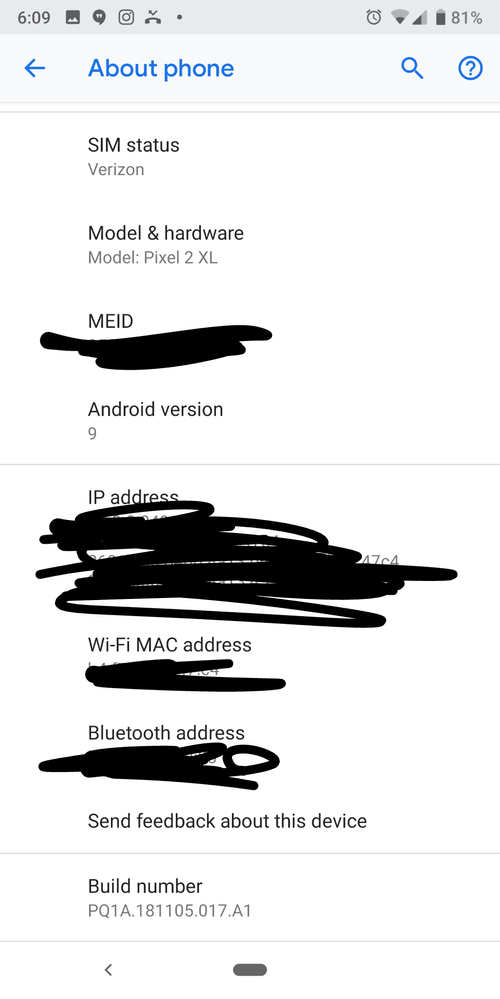
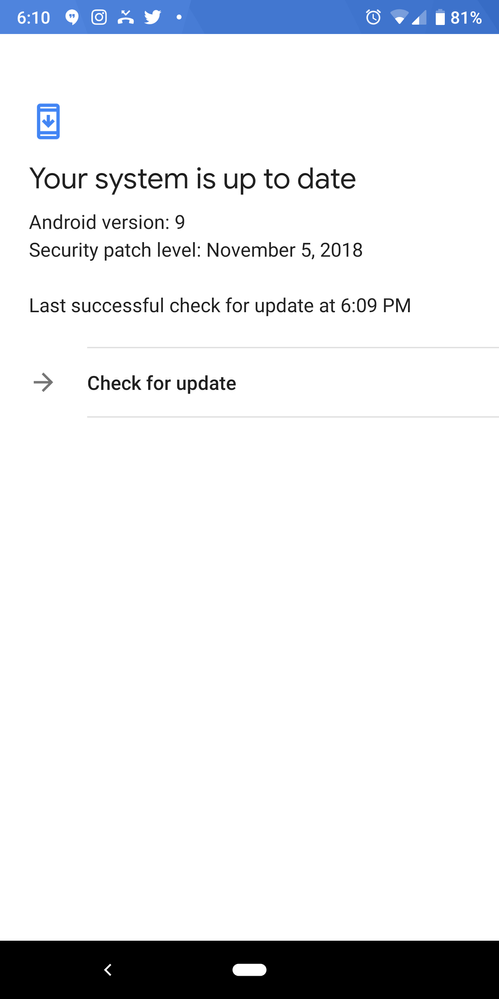
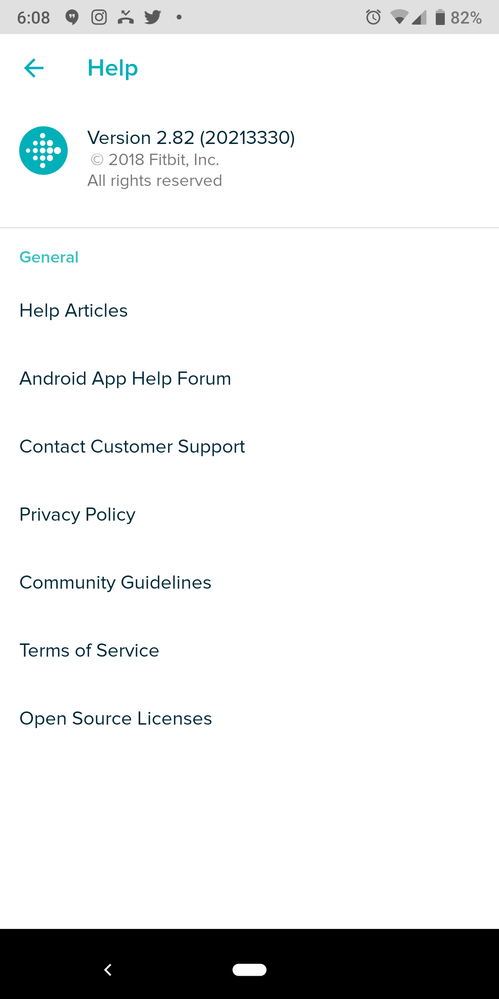
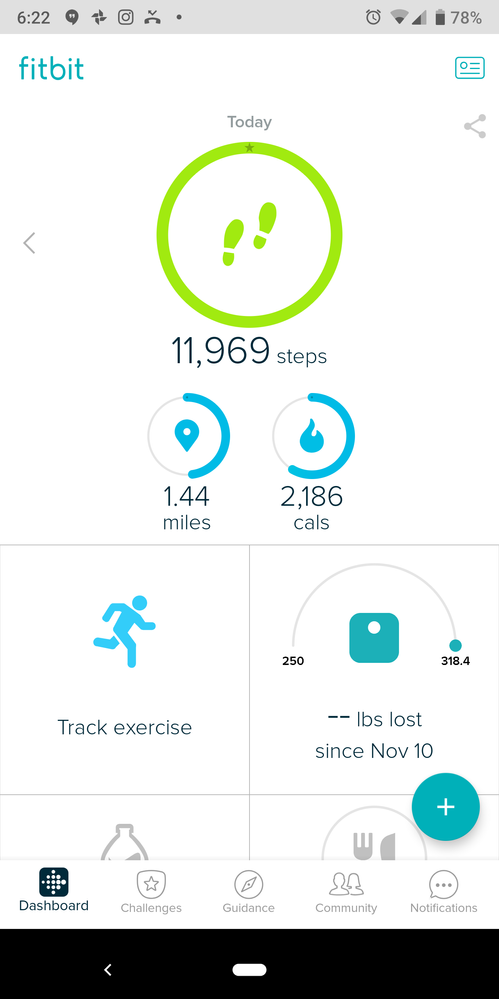
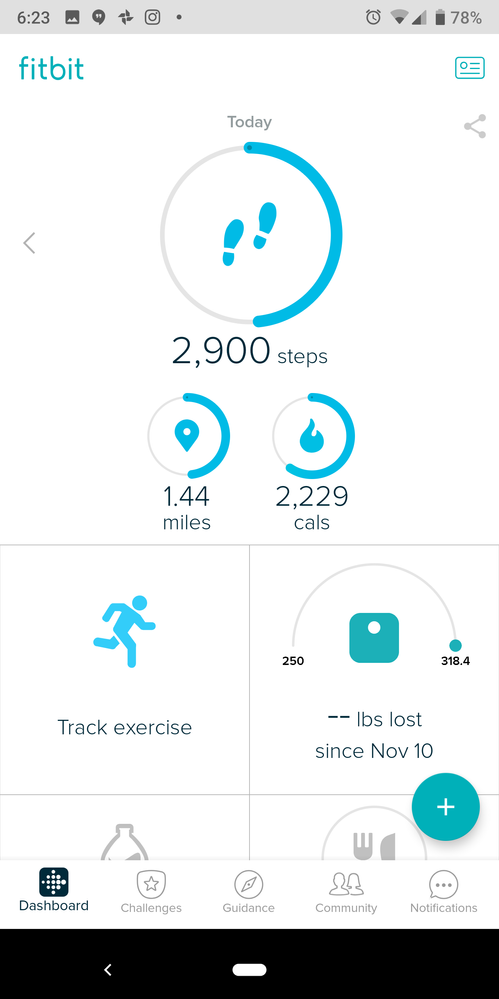
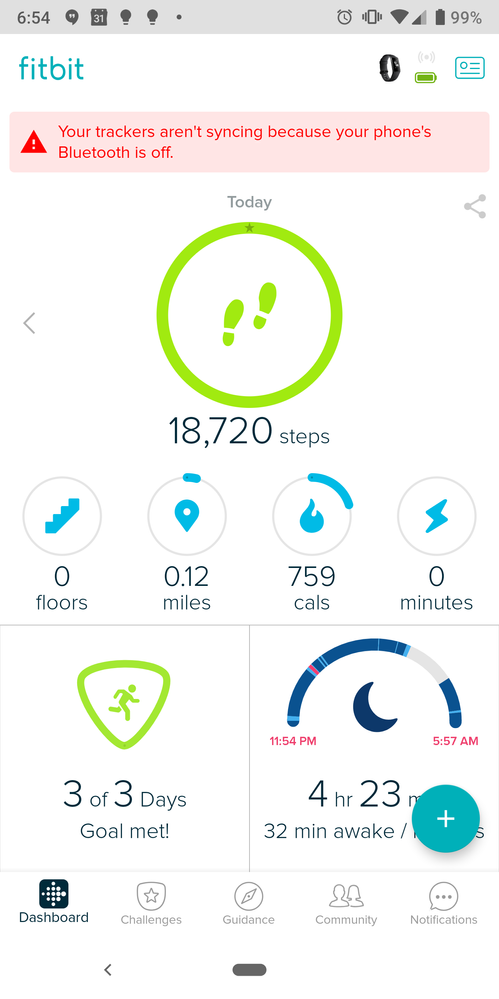
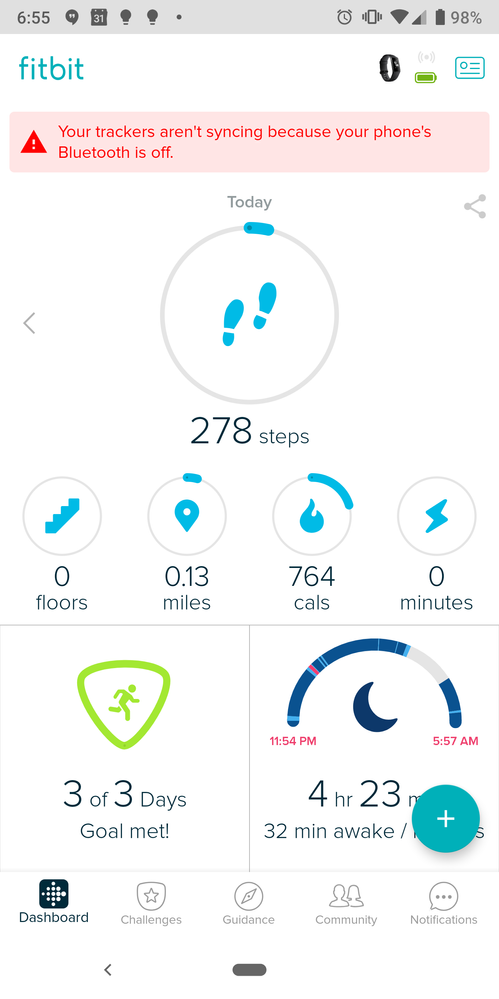
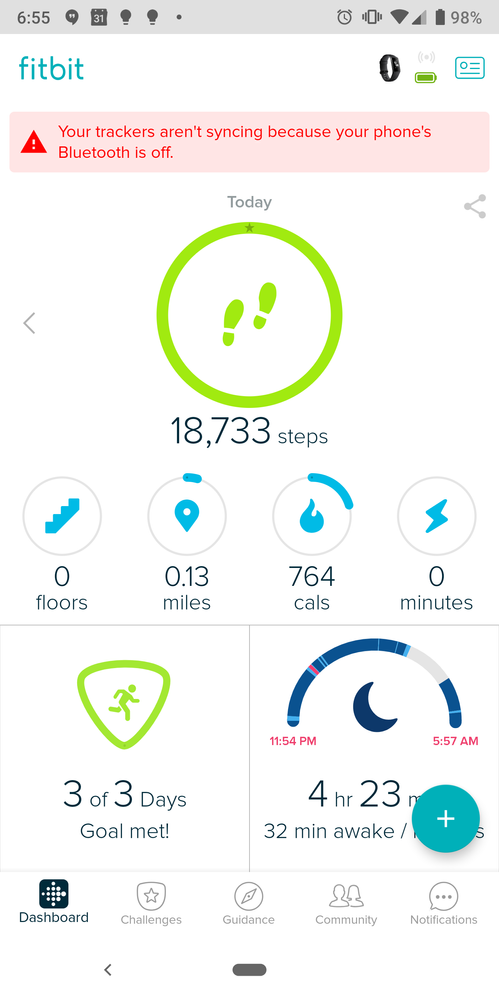
I'm running the Fitbit Android so on a Pixel 2 XL running Android Pie. When I load the Fitbit app it will show around 11k steps then it will show around 5k steps (actual).
See version info in images.
 Best Answer


 Community Moderators ensure that conversations are friendly, factual, and on-topic. We're here to answer questions, escalate bugs, and make sure your voice is heard by the larger Fitbit team. Learn more
Hello @jbgAZ.
Thanks for sharing those screenshots and all of that information with us.
Was there a point where you did reach that number of steps? It is possible that the app is leading information for that other day and then correcting itself. Let's try to clear the app's cache. You can do so by going into the phone's settings and going into the app's settings. There, look for the Fitbit app and clear the cache. Then restart the phone and open the app again and see if this happens again.
Let me know if you have any further questions.
Best Answer
So this didn't fix it, and your link to accept your post as a solution looks like a checkbox, so I tried to uncheck it, and marked it as the accepted solution. There is something corrupting the cache, and after getting my replacement charge 3 hasn't helped.
Best Answer
Community Moderators ensure that conversations are friendly, factual, and on-topic. We're here to answer questions, escalate bugs, and make sure your voice is heard by the larger Fitbit team. Learn more
Hello @jbgAZ.
Thanks for trying the steps I recommended and letting me know they didn't work.
I'd like to ask you a few questions to better understand what is going on:
- Is it always the same numbers?
- How often does it happen? Is it daily?
- Is any of the numbers shown accurate or are both wrong?
Look forward to your reply.
Best Answer
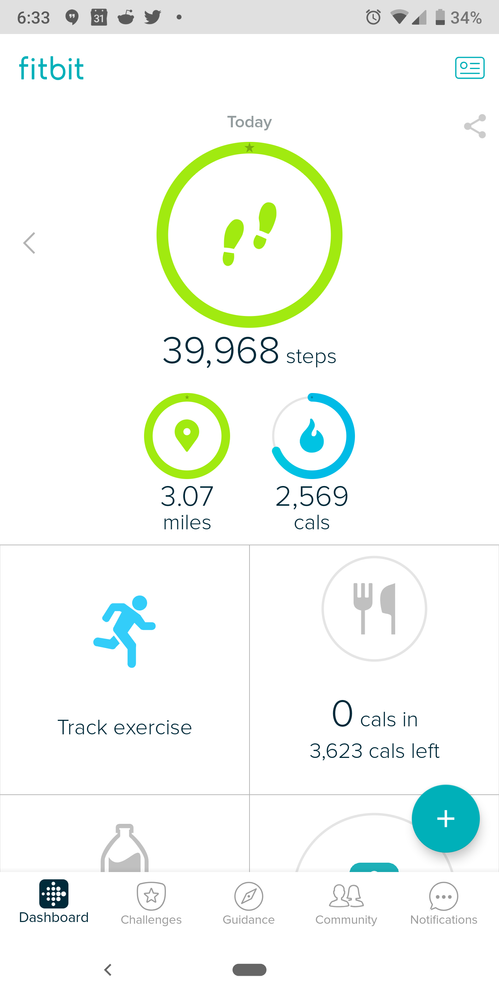
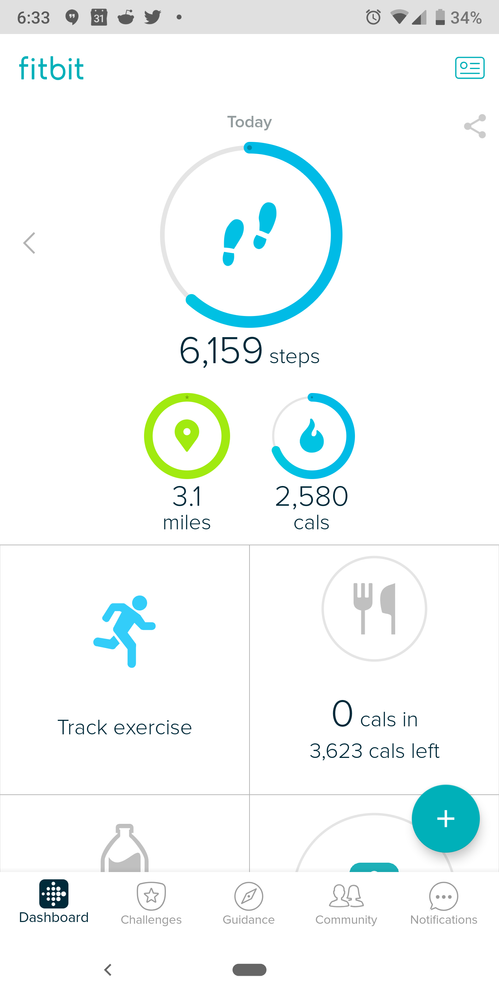
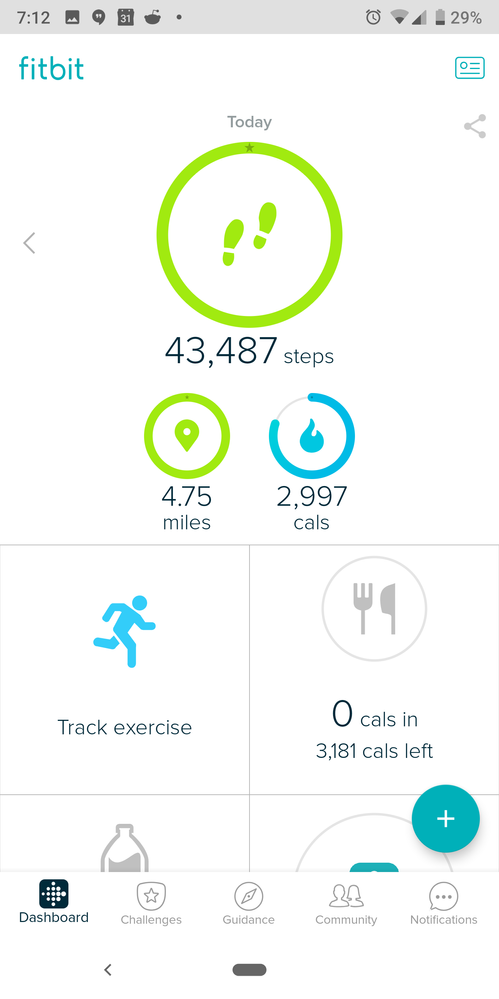
Nope both of the numbers increment with my steps, but one of them is much larger I have seen upwards of 150k steps for the day when I was under 7k. noticed it much more when was only using mobile tracker, since couldn't connect my charge 3 when it failed. Yes, I was seeing it many times per dayDec
Best Answer
Community Moderators ensure that conversations are friendly, factual, and on-topic. We're here to answer questions, escalate bugs, and make sure your voice is heard by the larger Fitbit team. Learn more
Hello @jbgAZ.
Thanks for sharing those screenshots and details.
I'd recommend that you try to remove MobileTrack from your account and check if this continues to happen after the fact. You can remove MobileTrack by going into your account's settings by tapping on the top-right corner on the app.
Let me know if you have any further questions.
Best Answer