Join us on the Community Forums!
-
Community Guidelines
The Fitbit Community is a gathering place for real people who wish to exchange ideas, solutions, tips, techniques, and insight about the Fitbit products and services they love. By joining our Community, you agree to uphold these guidelines, so please take a moment to look them over. -
Learn the Basics
Check out our Frequently Asked Questions page for information on Community features, and tips to make the most of your time here. -
Join the Community!
Join an existing conversation, or start a new thread to ask your question. Creating your account is completely free, and takes about a minute.
Not finding your answer on the Community Forums?
- Community
- Product Help Forums
- Ionic
- Re: Ionic GPS issue
- Mark Topic as New
- Mark Topic as Read
- Float this Topic for Current User
- Bookmark
- Subscribe
- Mute
- Printer Friendly Page
- Community
- Product Help Forums
- Ionic
- Re: Ionic GPS issue
Ionic GPS not connecting
ANSWERED- Mark Topic as New
- Mark Topic as Read
- Float this Topic for Current User
- Bookmark
- Subscribe
- Mute
- Printer Friendly Page
03-11-2018
07:57
- last edited on
03-08-2020
16:54
by
RicardoFitbit


03-11-2018
07:57
- last edited on
03-08-2020
16:54
by
RicardoFitbit
The entire reason I bought the Ionic is because it has a dedicated GPS chip inside the device, meaning regardless of my phone reception, my run should be tracked via the dedicated GPS, well I've been on a few runs now and the watch gets stuck on "Connecting..." and it never connects to the GPS which is a bummer because I don't want to have to take this back and spend an addition $300
Moderator edit: Subject for clarity
Moderator edit: Word choice
Answered! Go to the Best Answer.
Accepted Solutions

SunsetRunner
@SlipperySix This is usually because of the gps not knowing where it is and having to poll all available satellites rather than knowing which satellites to actually look for before calculating its position. This takes a lot longer than when doing a start when the gps has a rough idea of where it is.
The process is quicker if you keep the Ionic stationary the first time it tries this, as moving it further complicates the process. Once done, subsequent start ups should be quicker
SunsetRunner
@SlipperySix This is usually because of the gps not knowing where it is and having to poll all available satellites rather than knowing which satellites to actually look for before calculating its position. This takes a lot longer than when doing a start when the gps has a rough idea of where it is.
The process is quicker if you keep the Ionic stationary the first time it tries this, as moving it further complicates the process. Once done, subsequent start ups should be quicker
I set it outside on the ground for about 10 minutes while it was connecting and it finally did. I went out back into an exercise and the GPS connected much faster after that. Thanks for the input friend!

Thanks this worked!

Mine regularly loses reception on a run and fails to reconnect unless I stop and wait.

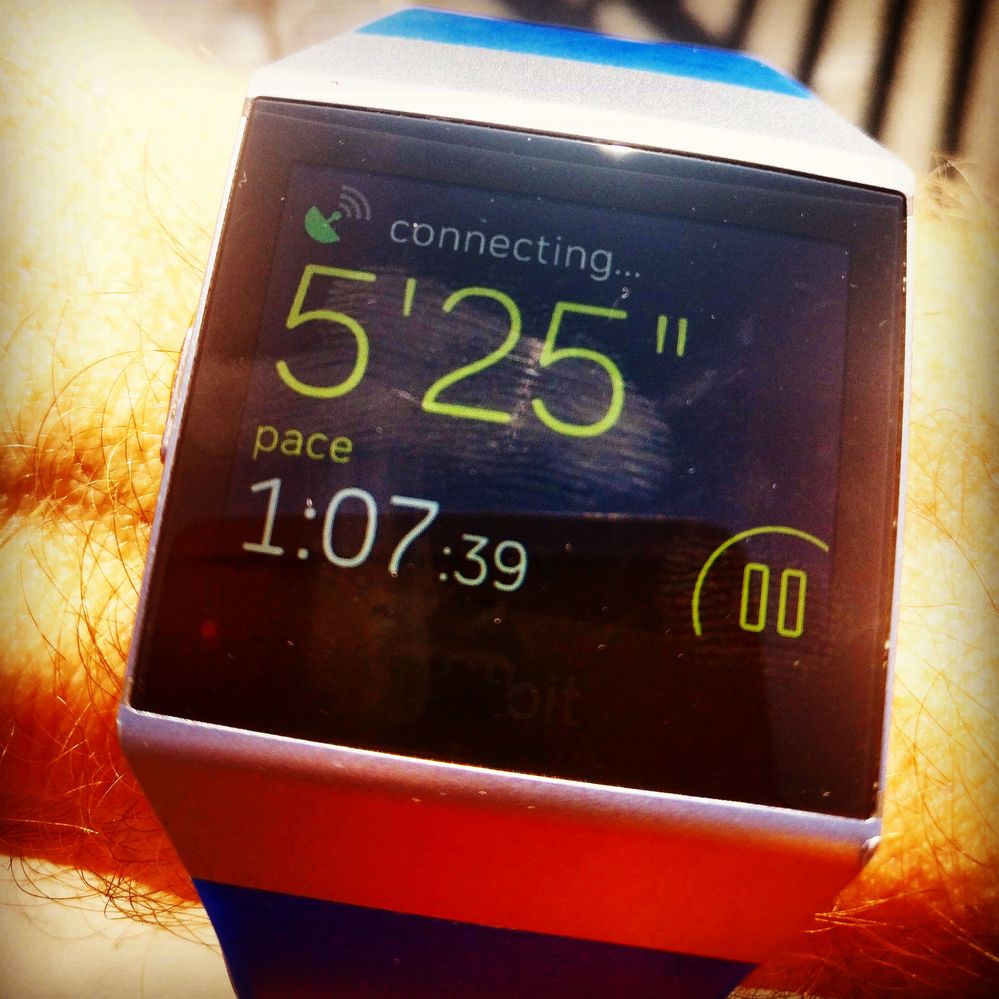
Lost GPS reception multiple times yesterday while out running. Today again on my bike. Clear skies and no obstruction.
Decided to bite the bullet and switch to Garmin - ordered a Fenix 5 Plus this afternoon. So after 2.5 years (and an Ionic, Aria and Surge later), it's adiós Fitbit!

This afternoon's run. Took a few minutes to reacquire a GPS lock. Seems to be dropping off almost every activity now.

Since i have bought Ionic, i have run two 10K marathons, both the time it lost GPS connection. At first one it calculated 9.58km and on second run it never connected after 6km. I cannot stop during a marathon. Yes i started running only after GPS was connected. Please help fix this.
12-02-2018
06:33
- last edited on
12-04-2018
17:21
by
AlexandraFitbit

12-02-2018
06:33
- last edited on
12-04-2018
17:21
by
AlexandraFitbit
Buller..Buller?
Anybody?
Im having this issue as well
Send me your ionic?
Moderator Edition: Format


 Community Moderators ensure that conversations are friendly, factual, and on-topic. We're here to answer questions, escalate bugs, and make sure your voice is heard by the larger Fitbit team. Learn more
@preshx18 I'm so glad to hear that the problem was resolved. Thank you for posting the update here. Don't hesitate to get back if you see something unusual and I'll be glad to help you.
@Superruss Thank you for joining us in this thread! I'm sorry to hear that your Fitbit Ionic GPS lost connection. I would like to follow up on this and would like to know if the issue persists or if it got resolved. Also, there are times that cloudy weather may affect the connection, also tall buildings.
If you see that the issue persists, please restart your tracker as described in this help article and try another activity using the GPS connection and see if the issue gets resolved.
Keep me posted on the outcome! 
@Jjic wrote:Wait, I'm having the same problem, what did you do to fix it?
Yes, I bought a Garmin Fenix 5 Plus.
centre, sent them videos and they replaced my watch. Now no problem.
One thing that helped me is before a run, now i restart my watch and GPS is
not lost during the run.

This is really starting to 'rustle my jimmies', I bought this watch because one of the key features was in-built GPS so I don't have to bring my phone along on runs. I find myself having to wait 15-20m every time pre-run just so it finds my location.
Multime restarts, factory resets, re-syncs, nothing seems to help this issue. I'm currently waiting 15m with it sat outside trying to find the loc...
how does your phone GPS in comparison?
 Best Answer