
Join us on the Community Forums!
-
Community Guidelines
The Fitbit Community is a gathering place for real people who wish to exchange ideas, solutions, tips, techniques, and insight about the Fitbit products and services they love. By joining our Community, you agree to uphold these guidelines, so please take a moment to look them over. -
Learn the Basics
Check out our Frequently Asked Questions page for information on Community features, and tips to make the most of your time here. -
Join the Community!
Join an existing conversation, or start a new thread to ask your question. Creating your account is completely free, and takes about a minute.
Not finding your answer on the Community Forums?
- Community
- Product Help Forums
- Other Charge Trackers
- Re: Getting all notifications except text messages
- Mark Topic as New
- Mark Topic as Read
- Float this Topic for Current User
- Bookmark
- Subscribe
- Mute
- Printer Friendly Page
- Community
- Product Help Forums
- Other Charge Trackers
- Re: Getting all notifications except text messages
Getting all notifications except text messages
- Mark Topic as New
- Mark Topic as Read
- Float this Topic for Current User
- Bookmark
- Subscribe
- Mute
- Printer Friendly Page
- « Previous
-
- 1
- 2
- Next »
12-28-2019
03:21
- last edited on
09-29-2020
10:29
by
MatthewFitbit


12-28-2019
03:21
- last edited on
09-29-2020
10:29
by
MatthewFitbit
Please help..... I’ve looked up every video online and followed every single step to turn on notifications. They’re all working except for text message notifications. Any help appreciated
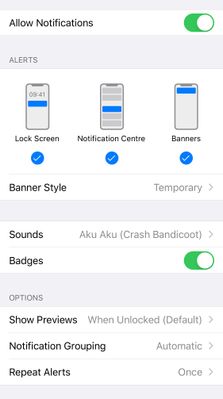
So this is what my iPhones messages Settings under notifications. Does yours match this? (Minus the message tone 😂)
 Best Answer
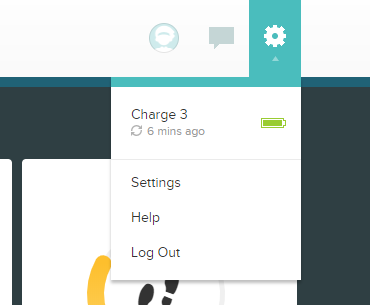
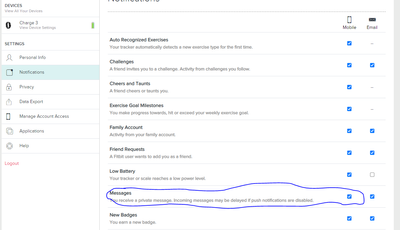
hmmm, there something else you could try, if you log into your fitbit dashboard, click the gear then go to your settings,then click on notifications, check the tick box next to messages is selected for your phone, make sure your phone isn't on 'do not disturb' either, that seems to turn the alerts to the watch off.

Best Answer
Oh man. I’m really sorry I don’t have any other ideas 😞. If I think of anything I’ll post here again
Best Answer
Thanks for trying!! Maybe it will start working again randomly like some other people on this page 🙏🏼
Best Answer
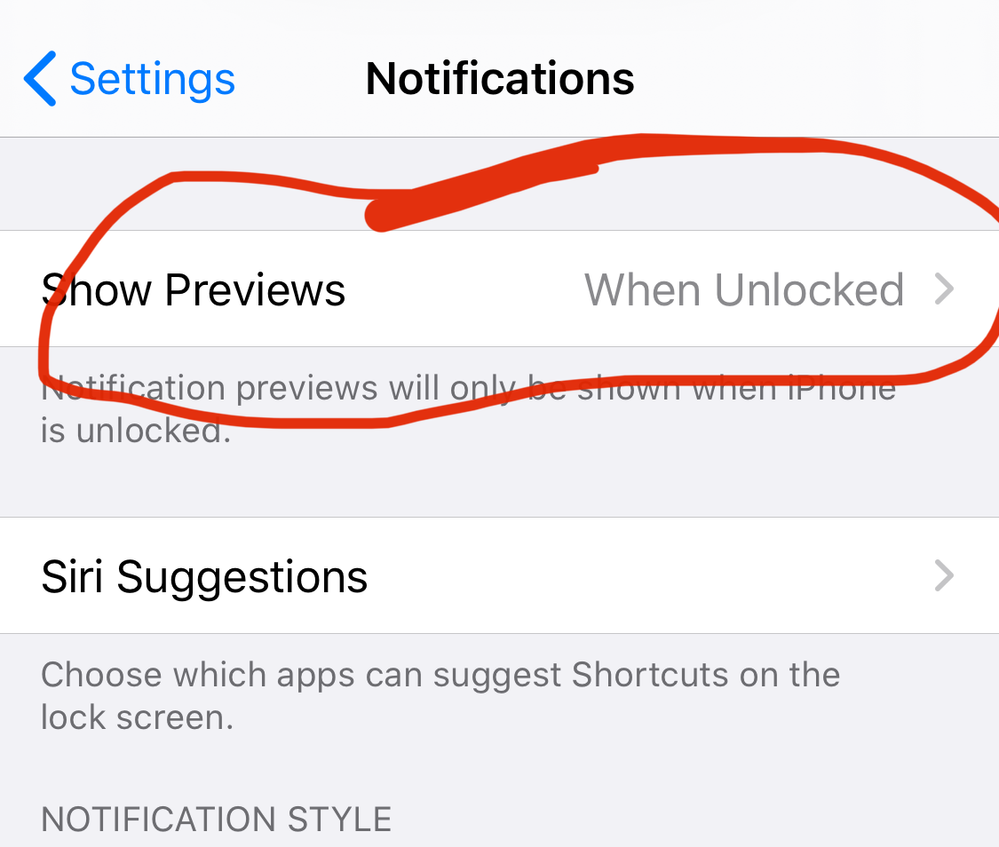
i have one last idea, on your Iphone under the notification settings, right at the top is "Show Previews" if that is set to never, change it to either: "always" or "when unlocked".

Thank you so much! I have been trying to get this figured out for months. Just got my first text to show up on my Versa 🙂
Best Answer

THANK YOU so much. I have been dealing with this issue for months. My husband even brought me another Fitbit bc we thought I just got a defect. This totally worked for me.
Best Answer
Thank you so much 88Pancakes. It is now 2 years later and you still helped someone who has gone crazy for 2 weeks wondering why text messages stopped on my Fitbit (mine is an oldie Goldie Charge 2). But it works now with the fix about previewing the message. (Not sure when and how that stopped 🤷:female_sign:
You’re nice to help others!!!
Best Answer
- « Previous
-
- 1
- 2
- Next »