
Join us on the Community Forums!
-
Community Guidelines
The Fitbit Community is a gathering place for real people who wish to exchange ideas, solutions, tips, techniques, and insight about the Fitbit products and services they love. By joining our Community, you agree to uphold these guidelines, so please take a moment to look them over. -
Learn the Basics
Check out our Frequently Asked Questions page for information on Community features, and tips to make the most of your time here. -
Join the Community!
Join an existing conversation, or start a new thread to ask your question. Creating your account is completely free, and takes about a minute.
Not finding your answer on the Community Forums?
- Community
- Product Help Forums
- Other Versa Smartwatches
- Re: New versa wont sync, error messages
- Mark Topic as New
- Mark Topic as Read
- Float this Topic for Current User
- Bookmark
- Subscribe
- Mute
- Printer Friendly Page
- Community
- Product Help Forums
- Other Versa Smartwatches
- Re: New versa wont sync, error messages
New versa wont sync, error messages
- Mark Topic as New
- Mark Topic as Read
- Float this Topic for Current User
- Bookmark
- Subscribe
- Mute
- Printer Friendly Page

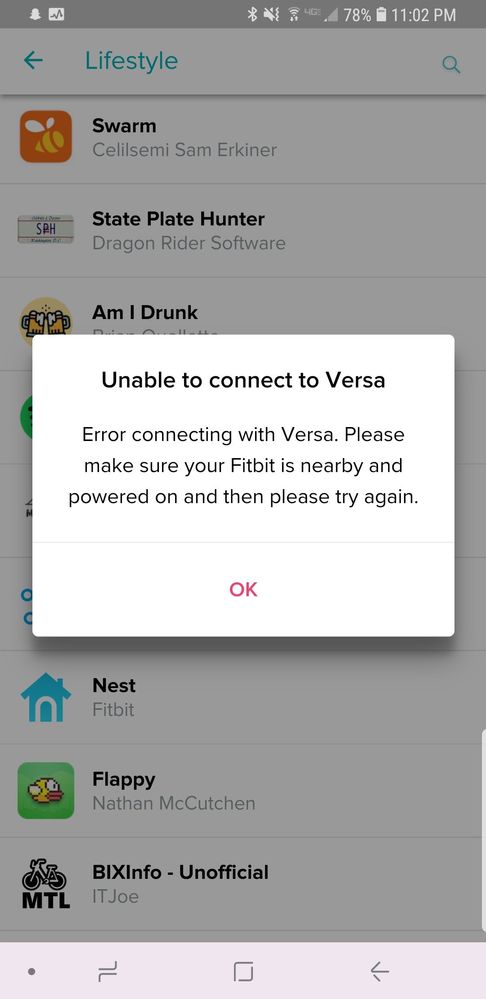
I got my fit bit versa today, and it just wont stay connected or sync. I've been looking through the forums about this for hours. I've done all kinds of things to try and fix this problem and it's just not working.
 Best Answer
@Adowd03 First try to restore Bluetooth connectivity:
- Unpair (remove) Versa from your phone's bluetooth settings
- Uninstall the Fitbit mobile app
- Reboot your phone and install Fitbit mobile app. Do not pair in your phone's bluetooth settings. The trick here is to not pair in phone Bluetooth settings but rather let the Fitbit mobile app do that.
- Reboot your Versa by pressing and holding the left and bottom right buttons until Fitbit logo flashes
- Login to Fitbit mobile app
- Grant all permissions and sync
- Make sure Fitbit mobile app is not being optimized by Android in the Battery Settings
- Make sure Always Connected and All-day sync are enabled in the Fitbit mobile app.
Additional tips if sync issues persist: If you have Wifi set up, go to Fitbit mobile app and remove it, then sync your Versa. I noticed that it causes issues for me. If you have other Bluetooth devices paired with your phone, forget them. One of them might be causing issues.

Marrrmaduke | Canada
Charge HR, Blaze, Charge 2, Charge 3, Inspire HR, Versa Lite, Versa SE, Aria
Nope, I've tried this a few times as I saw it on other peoples posts and I've been working on it for hours. Just tried again and it was able to sync and about 3 minutes later gave me the error message again.
After working on this all evening, I will be exchanging it tomorrow and if I try to set that one up and it has the same issue I'll just return and not bother again.
I'm so disappointed.
Best Answer
@Adowd03 ughhh another thing that comes to my mind is rolling back Fitbit mobile app version. Try installing 2.84 and if this doesn't work try 2.74.2. Of course if you have an option of trying a different unit go for it. Quick question, do you have other trackers linked to your account? I had to remove one of my Charge trackers because it would disrupt the sync.
Marrrmaduke | Canada
Charge HR, Blaze, Charge 2, Charge 3, Inspire HR, Versa Lite, Versa SE, Aria
@Adowd03 it doesn't matter as Fitbit app will facilitate re-pairing. Even after you forgot Charge 2. Your call you can try older version of the app (perhaps 2.74.2) or delete charge 2. I would try older version. I'm still running 2.74.2 on my other phone.
Marrrmaduke | Canada
Charge HR, Blaze, Charge 2, Charge 3, Inspire HR, Versa Lite, Versa SE, Aria
@Adowd03 Google for Fitbit APK file for version 2.74.2 and how to install them. This is not the route Fitbit recommends tho. They prefer when we are running the latest build. Myself, I have never had issues with 2.74.2.
Marrrmaduke | Canada
Charge HR, Blaze, Charge 2, Charge 3, Inspire HR, Versa Lite, Versa SE, Aria
