
Join us on the Community Forums!
-
Community Guidelines
The Fitbit Community is a gathering place for real people who wish to exchange ideas, solutions, tips, techniques, and insight about the Fitbit products and services they love. By joining our Community, you agree to uphold these guidelines, so please take a moment to look them over. -
Learn the Basics
Check out our Frequently Asked Questions page for information on Community features, and tips to make the most of your time here. -
Join the Community!
Join an existing conversation, or start a new thread to ask your question. Creating your account is completely free, and takes about a minute.
Not finding your answer on the Community Forums?
- Community
- Features
- Third-Party Integrations
- Re: Very recent Strava syncing issues
- Mark Topic as New
- Mark Topic as Read
- Float this Topic for Current User
- Bookmark
- Subscribe
- Mute
- Printer Friendly Page
- Community
- Features
- Third-Party Integrations
- Re: Very recent Strava syncing issues
Very recent Strava syncing issues
ANSWERED- Mark Topic as New
- Mark Topic as Read
- Float this Topic for Current User
- Bookmark
- Subscribe
- Mute
- Printer Friendly Page

SunsetRunner
I use Strava to sync my rides into Fitbit. Has worked seemlessly until a couple days ago. It started as a huge delay (hours). Last night took some time. Now this morning's ride hasn't synced (it's been almost 3 hours). Curious if anyone else has been having this issue.
Answered! Go to the Best Answer.
 Best Answer
Accepted Solutions


 Community Moderator Alumni are previous members of the Moderation Team, which ensures conversations are friendly, factual, and on-topic. Moderators are here to answer questions, escalate bugs, and make sure your voice is heard by the larger Fitbit team. Learn more
Hey all, thanks for reporting this. We'll investigate and see what's going on. 
Edit: This should be resolved now. Thanks again for the reports!

SunsetRunner
To be clear, I use Strava just for the ride (mostly because it has the ability, if I so choose, to share to social media). I have Strava import into Fitbit, and let Fitbit work its magic/use it for the fitness/physical/biometric data.
Best Answer
SunsetRunner
For kicks, I decided to try a fix from when it wasn't working about a year ago this time. I am now thinking I should not have done that. I did the "revoke and reconnect thing".
This error came up: {"statusCode":500,"error":"Internal Server Error","message":"An internal server error occurred"}. However, Fitbit and Strava, both on their respective sites, show them as reconnected and with permissions for write and access.
Best Answer
Same issue here!
I think it's some sort of server issue, hopefully it will get fixed quickly.
 Best Answer
I got the exact same issue. Must be an IT issue behind the scenes.
Best Answer
Yup.. My run this evening didn't sync to strava either..
Becoming an annoying habit.. Same issue a few weeks back and took long enough to fix
Best Answer
Me too, same exact error.
{"statusCode":500,"error":"Internal Server Error","message":"An internal server error occurred"}
Tried on two pc's and on two separate internet connections.
Best Answer
SunsetRunner
Getting the same thing feom my ride today.
I tried the revoke access and reconnect but get the error 500 when clicking connect on strava.fitbit.com
I got round it by downloading the fitbit activity as a .tcx file and then manually uploading it to Strava.
Best Answer
Community Moderator Alumni are previous members of the Moderation Team, which ensures conversations are friendly, factual, and on-topic. Moderators are here to answer questions, escalate bugs, and make sure your voice is heard by the larger Fitbit team. Learn more
Hey all, thanks for reporting this. We'll investigate and see what's going on.
Edit: This should be resolved now. Thanks again for the reports!
SunsetRunner
I was able to reconnect Strava and Fitbit. Will my two rides from today that didn't sync originally because of this issue now sync since it appears to be resolved?
Best Answer
SunsetRunner
Seems to be working again properly. I deleted the activity from Strava, and then after a while the fitbit activity did sync across to Strava.
Best Answer
SunsetRunner
No, I meant FROM Strava TO Fitbit.
Regardless, I figured that would be a stretch.
We'll see this morning if it's truly fixed.
Best Answer
Still not syncing from Fitbit to Strava!
few days ago I downloaded the file uploaded to strava manually... but as next week I'll be on a trip for 10 days I won't have my computer with me! You better solve this asap!
Best Answer
I revoked access again and again connected. After 30min it synced my last training from this morning. Ok, it seems to work now.
Best Answer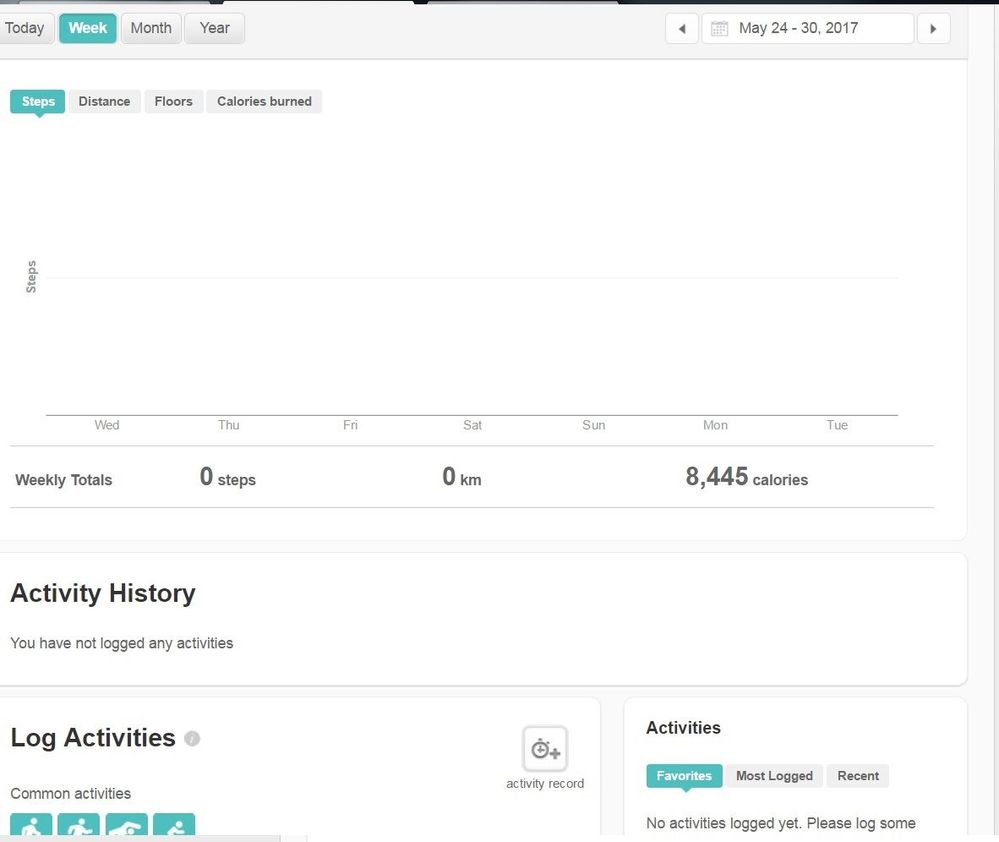
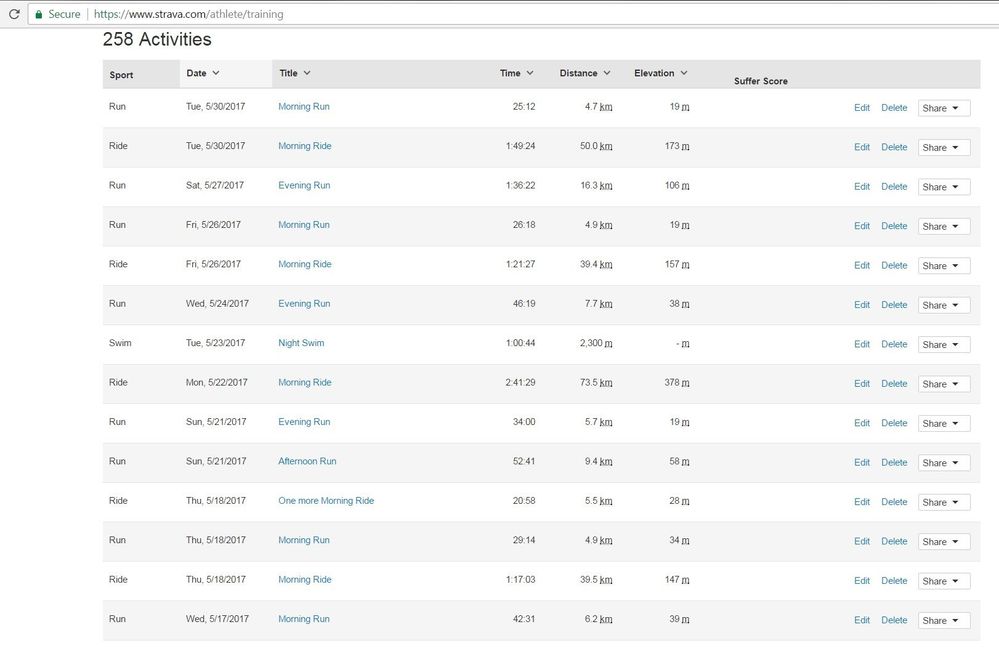

I don't use fitbit, but my company has this fitbit challenge thingy. I am using Garmin and sync to Strava all my runs and rides. I thought I can sync Strava to fitbit and participate in the challenge, but no luck.