
Join us on the Community Forums!
-
Community Guidelines
The Fitbit Community is a gathering place for real people who wish to exchange ideas, solutions, tips, techniques, and insight about the Fitbit products and services they love. By joining our Community, you agree to uphold these guidelines, so please take a moment to look them over. -
Learn the Basics
Check out our Frequently Asked Questions page for information on Community features, and tips to make the most of your time here. -
Join the Community!
Join an existing conversation, or start a new thread to ask your question. Creating your account is completely free, and takes about a minute.
Not finding your answer on the Community Forums?
- Mark Topic as New
- Mark Topic as Read
- Float this Topic for Current User
- Bookmark
- Subscribe
- Mute
- Printer Friendly Page
+Infinity In Goal Day?
ANSWERED- Mark Topic as New
- Mark Topic as Read
- Float this Topic for Current User
- Bookmark
- Subscribe
- Mute
- Printer Friendly Page

SunsetRunner
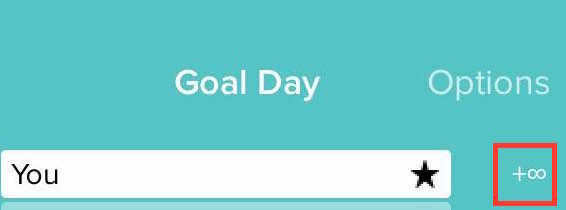
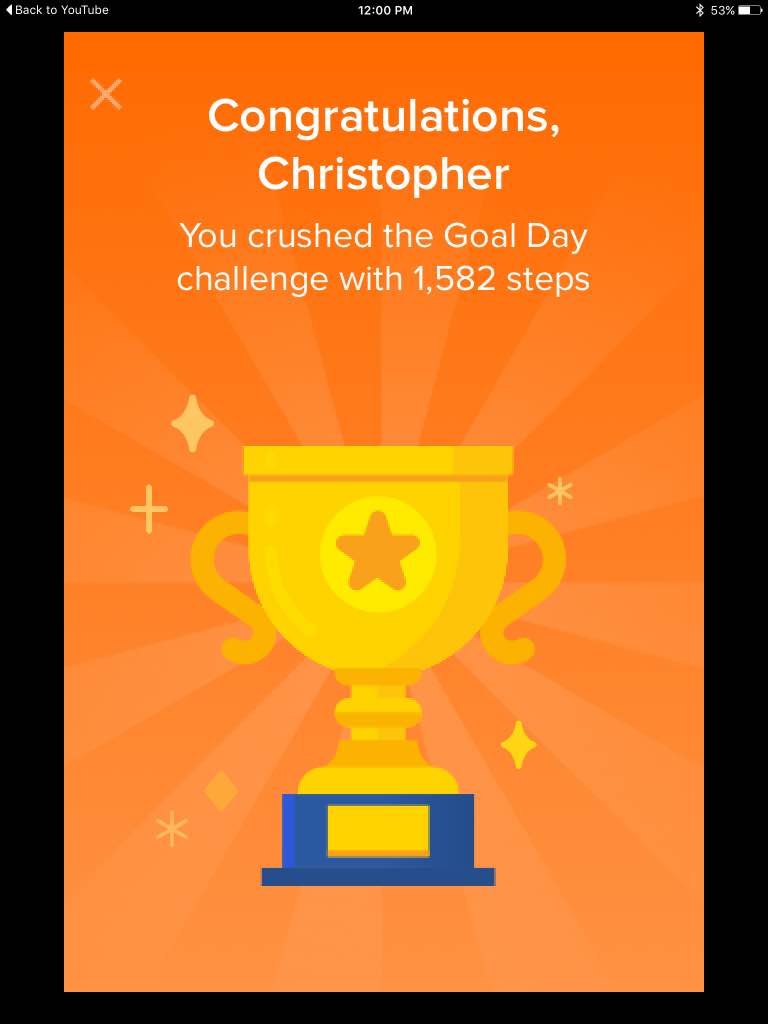
I was doing Goal Day yesterday and once I synced my Fitbit Charge and went to the Goal Day page it said next to my bar "+Infinity". I'm not exactly sure what this means. I also did not reach my goal that day either, so the bar should not have been like that. Also, I still got a trophy although, as I said before, I did not reach my goal .If someone could help me with this that would be great. Thank You.
Here's an image for reference:
Answered! Go to the Best Answer.
- Tags:
- Social


Is this still a bug?
@AngelaMa wrote:Welcome to the Forums @SunsetRunner and @SunsetRunner! It's great to have you here. @SunsetRunner thanks for your report about the infinity sign in Goal Day, I really appreciate the screenshots. Our team is aware of this and they are working to get this fixed as soon as possible.
Thanks for your understanding! 🙂
I saw it a few days ago on a friends bar in a challenge.
Thanks

Yes, please fix it as it keeps telling me that Goal
Day is waiting for me to sync, yet, I doubled my 10k goal yesterday and none of my progress showed in Goal
Day, just my weekend warrior. Very frustrating as I hit my step goal early in the am and it updated all other people's progress in the group but me and another.
SunsetRunner
Actually, I found another instance of it, in a Goal Day Challenge.
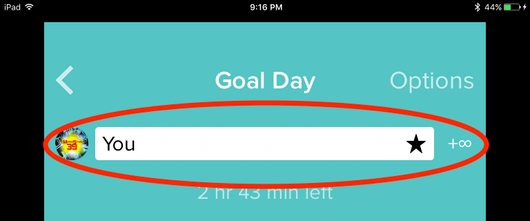


I got the infinite sign issue recently. Starting with seeing someone in the challenge got the issues. It looks a software bug. Look the issue has been reported more than a year in the community, but still not being fixed. Very frustrating.
 Best Answer
SunsetRunner
I thought it was fixed by now. Strange...
Best Answer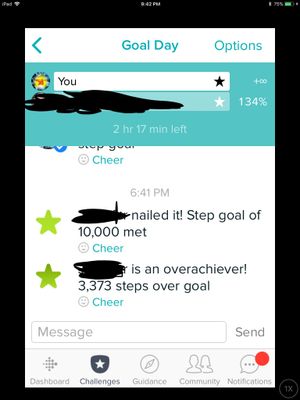
Please share what’s you findings. Thanks!
Sent from my iPhone
Best Answer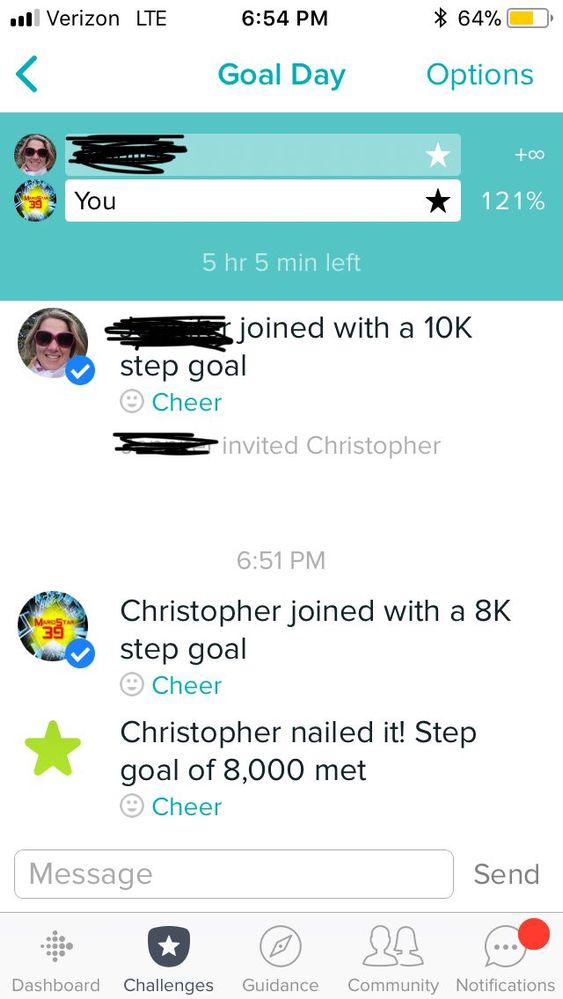
SunsetRunner
Two things:
A. I found +Infinity again
B. I found I related Android glitch
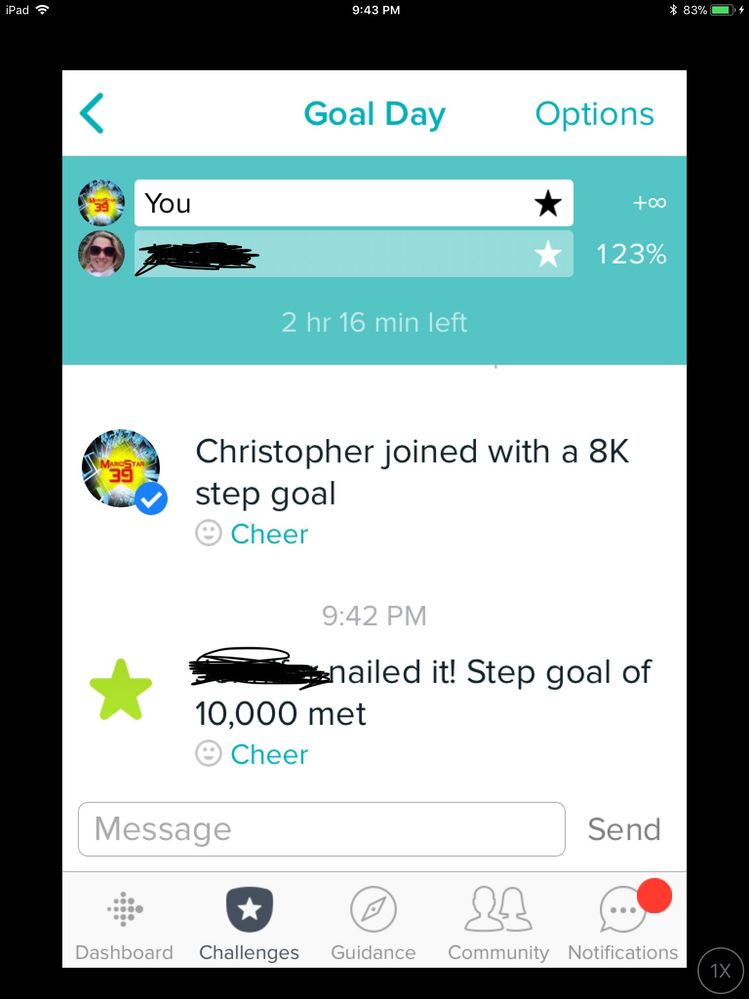
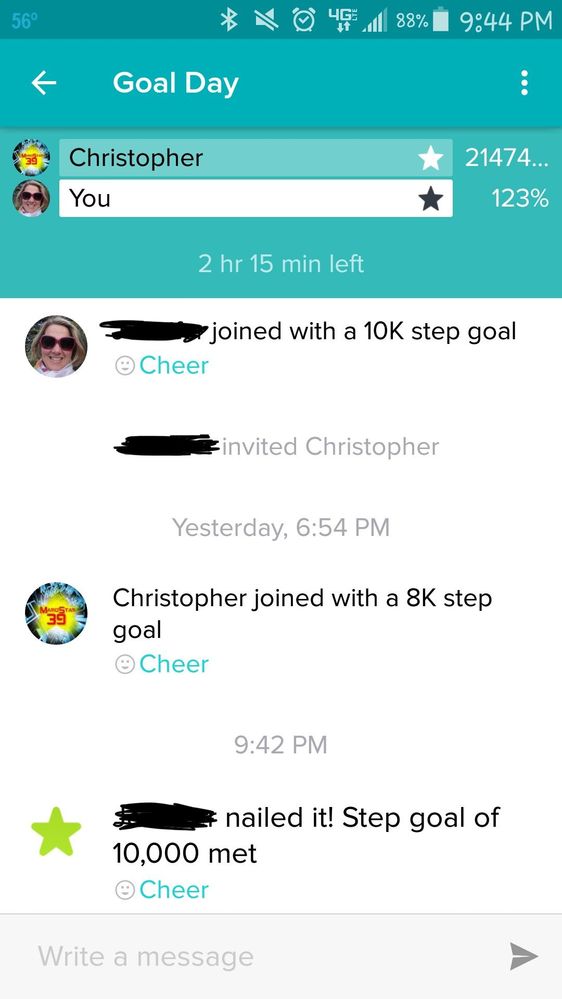
Best Answer
This happened to me today. My dashboard is accurate for today’s steps but the numbers aren’t accurate for the challenge. My app displays the infinity sign for my progress but when I look at my steps on someone else’s app it shows over 200 million steps?!?! I’ve tried restarting my phone, restarting the app and updating my phone. Nothing has worked.
Best Answer
SunsetRunner
The only thing that I’ve heard that worked was starting a new challenge. Other then that nothing can be done.
Best Answer
This problem has been happening more frequently. A work around is for the person with the star or infinity to quit the challenge. But before they leave they ask someone currently in that challenge to invite them back in again after they’ve left. When they return the star and infinity are gone and they have their true percentage. It’s frustrating to have to continue with this work around while FitBit ponders what to do with this problem or how to fix it.
@J-flex wrote:This problem has been happening more frequently. A work around is for the person with the star or infinity to quit the challenge. But before they leave they ask someone currently in that challenge to invite them back in again after they’ve left. When they return the star and infinity are gone and they have their true percentage. It’s frustrating to have to continue with this work around while FitBit ponders what to do with this problem or how to fix it.
If you look at the first comment this issue has been going on for well over a year with no resolution. Not surprised by this has I have an ongoing issue that has been going on since Sept 2016, yes 2016 and Fitbits response is always we are aware of this and are diligently working on it.....
Best Answer
Considering a moderator has chimed in on this my guess the changes of this a low to zero.
Best Answer