
Join us on the Community Forums!
-
Community Guidelines
The Fitbit Community is a gathering place for real people who wish to exchange ideas, solutions, tips, techniques, and insight about the Fitbit products and services they love. By joining our Community, you agree to uphold these guidelines, so please take a moment to look them over. -
Learn the Basics
Check out our Frequently Asked Questions page for information on Community features, and tips to make the most of your time here. -
Join the Community!
Join an existing conversation, or start a new thread to ask your question. Creating your account is completely free, and takes about a minute.
Not finding your answer on the Community Forums?
- Community
- Product Help Forums
- Blaze
- Re: Blaze Screen
- Mark Topic as New
- Mark Topic as Read
- Float this Topic for Current User
- Bookmark
- Subscribe
- Mute
- Printer Friendly Page
- Community
- Product Help Forums
- Blaze
- Re: Blaze Screen
Quick View Sensitivity
- Mark Topic as New
- Mark Topic as Read
- Float this Topic for Current User
- Bookmark
- Subscribe
- Mute
- Printer Friendly Page


 Fitbit Product Experts Alumni are retired members of the Fitbit Product Expert Program. Learn more
There is not a setting to adjust the sensitivity of it. I had the opposite problem - mine was being activated too frequently so I have turned mine off.
Kelly | Oklahoma
Alta HR, Blaze, Flex 2, Charge 2, Charge, and Aria * IPhone 7+


 Fitbit Product Experts Alumni are retired members of the Fitbit Product Expert Program. Learn more
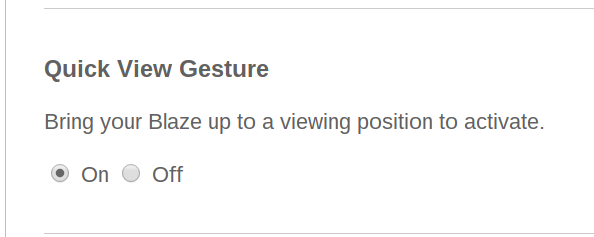
On your website dashboard, click on the gear icon on the top right and then click on the Blaze tile. You should get to the settings page. Scroll down and check on the Quick View Gesture and make sure it is turned on. Hope this helps.

Warren | Cincinnati, OH
Versa Lite, Ionic, Charge3, Inspire HR, Blaze(retired), Alta( retired),- Pixel 3
Take a look at the Fitbit help site for further assistance and information.
 Best Answer
I am having exact same problem
I was having the same problem, then realized I wasn't raising it high enough. If I raise it about a foot from its original position, it comes right on so..... if my wrist is already at chest level (running or wresting on an armrest) -> raise it to eye level , if my arm is straight down-> raise my wrist to my chest level.


Having same issue. I wear mine with face on inside of my wrist and thought maybe that's why mine was only working part of the time but it seems others have the same issue. Hopefully an update will rectify the issue.

I've combined a coiple of threads on this subject.
For more info on how to activate quick view please see this page, for @FerdinandFitbit and my response.
Best Answer
I am having the same issue, howerver I have noticed that I get different results depending on the watch face I have selected. The Original Face seems most sensitive and works more often than not for Quick View, however I would prefer Zone Clock Face, but this only works circa50% of the time.
Best Answer
 Fitbit Product Experts Alumni are retired members of the Fitbit Product Expert Program. Learn more
There is a submission already started about this over on the Feature Request board. If you would like to see the sensitivity of quick view adjusted, I suggest viewing this submission and giving it a like . The more likes it has that better the chances that Fitbit picks up on it as an issue!
Having the arm by the stomach, facing away from me. Now rotate it 90 degrees so that it is facing up. Look down at the lighted uo watch.
Second way is to bring the arm up in front of you, but make sure the wrist is somewhat parrellel to the floor before doing that 90 degree twist
To test how the quick view works i took the blaze off and held it in my hand, rotated it different ways, while watching the results.



Ditto. It doesn't work with a flick of the wrist, you have to raise and twist. Super annoying when you are sitting down. Current functionality makes it impossible to quickly check the time.
IMO the clock face should be on all of the time. The Surge works great, why change the functionality ?
