
Join us on the Community Forums!
-
Community Guidelines
The Fitbit Community is a gathering place for real people who wish to exchange ideas, solutions, tips, techniques, and insight about the Fitbit products and services they love. By joining our Community, you agree to uphold these guidelines, so please take a moment to look them over. -
Learn the Basics
Check out our Frequently Asked Questions page for information on Community features, and tips to make the most of your time here. -
Join the Community!
Join an existing conversation, or start a new thread to ask your question. Creating your account is completely free, and takes about a minute.
Not finding your answer on the Community Forums?
- Community
- Features
- Fitbit App Gallery
- Re: ASK
- Mark Topic as New
- Mark Topic as Read
- Float this Topic for Current User
- Bookmark
- Subscribe
- Mute
- Printer Friendly Page
- Community
- Features
- Fitbit App Gallery
- Re: ASK
Getting "to continue using ASK visit kzl.io/code"?
ANSWERED- Mark Topic as New
- Mark Topic as Read
- Float this Topic for Current User
- Bookmark
- Subscribe
- Mute
- Printer Friendly Page
07-05-2018
07:42
- last edited on
07-06-2018
07:05
by
SilviaFitbit


07-05-2018
07:42
- last edited on
07-06-2018
07:05
by
SilviaFitbit
My fitbit has this message on the screen. "To continue using ASK please visit kzl.io/code and enter this code" then a code is provide. I cant get rid of it, what do I do? TIA
Moderator edit: Updated subject for clarity
Answered! Go to the Best Answer.

I spent 45 minutes on the phone with a Fitbit customers service. He had me search thru all the clocks that came up until a located a clock by fitbit. The clock had the fitbit feet on it. Once I downloaded the clock the stupid message from kzl.io disappeared.
Search thru all the clock faces and find a Fitbit face. If you see the Fitbit feet next to the clock then download it. The message will disappear immediately.
 Best Answer
This helped so much:
I went here: https://k-pay.io/purchasing/paymentFinished.php?alreadyPurchased
If you uninstall the clockface/app you just purchased in order to test out another one, all of your data and settings are deleted by the Fitbit app, this will cause the clockface/app to ask for payment again after you reinstall it.
When that happens, you can unlock it again for free by going to kzl.io/unlock.

You do not enter it into Fitbit. Go to the website shown on your tracker. It is on this page you will enter the code shown on your tracker.
If you haven't purchased the app or face you will need to purchase it now.
If you have already paid for the app then choose the already purchased option.

Why is this so difficult!’ I am really discouraged that Fitbit has made setting up the Versa so confusing. Why in the world would you have to go through other vendors to change a clock face ? Why not provide a few free ones? Have had a Fitbit for over 5 years. All were easy to set up & work from the app. Not the Versa 2! 🤬
Best Answer
Before a user can change a watch face the watch has had to be completely setup.
Picking a new face is not a part of the initial setup.
It really is not that difficult @Magasw you have chosen a watch face, not developed by Fitbit. Some developers offer their time used to develop for free. However some users would like to be paid for their time. You have chose a watch created by such an author.
If you don't want to pay, then replace the face for a free one, of which there are about 500.
Are design your own face. Some are even designed by Fitbit.
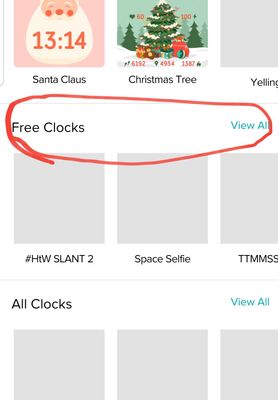
Sent from my iPhone
Best Answer
Sent from my iPhone
Best Answer
I don't want a third party app - why are they not up front and say that it is a third party app? It is stuck on my phone and I still do not know how to remove or, what it would cost. On principle alone I will delete.
Best Answer
To get rid of a pay for or any app. Through the Fitbit app, tap on the App you do not want and uninstall.
To get rid of a clock face you can try the same, it doesn't always work. So tap on the face and replace with one that you like.
Fitbit is up front.
In the description of both apps and clocks, you will see the author. Their will also be a note that it is a paid app or face.
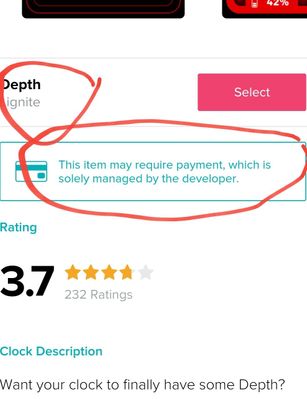
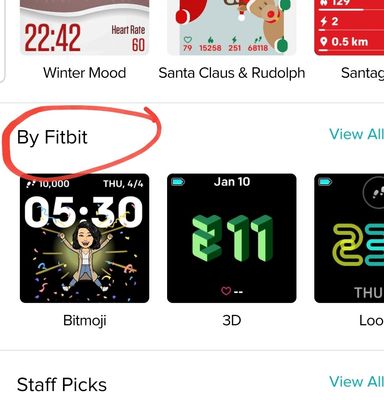
If your only interested in Fitbit clocks, then choose the Fitbit made catagory
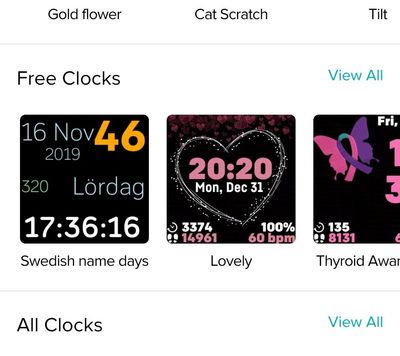
If your only interested in free faces, then choose free.

I agree.. the wat h faces are hard to deal with. There seems to BE NO free watch faces which seems crazy to me...there should be some free options. It feels like you have to pay for every little thing??? It's like nickle & diming me like crazy $1.49 seems to be the going rate???
I agree.. the watch faces are hard to deal with. There seems to BE NO free watch faces which seems crazy to me...there should be some free options. It feels like you have to pay for every little thing??? It's like nickle & diming me at a rate $1.49 over & over again???
No matter what I do this error message keeps coming on so I now have no watch face. I'm very close to returning this watch at this point.
Best Answer
If you had a watch face before, you can go back and get it again..You will have to show that you originally purchased it. I had to do this also, and it was then available to me.
Follow through with contacting the original vender.
Best Answer
As @Wishiwas29 mentioned, choose the I purchased option, enter your email address and tap restore purchase.
@Mediagirl2020 choose the Free group. There is about 50 on the Versa 2
Fitbit let's the developer of the watch decide how much or if the want to charge.
