
Join us on the Community Forums!
-
Community Guidelines
The Fitbit Community is a gathering place for real people who wish to exchange ideas, solutions, tips, techniques, and insight about the Fitbit products and services they love. By joining our Community, you agree to uphold these guidelines, so please take a moment to look them over. -
Learn the Basics
Check out our Frequently Asked Questions page for information on Community features, and tips to make the most of your time here. -
Join the Community!
Join an existing conversation, or start a new thread to ask your question. Creating your account is completely free, and takes about a minute.
Not finding your answer on the Community Forums?
- Community
- Product Help Forums
- Other Charge Trackers
- Re: More Clock Faces with Seconds
- Mark Topic as New
- Mark Topic as Read
- Float this Topic for Current User
- Bookmark
- Subscribe
- Mute
- Printer Friendly Page
- Community
- Product Help Forums
- Other Charge Trackers
- Re: More Clock Faces with Seconds
More Clock Faces with Seconds
- Mark Topic as New
- Mark Topic as Read
- Float this Topic for Current User
- Bookmark
- Subscribe
- Mute
- Printer Friendly Page




 Community Moderators ensure that conversations are friendly, factual, and on-topic. We're here to answer questions, escalate bugs, and make sure your voice is heard by the larger Fitbit team. Learn more
It's nice to see you around the Community @marcusdeshaun!  If you go to www.fitbit.com/charge2 and scroll down until you see a widget titled "Customizable Clock Faces", you'll see some of the Charge 2 clock faces that are available. There are the two options you want actually, I have mine set with date and time plus my steps.
Have a nice day!
Was my post helpful? Give it a thumbs up to show your appreciation! Of course, if this was the answer you were looking for, don't forget to make it the Best Answer! Als...

 Community Moderators ensure that conversations are friendly, factual, and on-topic. We're here to answer questions, escalate bugs, and make sure your voice is heard by the larger Fitbit team. Learn more
@dbattista It's great to have you here! You can go to the tracker's settings area and select different options (check the picture):
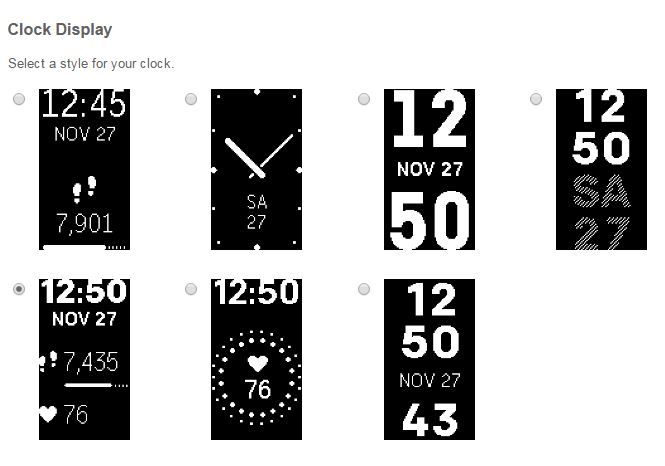
Remember to sync after you have selected the clock face you want so the changes are saved on your tracker.
Let me know how it goes!
If a post helped you try voting and selecting it as a solution so other members benefit from it. Select it as Best Solution!
 Best Answer
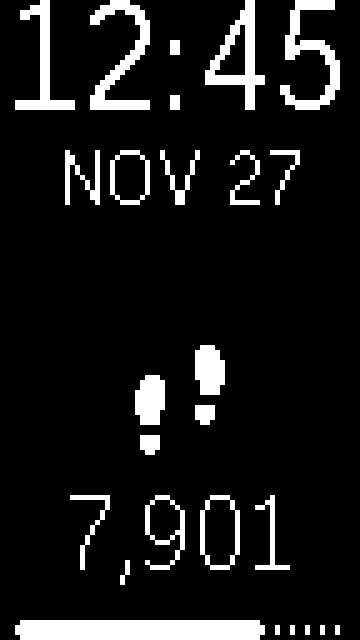
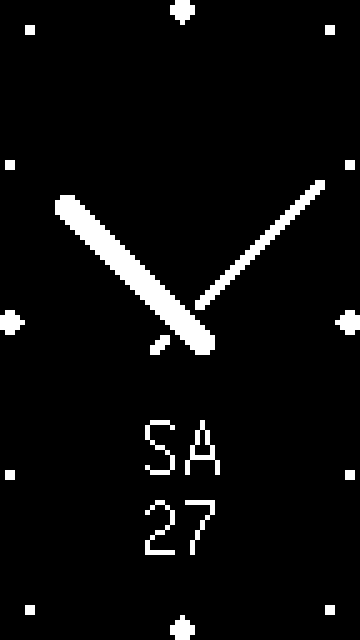
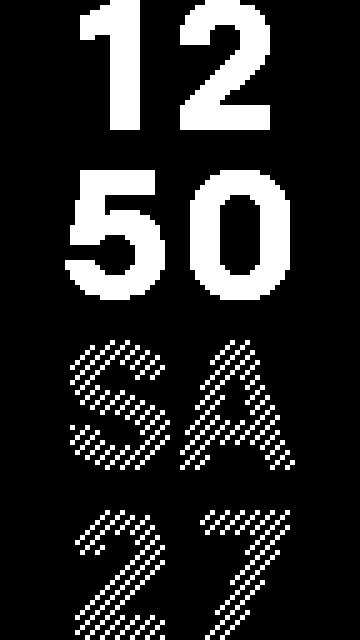
Is there a clock face available with hh:mm:ss, like there used to be with the Charge HR? The only option I see with seconds is the last one, and it's not really attractive or helpful.
If space is limited, how about the following? I don't necessarily need to see the date.
hh:mm
ss
Steps/HR/etc.

I'd love to have a very simple, clean face with seconds, just like on the Charge HR. I loved the HH:MM:ss face. Hell, make it the same size as it was on the Charge HR even. Small and unobtrusive. I really don't want the thing visible across the room!

Seriously, these watch faces suck. So much room now on the screen for information and they just slap bigger numbers on. I am pissed I upgraded to the charge 2. Come on, Fitbit.
1) Give us a small "unobtrusive" HH:MM:ss face about the same size as the Charge HR screen.
2) Utilize the space on the screen better for more info. If the Charge HR screen was adequate to show info, now that the screen is at least 4 times the size, give us 4 times the displayed information! Not just the same information 4 times bigger!
Any chance of this happening, Fitbit? I'm returning this and going back to my Charge HR if not. It's like having a new 4k computer screen and running it at 800x600. Plus i about blinded myself this morning checking the time when i woke up.
I would love a face like the first option but with seconds.
Time w/seconds
Date
Steps.

I just purchased a Charge 2 with the intention to use it both as a tracker and watch when at work, but I was disappointed that none of the clock faces have a second hand. I am a nurse and a second hand is needed. Any plans for a future update on this?

I'd just like to add to this, I need a watch face with the date, the day of the week, time, and heart rate. I know a couple new faces were added last month, but this is an essential face that definitely should be considered.
Please tell me there will be a new clock interface with the second hand swoop, I am a nurse and it would be nice to not have to wear two watches. Please and thank you

SunsetRunner

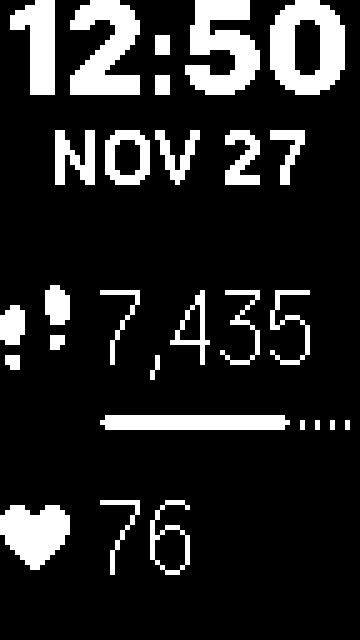

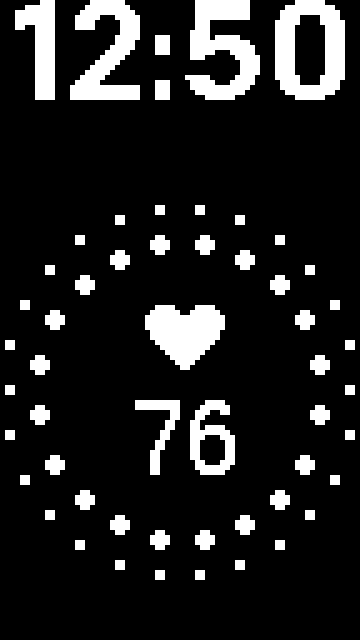
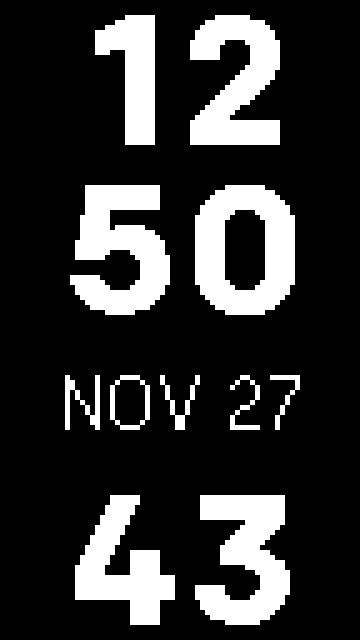
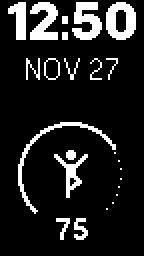


 Best Answer
 Community Moderators ensure that conversations are friendly, factual, and on-topic. We're here to answer questions, escalate bugs, and make sure your voice is heard by the larger Fitbit team. Learn more
@Jsolomon18 Welcome! It's nice to have you on board! Sorry for the delay in my response. You can add your comments on the idea thread in our Feature Suggestions board. Additionally you can vote for it. The more votes an idea gets the more likely the developers will try to implement it.
I'll be around!
If a post helped you try voting and selecting it as a solution so other members benefit from it. Select it as Best Solution!
Best Answer

The link doesn’t work anymore, do you know where I could get customizable clock faces for the Fitbit charge 2
Best Answer

I need a clock face with the day of the week as well. Not the funky ones that are available without all the other information that I need. It was available on the cheaper Fitbit Inspire. Why the heck would they not give it as a choice on the Charge 2.