
Join us on the Community Forums!
-
Community Guidelines
The Fitbit Community is a gathering place for real people who wish to exchange ideas, solutions, tips, techniques, and insight about the Fitbit products and services they love. By joining our Community, you agree to uphold these guidelines, so please take a moment to look them over. -
Learn the Basics
Check out our Frequently Asked Questions page for information on Community features, and tips to make the most of your time here. -
Join the Community!
Join an existing conversation, or start a new thread to ask your question. Creating your account is completely free, and takes about a minute.
Not finding your answer on the Community Forums?
- Community
- Product Help Forums
- Other Charge Trackers
- Re: Text Notifications
- Mark Topic as New
- Mark Topic as Read
- Float this Topic for Current User
- Bookmark
- Subscribe
- Mute
- Printer Friendly Page
- Community
- Product Help Forums
- Other Charge Trackers
- Re: Text Notifications
Text Notifications
ANSWERED- Mark Topic as New
- Mark Topic as Read
- Float this Topic for Current User
- Bookmark
- Subscribe
- Mute
- Printer Friendly Page
09-04-2016
22:34
- last edited on
09-09-2020
11:39
by
MatthewFitbit


09-04-2016
22:34
- last edited on
09-09-2020
11:39
by
MatthewFitbit
I have just purchased a Charge 2 and finally got setup but cannot get my text notifications to come up. I am getting call notifications but not text notifications. Have tried troubleshooting a few processes but still no luck.
Answered! Go to the Best Answer.
Accepted Solutions

I actually accidentally fixed this myself. I attempted to reboot the tracker by holdin the button down on the phone while it was connected to the charger. I must have missed it because it didn't reboot so I pushed it again and it said Notifications On. I must have reboot it when an update came out earlier this week and turned it off. Please list this as a possible solution.

SunsetRunner
Hi
If not already done, feel free to check out the fitbit article:
http://help.fitbit.com/articles/en_US/Help_article/1610
Hope it helps
 Best Answer
SunsetRunner
It's possible to contact the Fitbit Support Team: India | United Kingdom | United States
Optionally check out Returns & Warranty before contacting support.
Mention what you've already tried to speed things up.
Best Answer
I am from Australia, so are these call centres free calls as I dont feel comfortable sitting on hold for 10-20 minutes while I wait. Or is there a local Australian centre I could call

Mike | London, UK
Blaze, Surge, Charge 2, Charge, Flex 2 - iPad Air 2, Nokia Lumia 925 (Deceased), iPhone 6
Take a look at the Fitbit help site for further assistance and information.
Best Answer
Thanks for the advise. Is there even an online talk section? Just sent an email and it tells me there is a 2 day wait for a response. Why is there no call centre somewhere outside of USA, London and India. If they want to sell around the world then either make the products fit for purpose or have better customer service. I have now wasted 2 days online trying to find a solution and am no closer to a resolution.
May just go purchase a Garmin:((



 Community Moderator Alumni are previous members of the Moderation Team, which ensures conversations are friendly, factual, and on-topic. Moderators are here to answer questions, escalate bugs, and make sure your voice is heard by the larger Fitbit team. Learn more
@Alex1711 I can definitely help!
Out of curiosity, do you manage multiple Bluetooth devices on your iPhone? For instance: a car multimedia system, Bluetooth speaker, Bluetooth headphones, etc.
Also, do you occasionally receive text notifications or are you not receiving them at all?
Lastly, do you use iOS's native SMS App or a different messaging app?
Please keep me posted.
Best Answer
 Fitbit Product Experts Alumni are retired members of the Fitbit Product Expert Program. Learn more
@Alex1711 Also, be sure that on your phones settings, you have "Show in Notification Center" on as well for your messages. Sometimes that gets overlooked.
Kelly | Oklahoma
Alta HR, Blaze, Flex 2, Charge 2, Charge, and Aria * IPhone 7+
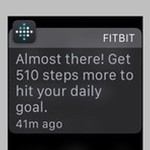
@Alex1711 also make sure that "Show in notifications center" is set for each of the following apps:
Settings > Notifications > Calendar
Settings > Notifications > Messages
Settings > Notifications > Phone
(not sure why that isn't in Fitbit help)
Aria, Fitbit MobileTrack on iOS. Previous: Flex, Force, Surge, Blaze
 Fitbit Product Experts Alumni are retired members of the Fitbit Product Expert Program. Learn more
I am not familiar with iphones, I have a droid. But I wasn't getting texts either until I figured out why. If you click on the text notification, a second window will open. There you have to choose which text app you use and restart your phone. Magic. It defaulted to message, but I use message+. I wouldn't get a text notification because a text message will never come through message. There is also skype, whatsapp and others to choose from. My only sad moment came when I realized you can only choose one. I actually get messages from the other apps too, but oh well. Try and let me know if it fixes you.
Elena | Pennsylvania
Best Answer
Fitbit Product Experts Alumni are retired members of the Fitbit Product Expert Program. Learn more
 Best Answer
 Community Moderators ensure that conversations are friendly, factual, and on-topic. We're here to answer questions, escalate bugs, and make sure your voice is heard by the larger Fitbit team. Learn more
Hey my friends @emili @Madmaggie! I'm very sorry to hear about the inconveniences you've been having with your notifications. I was wondering, is the issue persisting?
One thing that worked for me was removing my device from my Fitbit App and my Bluetooth settings and set up the notifications again. See the troubleshooting steps here:
For Android users
For iOS users
Hope that helps!
Was my post helpful? Give it a thumbs up to show your appreciation! Of course, if this was the answer you were looking for, don't forget to make it the Best Answer! Als...
Best Answer
Fitbit Product Experts Alumni are retired members of the Fitbit Product Expert Program. Learn more
Community Moderators ensure that conversations are friendly, factual, and on-topic. We're here to answer questions, escalate bugs, and make sure your voice is heard by the larger Fitbit team. Learn more
I'm glad to hear you're back @emili!  However, I'm curious since my phone is always on silent mode and my notifications are going through. I'm a confused, would you mind to clarify this for me?
Was my post helpful? Give it a thumbs up to show your appreciation! Of course, if this was the answer you were looking for, don't forget to make it the Best Answer! Als...
Fitbit Product Experts Alumni are retired members of the Fitbit Product Expert Program. Learn more
Community Moderators ensure that conversations are friendly, factual, and on-topic. We're here to answer questions, escalate bugs, and make sure your voice is heard by the larger Fitbit team. Learn more
Gotcha @emili! Sometimes I do the same with my phone and I just see my notifications when I decide to use it, so it makes sense.
Thanks for clearing things up!
Was my post helpful? Give it a thumbs up to show your appreciation! Of course, if this was the answer you were looking for, don't forget to make it the Best Answer! Als...
Best Answer