
Join us on the Community Forums!
-
Community Guidelines
The Fitbit Community is a gathering place for real people who wish to exchange ideas, solutions, tips, techniques, and insight about the Fitbit products and services they love. By joining our Community, you agree to uphold these guidelines, so please take a moment to look them over. -
Learn the Basics
Check out our Frequently Asked Questions page for information on Community features, and tips to make the most of your time here. -
Join the Community!
Join an existing conversation, or start a new thread to ask your question. Creating your account is completely free, and takes about a minute.
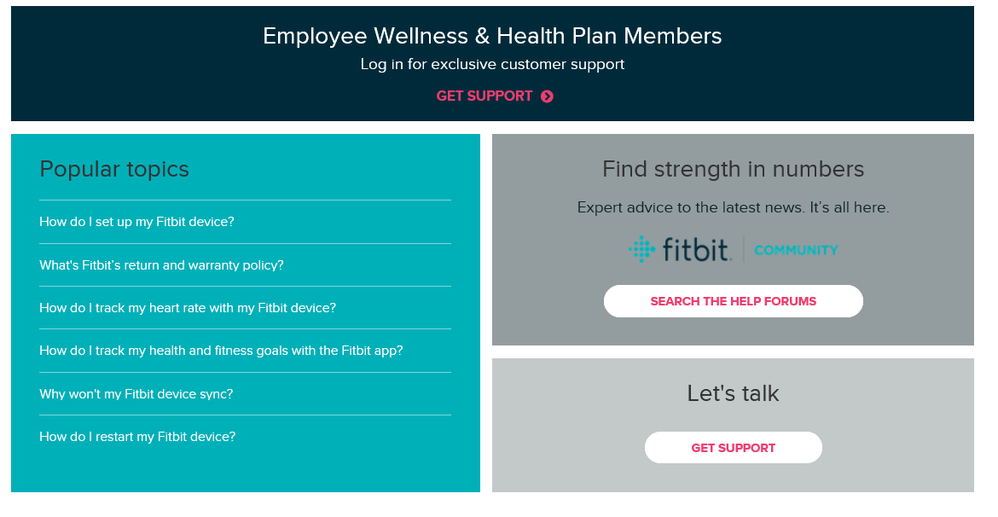
Not finding your answer on the Community Forums?
- Community
- Product Help Forums
- Other Versa Smartwatches
- Re: Versa screen not working when tapped
- Mark Topic as New
- Mark Topic as Read
- Float this Topic for Current User
- Bookmark
- Subscribe
- Mute
- Printer Friendly Page
- Community
- Product Help Forums
- Other Versa Smartwatches
- Re: Versa screen not working when tapped
Versa screen not working
ANSWERED- Mark Topic as New
- Mark Topic as Read
- Float this Topic for Current User
- Bookmark
- Subscribe
- Mute
- Printer Friendly Page
06-25-2018
05:31
- last edited on
06-27-2018
08:24
by
AlejandraFitbit


06-25-2018
05:31
- last edited on
06-27-2018
08:24
by
AlejandraFitbit
When I tap the screen on my Fitbit Versa, nothing happens. The buttons will still work, but I cannot tap the screen or scroll at all. I have tried syncing and resetting but nothing has worked. Any advice is appreciated!
Moderator edit: subject
Answered! Go to the Best Answer.
 Best Answer
Sorry to hear, again I suggested you guys to reachout to customer service regarding your specific issues, I just received my replacement today in the mail. Use the live chat and tell them what's going on with versa, if your device is still under warranty then u might be in luck of getting a replacement. Side note though, I believe this is a common issues with the versa and also I don't think it's really water proof. Check the seals on the screen
Best Answer
I am having the same issue, and fitbit screen is dark and unresponsive, even after pushing all three buttons. It did synch with my phone and it appears to be charged.
Best Answer
Recently I had the same issue after mine was replaced, for the second time they sent me a replacement and so far it's working ok. My suggestion is that reach out to Fitbit via chat live support and see what options you have. After this one I won't be getting Fitbit anymore, I'm going to try something new.
Best of luck with the issues you're having and I know it sucks not having your device function the way it supposed to.
Hi,Can you pls guide me how to initiate chat with fitbit support team..
Best Answer
 Best Answer
Hope this helps you get your issue resolved
Best Answer Best Answer
Hey sorry to hear about the issues you're having with your versa. This has been an ongoing issues with the versa. Please contact support via the live chat regarding your issues.
https://help.fitbit.com/?l=en_US
Click on Let's talk at the bottom to open the live chat.
Best Answer
I'm also having problems with my Versa:
Suddenly (without being exposed to hot water or a shock - I do swim with it)
- the screen tap does not wake up the screen
- the wrist turn does not wake up the screen
I have checked the settings in the app and on the phone - wrist turn IS active.
I have restarted numerous times.
I did a factory reset. (I will probably try that one more time).
I already had my Versa replaced once for a different issue.
If the guarantee is one year...I can't get it replaced.
When it works - I love my Versa, but there seems to be a lot of bugs 😟.
I will contact support now.
Best Answer
My Versa touch screen is not responding at all. I've tried both resets and my Versa screen is still not responding. I don't know what else to do, and I have had it about 1 year
Best Answer

My fitbit versa screen periodically becomes unresponsive and I have to do 3 button reset. This happens several times per day. Can you please advise?
Best Answer
I'm sorry to hear that you're having issues with your versa. Please reach out to customer service and see if you can get a replacement if your device is still under warranty. Unfortunately for me, I've moved away from versa to Samsung Active 2 watch which was the best decision I've made.
My fit bit screen is not working also. I have tried the restart several times using the 3 button method. The screen only shows the time and will not scroll any direction. Any other tips?
.if its under warranty u may get replacement.
Best Answer
I have tried doing all the things you suggested. I have tried doing a factory reset, but nothing seems to work. The screen comes back, but the taps still don't work. The only saving grace is that it does sync up with my phone.
I tried restarting AND the three button factory reset. My screen still does not respond.
Best Answer