
Join us on the Community Forums!
-
Community Guidelines
The Fitbit Community is a gathering place for real people who wish to exchange ideas, solutions, tips, techniques, and insight about the Fitbit products and services they love. By joining our Community, you agree to uphold these guidelines, so please take a moment to look them over. -
Learn the Basics
Check out our Frequently Asked Questions page for information on Community features, and tips to make the most of your time here. -
Join the Community!
Join an existing conversation, or start a new thread to ask your question. Creating your account is completely free, and takes about a minute.
Not finding your answer on the Community Forums?
- Community
- Product Help Forums
- Blaze
- Re: Blaze Firmware Release - 17.8.301.7 [Now Avail...
- Mark Topic as New
- Mark Topic as Read
- Float this Topic for Current User
- Bookmark
- Subscribe
- Mute
- Printer Friendly Page
- Community
- Product Help Forums
- Blaze
- Re: Blaze Firmware Release - 17.8.301.7 [Now Avail...
Blaze Firmware Release - 17.8.301.8
- Mark Topic as New
- Mark Topic as Read
- Float this Topic for Current User
- Bookmark
- Subscribe
- Mute
- Printer Friendly Page
09-23-2016 13:01 - edited 03-04-2017 10:04
- Mark as New
- Bookmark
- Subscribe
- Permalink
- Report this post


 Community Moderator Alumni are previous members of the Moderation Team, which ensures conversations are friendly, factual, and on-topic. Moderators are here to answer questions, escalate bugs, and make sure your voice is heard by the larger Fitbit team. Learn more
09-23-2016 13:01 - edited 03-04-2017 10:04
- Mark as New
- Bookmark
- Subscribe
- Permalink
- Report this post
Firmware version 17.8.301.8 - Resolves a syncing issue with Apple iOS version 10.2
Workout mode missing? Not a problem! Just follow the steps for adding it back.
Hey everyone! 
We're rolling out a new update for Blaze, release notes below:
- In addition to call, text, and calendar event notifications,
you can receive notifications from email and other third-party apps on your tracker.Common emojis also appear. Keep in mind all notifications currently on your tracker will be deleted after the update.
- You can receive reminders to move throughout the day.
- Five new clock faces are available. Navigate to your device settings and check them out!
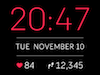
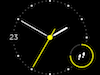
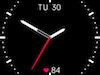
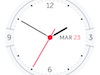
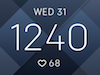
This release also resolves the following issue:
- Some users reported that auto-brightness was too dim or delayed.
Important to note: A sync is required after a manual shutdown or a battery drain in order to show the correct time on Blaze. This is especially important for your activity tracked by Blaze because you'll want to make sure it's associated with the current date and time.
09-28-2016 07:10
- Mark as New
- Bookmark
- Subscribe
- Permalink
- Report this post

09-28-2016 07:10
- Mark as New
- Bookmark
- Subscribe
- Permalink
- Report this post
You can tap on the heart logo to toggle between the different track counters (steps, calories etc 🙂
 Best Answer
09-28-2016 07:11
- Mark as New
- Bookmark
- Subscribe
- Permalink
- Report this post

09-28-2016 07:11
- Mark as New
- Bookmark
- Subscribe
- Permalink
- Report this post
I received the update Monday afternoon via Fibit Connect and the process occurred normally. Everything seems to work for now and continue to monitor it. I appreciate the new presentation faces and also the notifications that are more configurable. Thank you to Fitbit.
Best Answer09-28-2016 07:13
- Mark as New
- Bookmark
- Subscribe
- Permalink
- Report this post

09-28-2016 07:13
- Mark as New
- Bookmark
- Subscribe
- Permalink
- Report this post
Tap on the face near where the heart rate is showing (near the bottom) and the display changes and you can keep tapping until it displays the thing you want to see.
Best Answer09-28-2016 07:15
- Mark as New
- Bookmark
- Subscribe
- Permalink
- Report this post
09-28-2016 07:15
- Mark as New
- Bookmark
- Subscribe
- Permalink
- Report this post
Best Answer09-28-2016 07:24
- Mark as New
- Bookmark
- Subscribe
- Permalink
- Report this post

09-28-2016 07:24
- Mark as New
- Bookmark
- Subscribe
- Permalink
- Report this post
Best Answer09-28-2016 08:14
- Mark as New
- Bookmark
- Subscribe
- Permalink
- Report this post

09-28-2016 08:14
- Mark as New
- Bookmark
- Subscribe
- Permalink
- Report this post
Update may take up to 10 minutes. 40 minutes later, still waiting. My phone is on the fitbit updating screen.
Best Answer09-28-2016 08:22
- Mark as New
- Bookmark
- Subscribe
- Permalink
- Report this post

09-28-2016 08:22
- Mark as New
- Bookmark
- Subscribe
- Permalink
- Report this post
Ok guys I feel I need to rant a bit.......
So I have update my fitbit blaze to the latest firmware, got the new faces - BRILLIANT.
Got email notification now - also very useful.........
WHAT ABOUT SOME FITNESS UPDATES after all it's a fitness tracker (That's why I bought it anyway)
or am I missing the point ??????
I have posted on Fitbit about my Blaze from when I bought it that I would like to be able to personalise my workouts and make them my own such as HIIT combining x,y,z or whatever, I feel the 3 preloaded Fitstar ones are pretty **ahem** useless to be honest, come on guys.........
Please vote, might just get picked up on........
09-28-2016 08:24
- Mark as New
- Bookmark
- Subscribe
- Permalink
- Report this post

09-28-2016 08:24
- Mark as New
- Bookmark
- Subscribe
- Permalink
- Report this post
This is an amazing upgrade! Very well worth the wait. I love the new faces, especially "Moment", and the notifications enhancement makes the Blaze even more powerful! The reminders to excercise is something that my wife missed from her old tracker, so she is loving this already!
09-28-2016 08:24
- Mark as New
- Bookmark
- Subscribe
- Permalink
- Report this post

09-28-2016 08:24
- Mark as New
- Bookmark
- Subscribe
- Permalink
- Report this post
Best Answer09-28-2016 08:47
- Mark as New
- Bookmark
- Subscribe
- Permalink
- Report this post

09-28-2016 08:47
- Mark as New
- Bookmark
- Subscribe
- Permalink
- Report this post
09-28-2016 08:50
- Mark as New
- Bookmark
- Subscribe
- Permalink
- Report this post
09-28-2016 08:50
- Mark as New
- Bookmark
- Subscribe
- Permalink
- Report this post
I do love the added notifications though!
Best Answer09-28-2016 09:07
- Mark as New
- Bookmark
- Subscribe
- Permalink
- Report this post
09-28-2016 09:07
- Mark as New
- Bookmark
- Subscribe
- Permalink
- Report this post
Best Answer09-28-2016 09:27
- Mark as New
- Bookmark
- Subscribe
- Permalink
- Report this post

SunsetRunner
09-28-2016 09:27
- Mark as New
- Bookmark
- Subscribe
- Permalink
- Report this post
Really good to see that you guys actually develop your product based on the feedback you get from us users. I like the voting system, it brings out the features that majority of us users lookfor and leaves out these silly "I want this watch to boil me an egg in the morning" type of requests. In market there are big brands that dont even bother to answer support questions, so thank you for your good support and keep up the good work!
Best Answer09-28-2016 09:57
- Mark as New
- Bookmark
- Subscribe
- Permalink
- Report this post

09-28-2016 09:57
- Mark as New
- Bookmark
- Subscribe
- Permalink
- Report this post
@Terrebo looks like just about any app will work as long as it can push out notifications. Alarm.com does work, make sure you have push notifications selected and your phone selected.
Best Answer09-28-2016 10:32
- Mark as New
- Bookmark
- Subscribe
- Permalink
- Report this post

09-28-2016 10:32
- Mark as New
- Bookmark
- Subscribe
- Permalink
- Report this post
I wanted the update primarily for the activity reminders - I have designated 9 a.m.-6 p.m. as active hours - but so far today it's only alerted me one time, and I missed out on one of my 250-step dots because I wasn't on top of it myself. Why would it work sometimes and not all of the time?
Best Answer09-28-2016 10:35
- Mark as New
- Bookmark
- Subscribe
- Permalink
- Report this post

09-28-2016 10:35
- Mark as New
- Bookmark
- Subscribe
- Permalink
- Report this post
It nudges you 10 minutes before the hour. Unless you've already done the 250 steps before then.
Does it do this?
Best Answer09-28-2016 10:39
- Mark as New
- Bookmark
- Subscribe
- Permalink
- Report this post

09-28-2016 10:39
- Mark as New
- Bookmark
- Subscribe
- Permalink
- Report this post
Pretty cool feature.
Lets you know how many steps taken in hour as well if under 250 steps.
Best Answer09-28-2016 10:39
- Mark as New
- Bookmark
- Subscribe
- Permalink
- Report this post
09-28-2016 10:39
- Mark as New
- Bookmark
- Subscribe
- Permalink
- Report this post
Why won't my Blaze sync now? It was spotty before, but now since last night's update it won't sync at all.
Best Answer09-28-2016 11:10 - edited 09-28-2016 11:11
- Mark as New
- Bookmark
- Subscribe
- Permalink
- Report this post

09-28-2016 11:10 - edited 09-28-2016 11:11
- Mark as New
- Bookmark
- Subscribe
- Permalink
- Report this post
All good here after a 8-10 minute update. Love the new Moment face.
Best Answer09-28-2016 11:16
- Mark as New
- Bookmark
- Subscribe
- Permalink
- Report this post
09-28-2016 11:16
- Mark as New
- Bookmark
- Subscribe
- Permalink
- Report this post
Best Answer