
Join us on the Community Forums!
-
Community Guidelines
The Fitbit Community is a gathering place for real people who wish to exchange ideas, solutions, tips, techniques, and insight about the Fitbit products and services they love. By joining our Community, you agree to uphold these guidelines, so please take a moment to look them over. -
Learn the Basics
Check out our Frequently Asked Questions page for information on Community features, and tips to make the most of your time here. -
Join the Community!
Join an existing conversation, or start a new thread to ask your question. Creating your account is completely free, and takes about a minute.
Not finding your answer on the Community Forums?
- Community
- Product Help Forums
- Blaze
- Re: Blaze Firmware Release - 17.8.301.7 [Now Avail...
- Mark Topic as New
- Mark Topic as Read
- Float this Topic for Current User
- Bookmark
- Subscribe
- Mute
- Printer Friendly Page
- Community
- Product Help Forums
- Blaze
- Re: Blaze Firmware Release - 17.8.301.7 [Now Avail...
Blaze Firmware Release - 17.8.301.8
- Mark Topic as New
- Mark Topic as Read
- Float this Topic for Current User
- Bookmark
- Subscribe
- Mute
- Printer Friendly Page
09-23-2016 13:01 - edited 03-04-2017 10:04
- Mark as New
- Bookmark
- Subscribe
- Permalink
- Report this post


 Community Moderator Alumni are previous members of the Moderation Team, which ensures conversations are friendly, factual, and on-topic. Moderators are here to answer questions, escalate bugs, and make sure your voice is heard by the larger Fitbit team. Learn more
09-23-2016 13:01 - edited 03-04-2017 10:04
- Mark as New
- Bookmark
- Subscribe
- Permalink
- Report this post
Firmware version 17.8.301.8 - Resolves a syncing issue with Apple iOS version 10.2
Workout mode missing? Not a problem! Just follow the steps for adding it back.
Hey everyone! 
We're rolling out a new update for Blaze, release notes below:
- In addition to call, text, and calendar event notifications,
you can receive notifications from email and other third-party apps on your tracker.Common emojis also appear. Keep in mind all notifications currently on your tracker will be deleted after the update.
- You can receive reminders to move throughout the day.
- Five new clock faces are available. Navigate to your device settings and check them out!
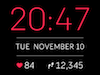
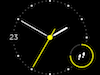
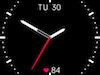
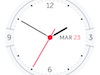
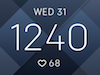
This release also resolves the following issue:
- Some users reported that auto-brightness was too dim or delayed.
Important to note: A sync is required after a manual shutdown or a battery drain in order to show the correct time on Blaze. This is especially important for your activity tracked by Blaze because you'll want to make sure it's associated with the current date and time.
09-28-2016 17:41
- Mark as New
- Bookmark
- Subscribe
- Permalink
- Report this post

09-28-2016 17:41
- Mark as New
- Bookmark
- Subscribe
- Permalink
- Report this post
Fitbit phone app says there is a software update for my Blaze. I have all the ducks in a row (everything is charged, bluetooth is on, internet connection, blaze next to phone), but it fails to update every time. Power-cycled the Blaze, my phone and the bluetooth. Update still doesn't take. No specifics are given as to why it failed.
I even used an old wireless dongle to sync it to my desktop, but nowhere (that I can find) on the fitbit.com dashboard does it give me an option to update software.
Has anyone else run into this issue?
 Best Answer
09-28-2016 17:45
- Mark as New
- Bookmark
- Subscribe
- Permalink
- Report this post
09-28-2016 17:45
- Mark as New
- Bookmark
- Subscribe
- Permalink
- Report this post
I have had the same issue, both at work and at home, and have tried everything you have (powering everything off and back on). I've tried several times both yesterday and today to update but it still continuously fails. Glad to hear it finally worked for you - I'll keep trying!
Best Answer09-28-2016 18:03
- Mark as New
- Bookmark
- Subscribe
- Permalink
- Report this post
09-28-2016 18:03
- Mark as New
- Bookmark
- Subscribe
- Permalink
- Report this post
Best Answer09-28-2016 18:28
- Mark as New
- Bookmark
- Subscribe
- Permalink
- Report this post

09-28-2016 18:28
- Mark as New
- Bookmark
- Subscribe
- Permalink
- Report this post
09-28-2016 20:18
- Mark as New
- Bookmark
- Subscribe
- Permalink
- Report this post

09-28-2016 20:18
- Mark as New
- Bookmark
- Subscribe
- Permalink
- Report this post
Have yet to get a reminder to move. Pretty sure that, since the update two days ago, there have been times during which I walked less than 250 steps during an hour. The setting was on. Turned it off and back on again. Sounds like others have noticed the same thing.
Is there anything else to troubleshoot, here, @AndrewFitbit?
09-28-2016 21:26
- Mark as New
- Bookmark
- Subscribe
- Permalink
- Report this post

09-28-2016 21:26
- Mark as New
- Bookmark
- Subscribe
- Permalink
- Report this post
If you didn't do the 250 before the hour ends, 10 minutes before it'll tell you along with how many steps. If you've done the 250 in the hour it will not.
Best Answer09-28-2016 22:34
- Mark as New
- Bookmark
- Subscribe
- Permalink
- Report this post

09-28-2016 22:34
- Mark as New
- Bookmark
- Subscribe
- Permalink
- Report this post
Best Answer09-29-2016 00:02 - edited 09-29-2016 00:14
- Mark as New
- Bookmark
- Subscribe
- Permalink
- Report this post

09-29-2016 00:02 - edited 09-29-2016 00:14
- Mark as New
- Bookmark
- Subscribe
- Permalink
- Report this post
Vietnamese does not show correctly on my fitbit blaze.
Best Answer09-29-2016 00:22
- Mark as New
- Bookmark
- Subscribe
- Permalink
- Report this post
09-29-2016 00:22
- Mark as New
- Bookmark
- Subscribe
- Permalink
- Report this post
Please fix this fundamental issue as it was raised about a year ago. Leave the gimicky updates for later.
I'm not a happy customer right now.
09-29-2016 00:55 - edited 09-29-2016 00:57
- Mark as New
- Bookmark
- Subscribe
- Permalink
- Report this post

09-29-2016 00:55 - edited 09-29-2016 00:57
- Mark as New
- Bookmark
- Subscribe
- Permalink
- Report this post
@Carlsbad03 wrote:I have had the same issue, both at work and at home, and have tried everything you have (powering everything off and back on). I've tried several times both yesterday and today to update but it still continuously fails. Glad to hear it finally worked for you - I'll keep trying!
I had a power saving setting on my Sony phone that killed the connection when I locked the screen. The only way I could get the update to complete successfully was to hold the phone with a finger on a blank part of the screen to keep the phone awake. When the phone stayed awake the update finished without any problems. Obviously don't know if you're getting the same thing but might be worth a try. I just held the phone while watching the tv.
Best Answer09-29-2016 01:04
- Mark as New
- Bookmark
- Subscribe
- Permalink
- Report this post
09-29-2016 01:04
- Mark as New
- Bookmark
- Subscribe
- Permalink
- Report this post
To those having update issues, do you have another device that you can try it with?
Th eupdate failed twice with my Android Moto X, but worked in minutes when I used the iPhone app on my iPad instead.
Best Answer09-29-2016 01:11
- Mark as New
- Bookmark
- Subscribe
- Permalink
- Report this post
09-29-2016 01:11
- Mark as New
- Bookmark
- Subscribe
- Permalink
- Report this post
Anyone else getting a very high battery drain since the update? On my Android Sony Xperia Z3 I've used 10% battery in less than 3 hours with the phone on standby for most of that time. When I check what is using the battery Fitbit is responsible for over 65% of that usage.
09-29-2016 01:21 - edited 09-29-2016 01:26
- Mark as New
- Bookmark
- Subscribe
- Permalink
- Report this post
09-29-2016 01:21 - edited 09-29-2016 01:26
- Mark as New
- Bookmark
- Subscribe
- Permalink
- Report this post
Not on mine. I only sync it maybe 2-3 times a day. Bluetooth is off when I'm not using my SkullCandy Hesh 2's.
Those 2 times are:
Sometime around 7am-8am
Sometime around 11pm-12am
Since I have Friday and Saturday off, the next sync after 8am will be Saturday before 11pm, even though I have the All Day Sync enabled.
Try closing the app itself and don't open it unless you are syncing. I do this.
And the update took all of about 30 minutes from start to finish even though it says 10 minutes. Of course since i was getting ready for work, I popped it in the charger, downloaded the update, showered, got dressed, and all done by the time I left.
09-29-2016 04:54 - edited 09-29-2016 04:57
- Mark as New
- Bookmark
- Subscribe
- Permalink
- Report this post

09-29-2016 04:54 - edited 09-29-2016 04:57
- Mark as New
- Bookmark
- Subscribe
- Permalink
- Report this post
@AndrewFitbit: When I clicked on "Email me when someone replies" I thought I would get an answer to my question. Now I understand the frustration of another forum poster who asked how to get out of "this email." Wonder if the subscription could be modified to allow only answers to a specific post? It's an awful lot of emails to wade through — I can't tell if someone answered my question or not. Just a thought. I am enjoying the update, thanks.
Best Answer09-29-2016 05:41
- Mark as New
- Bookmark
- Subscribe
- Permalink
- Report this post

09-29-2016 05:41
- Mark as New
- Bookmark
- Subscribe
- Permalink
- Report this post
@NicKing I also noticed the high phone battery drain yesterday after all the updates. At one point I noticed a message that said something about the Fitbit servers were unavailable, so apparently the phone app kept trying and this caused the drain. Seems like it has cleared up for me now though, today the battery drain issue seems to be gone.
09-29-2016 05:42
- Mark as New
- Bookmark
- Subscribe
- Permalink
- Report this post

09-29-2016 05:42
- Mark as New
- Bookmark
- Subscribe
- Permalink
- Report this post
I like so much the new update!! 2 days and no bugs! now it's perfect!! thank you fitbit!
Best Answer09-29-2016 05:51
- Mark as New
- Bookmark
- Subscribe
- Permalink
- Report this post

09-29-2016 05:51
- Mark as New
- Bookmark
- Subscribe
- Permalink
- Report this post
Best Answer09-29-2016 06:43
- Mark as New
- Bookmark
- Subscribe
- Permalink
- Report this post

09-29-2016 06:43
- Mark as New
- Bookmark
- Subscribe
- Permalink
- Report this post
Best Answer09-29-2016 07:02
- Mark as New
- Bookmark
- Subscribe
- Permalink
- Report this post

09-29-2016 07:02
- Mark as New
- Bookmark
- Subscribe
- Permalink
- Report this post
Wow, it has been days without a rant of hatred from sanfit......maybe he got his update and is happy 
09-29-2016 07:03 - edited 09-29-2016 07:26
- Mark as New
- Bookmark
- Subscribe
- Permalink
- Report this post

09-29-2016 07:03 - edited 09-29-2016 07:26
- Mark as New
- Bookmark
- Subscribe
- Permalink
- Report this post
I've just updated my Blaze but FitBit Connect reads "An error occurred while syncing. An unknown error has occured."
I've tried to sync several time and it did not help. What shall I do now?
Sorry, that was not the firmware update. It was FitBit Connect update to v. 2.0.1.6742. Now it's syncing OK.
I still don't have a red/pink flag in my Settings-Blaze tracker. Has anybody from Canada got it?
Best Answer