
Join us on the Community Forums!
-
Community Guidelines
The Fitbit Community is a gathering place for real people who wish to exchange ideas, solutions, tips, techniques, and insight about the Fitbit products and services they love. By joining our Community, you agree to uphold these guidelines, so please take a moment to look them over. -
Learn the Basics
Check out our Frequently Asked Questions page for information on Community features, and tips to make the most of your time here. -
Join the Community!
Join an existing conversation, or start a new thread to ask your question. Creating your account is completely free, and takes about a minute.
Not finding your answer on the Community Forums?
- Community
- Product Help Forums
- Blaze
- Re: New Blaze Clock Faces!
- Mark Topic as New
- Mark Topic as Read
- Float this Topic for Current User
- Bookmark
- Subscribe
- Mute
- Printer Friendly Page
- Community
- Product Help Forums
- Blaze
- Re: New Blaze Clock Faces!
New Blaze Clock Faces!
ANSWERED- Mark Topic as New
- Mark Topic as Read
- Float this Topic for Current User
- Bookmark
- Subscribe
- Mute
- Printer Friendly Page


 Community Moderator Alumni are previous members of the Moderation Team, which ensures conversations are friendly, factual, and on-topic. Moderators are here to answer questions, escalate bugs, and make sure your voice is heard by the larger Fitbit team. Learn more
Hey everyone,
We're excited to announce that with Blaze's newest firmware update comes five new clock faces: Moment, Circuit, Ace, Nautical, and Argyle! In addition to more options, a second-hand has finally made its appearance on each of the new analog clock faces. Once you've updated, navigate to your Blaze's device settings and check them out! 
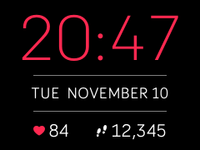
Moment:
Time is at the top, date in the middle, and your stats at the bottom. Heart rate will always be shown on the left, while on the right you can cycle through steps, distance, calories, or floors by tapping the screen.
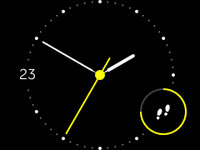
Circuit:
Current day is on the left, and a progress dial for a stat of your choice is on the lower right. The dial will fill up based on your progress toward your daily goal for whichever stat icon is showing (will always be a full circle for heart rate). The white dots represent each hour. You can choose from steps, heart rate, distance, calories, floors, and even your hourly activity.
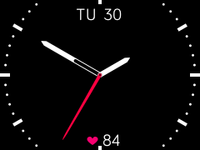
Ace:
Date is at the top, and your stats are on the bottom. The white ticks represent the hours. Tapping the screen will cycle between steps, heart rate, distance, calories, or floors.
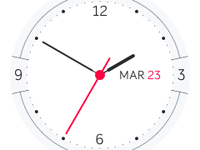
Nautical:
Featuring the date on the right and a 3-6-9-12 analog layout, this clock face will remain static (meaning you cannot interact with it by tapping), and does not display a daily stat.
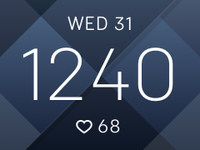
Argyle:
Date is at the top, time is in the middle, and your stats will appear at the bottom. Only one daily stat can be displayed at a time (steps, heart rate, distance, calories, or floors), and can be cycled through with a tap.
You can also still choose from the four default clock faces (Zone, Pop, Original, Flare).
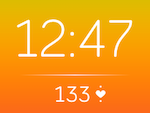
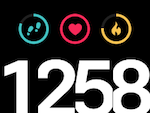
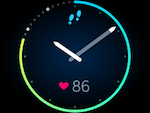
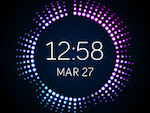
Feel free to post any feedback or questions about the new clock faces. Hope you enjoy! 
Answered! Go to the Best Answer.

Sent from my iPhone 😃🌸🐶
 Best Answer

 Community Moderators ensure that conversations are friendly, factual, and on-topic. We're here to answer questions, escalate bugs, and make sure your voice is heard by the larger Fitbit team. Learn more
@MickeyG Can you please try switching your clock face via the website dashboard, and then syncing? You might need to sync several times to see it go into effect. Let me know if that helps.

@MickeyG wrote:
Oh crap, here comes the onslought of of angry posters......rightfully so right now though. I have not seen this face yet but suspect I will see it soon as the face I have is a new one, and the app only shows the old 4 faces.

 Fitbit Product Experts Alumni are retired members of the Fitbit Product Expert Program. Learn more
Hi @racertempo - Possibly. The temporary fix to the disappearing clock faces is to go into the web dashboard and select one of the old clock faces from there. Once you sync, the old clock faces will reappear in the app. Once the new update actually correctly installs, the new faces will be there.
@Ozzie65 wrote:Hi @racertempo - Possibly. The temporary fix to the disappearing clock faces is to go into the web dashboard and select one of the old clock faces from there. Once you sync, the old clock faces will reappear in the app. Once the new update actually correctly installs, the new faces will be there.
I can see the old 4 no problem, and my current face is a new one. Notifications and other things are working so I am going to leave the face as-is, but my point was that I wonder how many people, possibly me, will see this picture that was posted about the clock face problem.
Best Answer
I got the new update to install but don't see the new clock faces in the app but do see the reminder to move.
Best Answer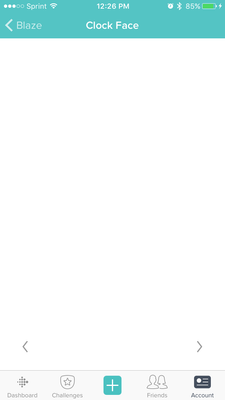 Fitbit Product Experts Alumni are retired members of the Fitbit Product Expert Program. Learn more

@MatthewFitbit wrote:@MickeyG Can you please try switching your clock face via the website dashboard, and then syncing? You might need to sync several times to see it go into effect. Let me know if that helps.
Just went to try that. Only the original clock faces are there. The new ones are gone.
Best Answer
Community Moderators ensure that conversations are friendly, factual, and on-topic. We're here to answer questions, escalate bugs, and make sure your voice is heard by the larger Fitbit team. Learn more
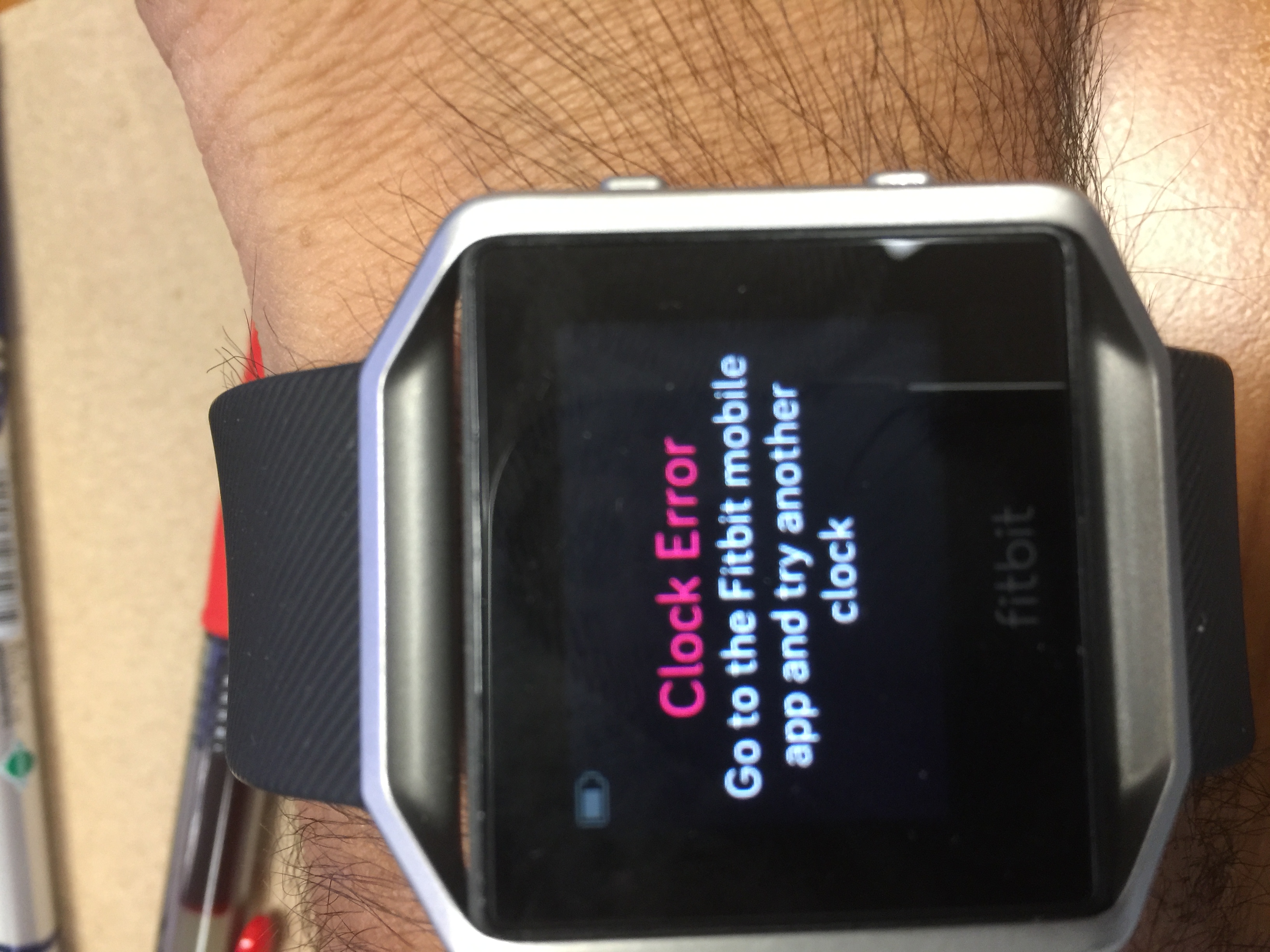
We know that the new clock faces are not appearing at the moment - we are working to get this resolved, and promise that they will be back.
If you're seeing a blank white clock selection page, please switch your clock to one of the original styles via the website dashboard and then sync. This should get things back to normal until the update is fully released.
Thanks all for your patience! We're excited to get these new clock styles and features rolled out to everyone!
Fitbit Product Experts Alumni are retired members of the Fitbit Product Expert Program. Learn more


@MatthewFitbit wrote:We know that the new clock faces are not appearing at the moment - we are working to get this resolved, and promise that they will be back.
If you're seeing a blank white clock selection page, please switch your clock to one of the original styles via the website dashboard and then sync. This should get things back to normal until the update is fully released.
Thanks all for your patience! We're excited to get these new clock styles and features rolled out to everyone!
I had already completed the update. Everything was working fine and now its not. I just used your method of switching to the original style clock face via the website and now I have one of the original faces. All the new ones are still gone. Why is this if I already completed the update. Starting to wonder about this company.

Mike | London, UK
Blaze, Surge, Charge 2, Charge, Flex 2 - iPad Air 2, Nokia Lumia 925 (Deceased), iPhone 6
Take a look at the Fitbit help site for further assistance and information.
 Community Moderators ensure that conversations are friendly, factual, and on-topic. We're here to answer questions, escalate bugs, and make sure your voice is heard by the larger Fitbit team. Learn more
