
Join us on the Community Forums!
-
Community Guidelines
The Fitbit Community is a gathering place for real people who wish to exchange ideas, solutions, tips, techniques, and insight about the Fitbit products and services they love. By joining our Community, you agree to uphold these guidelines, so please take a moment to look them over. -
Learn the Basics
Check out our Frequently Asked Questions page for information on Community features, and tips to make the most of your time here. -
Join the Community!
Join an existing conversation, or start a new thread to ask your question. Creating your account is completely free, and takes about a minute.
Not finding your answer on the Community Forums?
- Community
- Product Help Forums
- Other Charge Trackers
- Re: Charge 3 stops tracking exercise in interval t...
- Mark Topic as New
- Mark Topic as Read
- Float this Topic for Current User
- Bookmark
- Subscribe
- Mute
- Printer Friendly Page
- Community
- Product Help Forums
- Other Charge Trackers
- Re: Charge 3 stops tracking exercise in interval t...
How do you adjust Interval Timer on Charge 3?
- Mark Topic as New
- Mark Topic as Read
- Float this Topic for Current User
- Bookmark
- Subscribe
- Mute
- Printer Friendly Page
11-26-2018
21:28
- last edited on
11-17-2020
14:31
by
MatthewFitbit


11-26-2018
21:28
- last edited on
11-17-2020
14:31
by
MatthewFitbit
Just bought a charge 3 and in the exercise tracking feature the “interval timer” exercise on the Fitbit tracker stops after 10 minutes. After 10 minutes it goes back to the time/home screen. Can’t figure out how to stop that. I want to stop my interval timing workout manually when I am finished. How do I adjust it?
Moderator edit: updated subject for clarity


 Community Moderators ensure that conversations are friendly, factual, and on-topic. We're here to answer questions, escalate bugs, and make sure your voice is heard by the larger Fitbit team. Learn more
Hey there @Jkirby1, it's nice to see you around the forums! Please check that your settings are as desirable.
By default, the interval workout consists of:
- Move period: 30 seconds
- Rest period: 10 seconds
- Repeat: 14 times
- Total time: 9:20
To set custom intervals:
- From the Fitbit app dashboard, tap Account icon > your device image.
- Tap Exercise Shortcuts.
- Tap Interval Workout.
- Set your intervals.
- Sync your device to save the changes.
Let us know if you need further assistance!
Was my post helpful? Give it a thumbs up to show your appreciation! Of course, if this was the answer you were looking for, don't forget to make it the Best Answer! Als...
That doesn’t solve it. On my charge HR, I would hold the side button down and have the tracker track my workout until I held the button down again to end the workout on my Fitbit and see the details on the workout. That’s what I want to do on my charge 3. Yet when I choose the interval setting (even if I set a goal of 20 minutes) the tracker stops at 9 minutes and some odd seconds.

I would guess that the goal is simply a reference point that Fitbit will then compare to. If you want to change the total workout time to 20 minutes you will have to increase the number of intervals. In this case "Repeat" 30 times with the default interval.
Desired Workout Time (seconds) = Interval (Move + Rest Time) x Repeats
Hope this helps!
 Best Answer
That is not working. I have tried several times and it keeps going back to the default. From what I am reading after a Google search it looks like this is a glitch in the system. Very disappointing as using this feature during my interval training was the main reason for getting the Fitbit Charge 3. I may have to exchange it for the Apple 😞
Best Answer

This is happening to me too. No matter how many times I change the intervals in exercise shortcuts it defaults to my last setup when I sync. Sounds like the default for you, and 20/10s for me x14. The changes don’t stick.
Best Answer
No matter what, the intervals keep foing back to the prior values. The saves never change. Ideas?
Best Answer
After I changed my interval setting through the app, I selected "sync now" on my device page (same place where I accessed exercise shortcuts). Now when I use my fitbit, the interval workout has been updated. I tried before, without selecting sync now, and my fitbit was still giving me the default settings.
Best Answer
I’m having problems with mine saving the times when I adjust them. Even did the sync now in the settings and it keeps goin to default
Best Answer
I have tried to adjust the interval times both on the app and on the online dashboard and no matter what I do, after I sync my Charge 3 the intervals automatically return to the default setting of :30 and :10. How do I permanently make the change I want.
Get Outlook for iOS

How do u remove the app from the Fitbit?
Best Answer
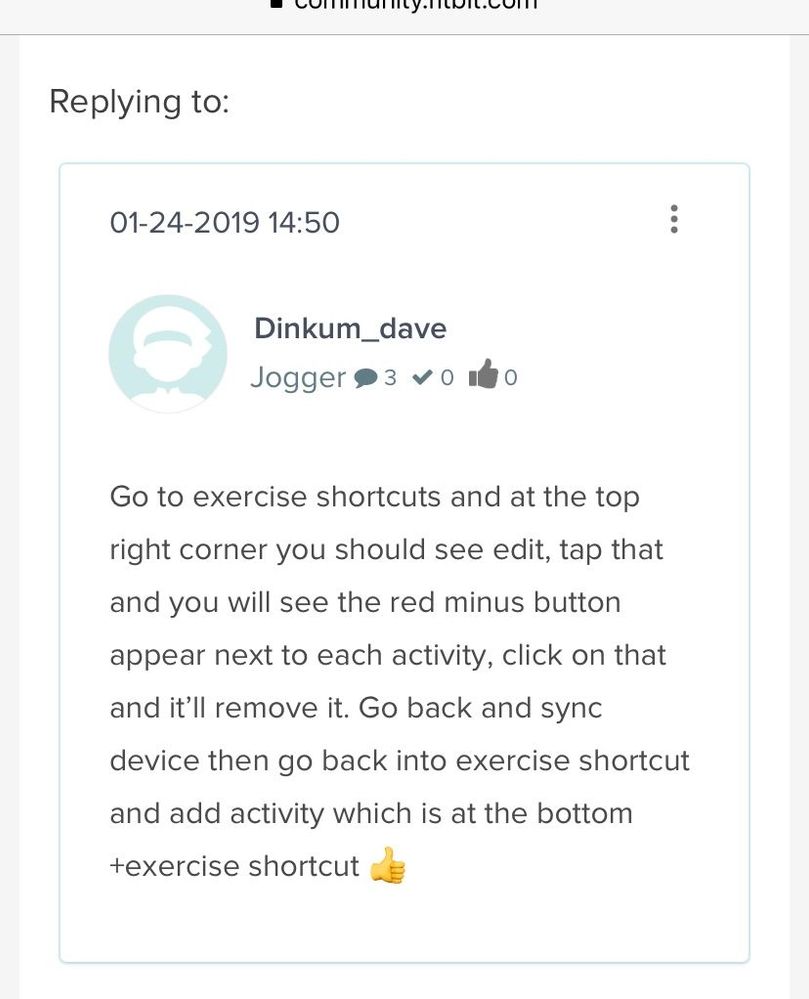
Go to exercise shortcuts and at the top right corner you should see edit, tap that and you will see the red minus button appear next to each activity, click on that and it’ll remove it. Go back and sync device then go back into exercise shortcut and add activity which is at the bottom +exercise shortcut 👍

I have a Charge 3, and when I sync it after changing interval times, it sets back the times it had before. It drives me completely nuts and that was happening on my charge 2 as well. For example if i set a 30/30, and I change it to a 30/25. After I sync it it goes back to 30/30. 😞
Best Answer
I set my phone on airplane mode, made the changes to the interval timer, waited for it to update on the Charge 3 and then turned off airplane mode. This worked for me
Best Answer
Can not change interval training. I want for 1 minute rest 30 seconds for 40 minutes. How do I change the Charge 3 to this?

Tried this last night and it worked. You have to delete the current interval workout and add a new one with the time you want.
Best Answer
