
Join us on the Community Forums!
-
Community Guidelines
The Fitbit Community is a gathering place for real people who wish to exchange ideas, solutions, tips, techniques, and insight about the Fitbit products and services they love. By joining our Community, you agree to uphold these guidelines, so please take a moment to look them over. -
Learn the Basics
Check out our Frequently Asked Questions page for information on Community features, and tips to make the most of your time here. -
Join the Community!
Join an existing conversation, or start a new thread to ask your question. Creating your account is completely free, and takes about a minute.
Not finding your answer on the Community Forums?
- Community
- Product Help Forums
- Blaze
- Re: Blaze Firmware Release - 17.8.301.7 [Now Avail...
- Mark Topic as New
- Mark Topic as Read
- Float this Topic for Current User
- Bookmark
- Subscribe
- Mute
- Printer Friendly Page
- Community
- Product Help Forums
- Blaze
- Re: Blaze Firmware Release - 17.8.301.7 [Now Avail...
Blaze Firmware Release - 17.8.301.8
- Mark Topic as New
- Mark Topic as Read
- Float this Topic for Current User
- Bookmark
- Subscribe
- Mute
- Printer Friendly Page
09-23-2016 13:01 - edited 03-04-2017 10:04
- Mark as New
- Bookmark
- Subscribe
- Permalink
- Report this post


 Community Moderator Alumni are previous members of the Moderation Team, which ensures conversations are friendly, factual, and on-topic. Moderators are here to answer questions, escalate bugs, and make sure your voice is heard by the larger Fitbit team. Learn more
09-23-2016 13:01 - edited 03-04-2017 10:04
- Mark as New
- Bookmark
- Subscribe
- Permalink
- Report this post
Firmware version 17.8.301.8 - Resolves a syncing issue with Apple iOS version 10.2
Workout mode missing? Not a problem! Just follow the steps for adding it back.
Hey everyone! 
We're rolling out a new update for Blaze, release notes below:
- In addition to call, text, and calendar event notifications,
you can receive notifications from email and other third-party apps on your tracker.Common emojis also appear. Keep in mind all notifications currently on your tracker will be deleted after the update.
- You can receive reminders to move throughout the day.
- Five new clock faces are available. Navigate to your device settings and check them out!
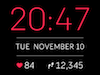
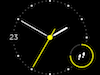
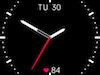
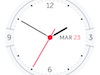
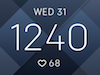
This release also resolves the following issue:
- Some users reported that auto-brightness was too dim or delayed.
Important to note: A sync is required after a manual shutdown or a battery drain in order to show the correct time on Blaze. This is especially important for your activity tracked by Blaze because you'll want to make sure it's associated with the current date and time.
09-28-2016 04:58
- Mark as New
- Bookmark
- Subscribe
- Permalink
- Report this post

 Fitbit Product Experts Alumni are retired members of the Fitbit Product Expert Program. Learn more
09-28-2016 04:58
- Mark as New
- Bookmark
- Subscribe
- Permalink
- Report this post
Ionic (OS 4.2.1, 27.72.1.15), Android App 3.45.1, Premium, Phone Sony Xperia XA2, Android 9.0
 Best Answer
09-28-2016 04:59
- Mark as New
- Bookmark
- Subscribe
- Permalink
- Report this post

09-28-2016 04:59
- Mark as New
- Bookmark
- Subscribe
- Permalink
- Report this post
Since the update, the time on my Blaze is off by a few minutes. I've resynced, restarted, etc., and nothing fixes this problem. I also restarted my phone and app. Any help would be appreciated!
Best Answer09-28-2016 05:17
- Mark as New
- Bookmark
- Subscribe
- Permalink
- Report this post

09-28-2016 05:17
- Mark as New
- Bookmark
- Subscribe
- Permalink
- Report this post
I got the update last night; my blaze won't release yesterday's steps and data. I have shutdown both the blaze and my phone, and resynced when they rebooted. Still yesterday's data.
Best Answer09-28-2016 05:29
- Mark as New
- Bookmark
- Subscribe
- Permalink
- Report this post

09-28-2016 05:29
- Mark as New
- Bookmark
- Subscribe
- Permalink
- Report this post
I was able to update my Blaze last night after first making sure my Android app was up to date. Now today I noticed that the Fitbit app is killing my phone battery while trying to sync. I hope this resolves soon!
I already reset the Blaze and my phone and the Fitbit app is still killing the phone battery.
 Best Answer
09-28-2016 05:37
- Mark as New
- Bookmark
- Subscribe
- Permalink
- Report this post

09-28-2016 05:37
- Mark as New
- Bookmark
- Subscribe
- Permalink
- Report this post
I'm having the same issue. I updated my Blaze last night to 17.8.301.7. I don't track my sleep so I take it off every night and turn it off to conserve the battery. When I turned it back on this morning it still said it was 9:32 PM 9/27/16, not 5:15 AM on the 28th. I tried turing it off and back on again. It would not reset to the correct date and time until I opened the App on my iPhone. I have all day sync on and the auto timezone. I've had my Blaze for 4 months and never had this happen until the update. I'd really hate to have to sync the second I wake up every day or leave my Blaze on and have my battery die faster. I hope this was a fluke or they fix
Best Answer09-28-2016 05:37
- Mark as New
- Bookmark
- Subscribe
- Permalink
- Report this post

 Platinum Fitbit Product Experts share support knowledge on the forums and advocate for the betterment of Fitbit products and services. Learn more
09-28-2016 05:37
- Mark as New
- Bookmark
- Subscribe
- Permalink
- Report this post
Best Answer09-28-2016 05:40 - edited 09-28-2016 05:46
- Mark as New
- Bookmark
- Subscribe
- Permalink
- Report this post
Platinum Fitbit Product Experts share support knowledge on the forums and advocate for the betterment of Fitbit products and services. Learn more
09-28-2016 05:40 - edited 09-28-2016 05:46
- Mark as New
- Bookmark
- Subscribe
- Permalink
- Report this post
@bj2burch As the info about the new update states, if the blaze is turned off a sync will be needed to set the time..
@harperlm99 the reason your blaze did not reset yesterday's data is because the firmware was not running at midnight.
Best Answer09-28-2016 05:43 - edited 09-28-2016 05:48
- Mark as New
- Bookmark
- Subscribe
- Permalink
- Report this post
09-28-2016 05:43 - edited 09-28-2016 05:48
- Mark as New
- Bookmark
- Subscribe
- Permalink
- Report this post
Never had to before. I've turned mine off every night for 4 months. So now I have to leave it on and charge more often. Not cool 😞 Defeats the purpose of being able to turn it off.
Best Answer09-28-2016 05:49
- Mark as New
- Bookmark
- Subscribe
- Permalink
- Report this post

09-28-2016 05:49
- Mark as New
- Bookmark
- Subscribe
- Permalink
- Report this post
4 months ??????????
Best Answer09-28-2016 05:51
- Mark as New
- Bookmark
- Subscribe
- Permalink
- Report this post
09-28-2016 05:51
- Mark as New
- Bookmark
- Subscribe
- Permalink
- Report this post
Yes I turn it off every night I do not track sleep data so I turn it off to conserve my battery
Best Answer09-28-2016 05:54
- Mark as New
- Bookmark
- Subscribe
- Permalink
- Report this post

09-28-2016 05:54
- Mark as New
- Bookmark
- Subscribe
- Permalink
- Report this post
updated last night nothing but good things to say. 5minutes download. all new functions available. as mentionned, notifications become available in the app when the various services send a notification to the phone. I went to Atgle for clock face seconds after the update was completed. love it!
Best Answer09-28-2016 05:55
- Mark as New
- Bookmark
- Subscribe
- Permalink
- Report this post

09-28-2016 05:55
- Mark as New
- Bookmark
- Subscribe
- Permalink
- Report this post
How and where would I do that?
Best Answer09-28-2016 06:00
- Mark as New
- Bookmark
- Subscribe
- Permalink
- Report this post
Platinum Fitbit Product Experts share support knowledge on the forums and advocate for the betterment of Fitbit products and services. Learn more
09-28-2016 06:00
- Mark as New
- Bookmark
- Subscribe
- Permalink
- Report this post
The instructions can be found in the user manual and in the help sight.
Best Answer09-28-2016 06:07
- Mark as New
- Bookmark
- Subscribe
- Permalink
- Report this post
09-28-2016 06:07
- Mark as New
- Bookmark
- Subscribe
- Permalink
- Report this post
It worked, thanks! 
Best Answer09-28-2016 06:14
- Mark as New
- Bookmark
- Subscribe
- Permalink
- Report this post

09-28-2016 06:14
- Mark as New
- Bookmark
- Subscribe
- Permalink
- Report this post
Best Answer09-28-2016 06:24
- Mark as New
- Bookmark
- Subscribe
- Permalink
- Report this post

09-28-2016 06:24
- Mark as New
- Bookmark
- Subscribe
- Permalink
- Report this post
Best Answer09-28-2016 06:26
- Mark as New
- Bookmark
- Subscribe
- Permalink
- Report this post

09-28-2016 06:26
- Mark as New
- Bookmark
- Subscribe
- Permalink
- Report this post
Best Answer09-28-2016 06:26
- Mark as New
- Bookmark
- Subscribe
- Permalink
- Report this post
Fitbit Product Experts Alumni are retired members of the Fitbit Product Expert Program. Learn more
09-28-2016 06:26
- Mark as New
- Bookmark
- Subscribe
- Permalink
- Report this post
@bj2burch wrote:Yes I turn it off every night I do not track sleep data so I turn it off to conserve my battery
@bj2burch If I can help others with this issue of battery. I have had this Blaze for 9 months and found a balnce between the settings..
I have found the improvement in my new Sony Android XP running Version 6.0.1 OS is dramatic. It hasn't missed a sync in 2 months and no errors for Fitbit. It syncs when I activate the phone for my emails and messages. No delays. This phone is not on Fitbit's list of compatible devices but its efficiency is streets ahead of my Sony Z1 of which the continual attempting to sync was draining batteries. My environment hasn't changed, same interferences at home, and no affect this time.
1. I wear the Blaze 24/7 except the charging time of about 1 hour every 3 days
2.I have a multi sync with my Fitbit One and as I'm typing this at 11pm my Android battery is at 46% and I charge the phone every night when I go to bed.. .
3. All day sync is turned off for the Blaze, and always connected is set, and the One that is turned off.
4. My activity starts at around 9am and finishes at midnight with an average of 7.5 hours sleep after times awake and restfulness when I wake. My HR setting is Auto.
5. I have all notifications set.
So I'm syncing 2 devices and getting 3 days out of the blaze battery, probably a little more if I wait for the low notification. I'm always in 5 Challenges and now getting notifications for those on the Blaze.
I would be contacting support at this link if you need the to charge your Blaze battery so often, they can examine your background information. It can take a few days but you will have the answers in writing if you email.
I will see how it goes now with the extra notifications and report in a couple of weeks.
Ionic (OS 4.2.1, 27.72.1.15), Android App 3.45.1, Premium, Phone Sony Xperia XA2, Android 9.0
09-28-2016 06:27
- Mark as New
- Bookmark
- Subscribe
- Permalink
- Report this post
09-28-2016 06:27
- Mark as New
- Bookmark
- Subscribe
- Permalink
- Report this post
I hope they fix the need to sync issue. Stinks for those that don't track sleep to have to sync every time you turn it back on in the morning. Defeats the purpose of being able to turn off the tracker. Nothing counted prior to my sync this morning 😞 Now I'm forced to choose between wasting battery or not immediately tracking.
Best Answer09-28-2016 07:05
- Mark as New
- Bookmark
- Subscribe
- Permalink
- Report this post

SunsetRunner
09-28-2016 07:05
- Mark as New
- Bookmark
- Subscribe
- Permalink
- Report this post
I got the update and like it so far.
Best Answer